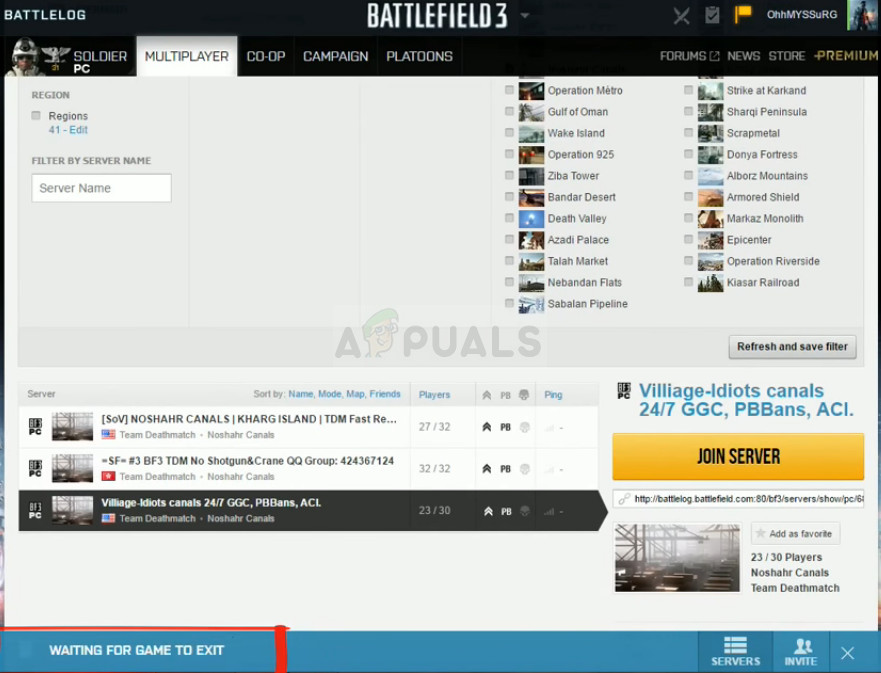
Battlelog Waiting For Game To Exit

Ever stared blankly at your screen, frustration bubbling as your beloved Battlefield game refuses to launch, stuck in an endless loop with a message about "Battlelog Waiting For Game To Exit"? It's a surprisingly common hiccup for gamers, and while it might seem like a technical nightmare, understanding why it happens and how to fix it can actually be quite interesting, and even empower you to troubleshoot other software issues. Think of it as a mini-detective adventure into the inner workings of your computer!
The core issue is that Battlelog, the web-based social and game management platform that used to launch older Battlefield titles, thinks the game is still running, even when it isn't visibly. This can prevent you from starting a new session, leaving you stranded and itching for some virtual warfare. The problem stems from processes not terminating correctly, software conflicts, or outdated drivers. The benefit of understanding this error isn't just getting back into the game; it's about gaining a better grasp of how software interacts with your operating system and learning valuable troubleshooting skills applicable to various programs.
While “Battlelog Waiting For Game To Exit” might not seem directly relevant to education or daily life outside of gaming, the underlying principles are. For example, understanding how processes work and how to terminate them cleanly is crucial for anyone working with computers, whether it's a student writing code, a graphic designer using complex software, or even someone simply managing multiple applications on their home computer. Imagine a student's resource-intensive simulation program freezing; knowing how to properly identify and kill the process can prevent data loss and frustration. Similarly, in a work environment, if a critical application hangs, understanding these principles allows employees to resolve the issue efficiently, minimizing downtime and maximizing productivity.
Must Read
So, how can you explore this issue and learn to troubleshoot it? Start with the basics. First, open your Task Manager (Ctrl+Shift+Esc on Windows). Look for any processes related to Battlefield or the game's executable (usually something like BF3.exe or BF4.exe). If you find any, end the process. This forcefully terminates the application, allowing Battlelog to realize the game is no longer running. Another simple step is to restart your computer. This clears out any lingering processes and often resolves the issue. Beyond these basic steps, consider updating your graphics drivers and ensuring your operating system is up-to-date. Outdated drivers can cause compatibility issues and lead to unexpected errors. Finally, exploring online forums and support communities dedicated to Battlefield can provide valuable insights and solutions specific to your game version and system configuration.
Don't be intimidated by technical errors! Seeing "Battlelog Waiting For Game To Exit" as an opportunity to learn and experiment can transform a frustrating situation into a valuable learning experience. By understanding the underlying processes and applying simple troubleshooting steps, you can not only get back into the game but also enhance your overall computer literacy. Embrace the challenge, and happy gaming!