Why Does My Phone Say Optimized Battery Charging

Ever glanced at your phone and seen the words "Optimized Battery Charging" pop up? It might sound like tech jargon, but it's actually your phone's way of being a good friend to your battery – and to you! Think of it as your phone getting a little smarter about how it sips its power juice, leading to a longer, healthier life for your beloved device. In a world where we rely on our phones for everything from capturing memories to creating art, this feature is more valuable than ever.
But how does this seemingly small feature benefit you specifically? Well, if you're an artist who relies on their phone for quick sketches on the go, a hobbyist who uses it to document their latest crafting project, or even just a casual learner absorbing information through online courses, Optimized Battery Charging is your unsung hero. It ensures your phone is ready when you are, preventing that dreaded low-battery warning from interrupting your creative flow or learning spree. No more scrambling for a charger when inspiration strikes! Think of it as extending the life of your digital canvas or your mobile classroom.
Consider the possibilities. An artist experimenting with different photography styles can spend more time capturing the perfect light for a dramatic silhouette photo. A hobbyist can meticulously document the intricate steps of building a miniature model, knowing their phone won't die mid-process. Or, a casual learner can delve deeper into a fascinating documentary, absorbing knowledge without the anxiety of a sudden power outage.
Must Read
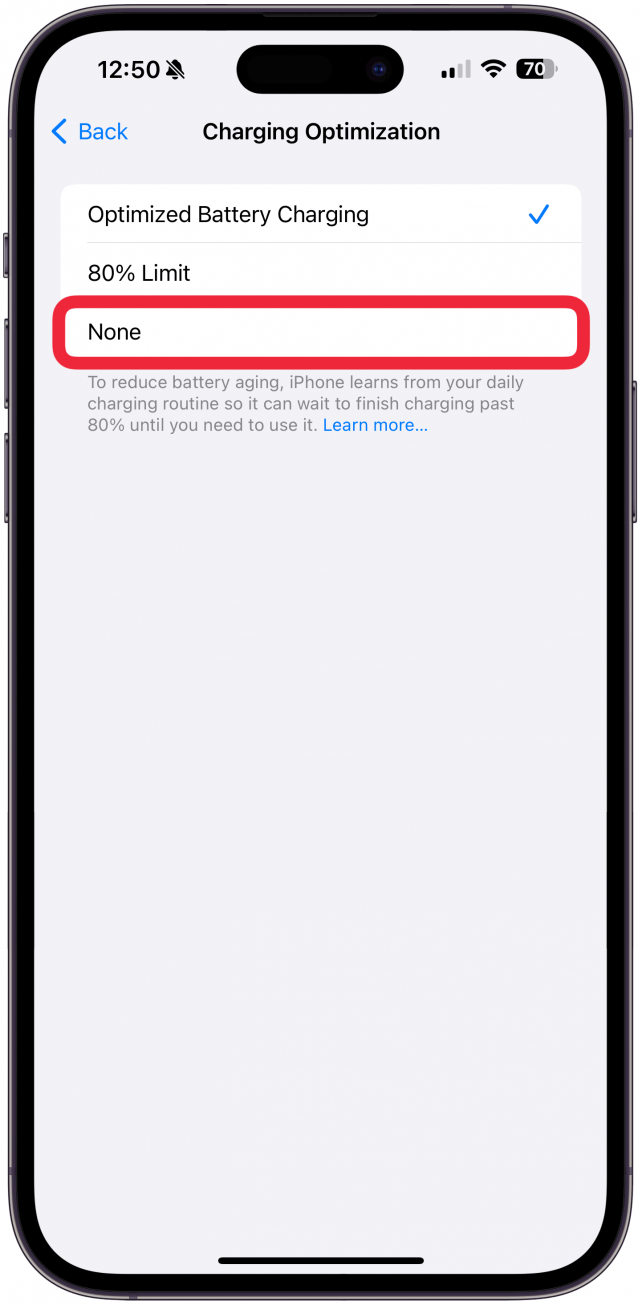
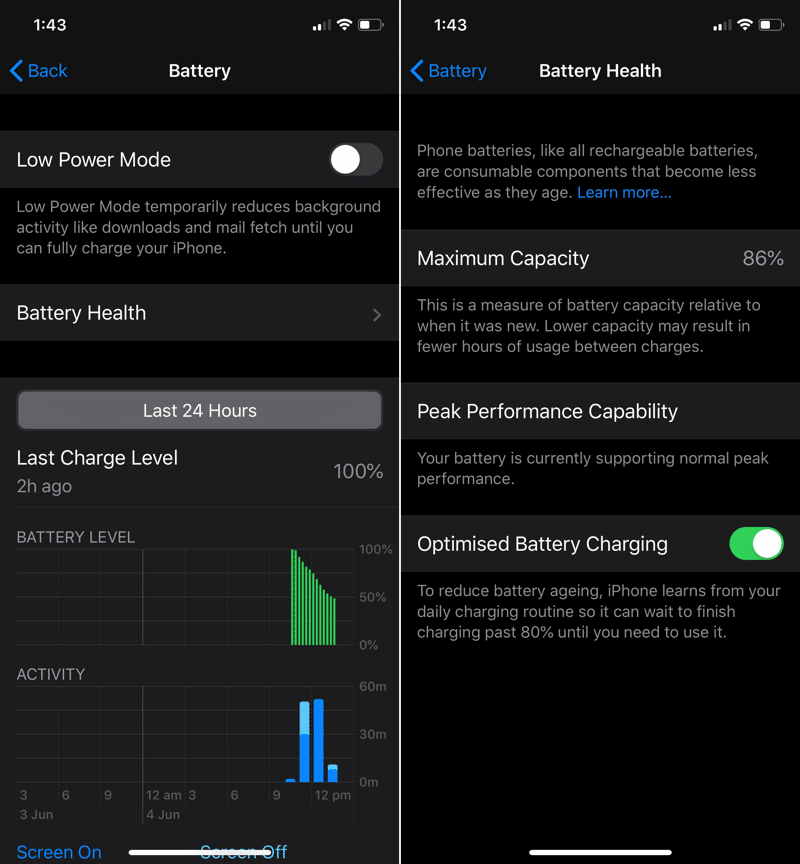
Here's a breakdown of how Optimized Battery Charging actually works: Your phone learns your charging habits. It notices when you typically plug it in and for how long. Then, instead of charging to 100% immediately, it'll often pause charging around 80%, topping it off just before it anticipates you'll unplug it. This seemingly simple change significantly reduces the amount of time your battery spends at full charge, which is a major factor in battery degradation over time.
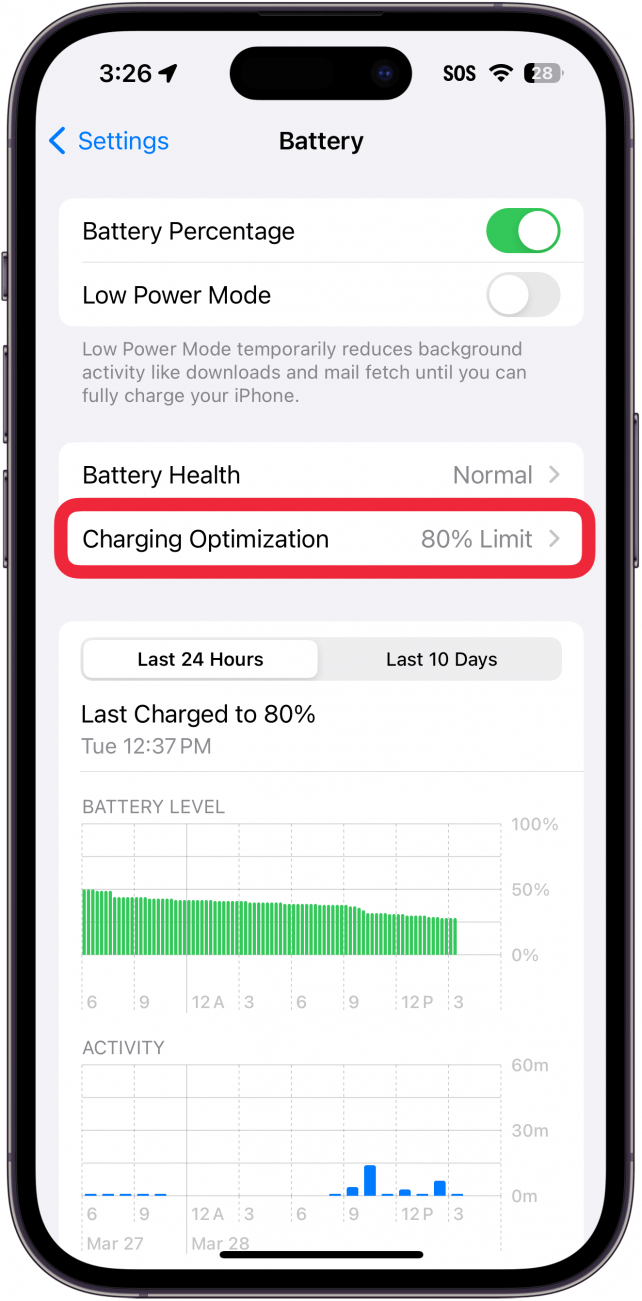
Want to make sure you're taking advantage of this feature? It's usually enabled by default on most modern smartphones. However, it's worth checking your battery settings to confirm. Look for options like "Optimized Battery Charging," "Battery Health," or similar phrases. You can often find it within the battery section of your phone's settings menu. Sometimes, the option to turn it on and off is available. It is worth noting that you may have to enable location services and other permissions for the feature to work as expected.
So why is Optimized Battery Charging so enjoyable? Beyond the practical benefits of a longer-lasting battery, it offers a sense of peace of mind. It's knowing that your phone is working smarter, not harder, to keep you connected and empowered. It's the subtle reassurance that your digital companion is being cared for, allowing you to focus on what truly matters: creating, learning, and exploring the world around you. It's a small feature with a surprisingly big impact, making our digital lives just a little bit easier and more enjoyable.