What Type Of Wifi Security Do I Have
Ah, Wi-Fi. That magical, invisible force that beams cat videos, work emails, and late-night streaming binges right into our homes. We love it, we rely on it, but how often do we stop to think about the digital bouncer guarding its entrance? You know, the one checking IDs at the door of your internet party? That, my friends, is your Wi-Fi security type, and understanding it is like knowing the secret handshake to your own digital fortress.
Imagine your Wi-Fi network as a cozy coffee shop. Everyone wants to come in, grab a latte, and enjoy the vibe. But you also want to keep out the folks who might try to sneak a peek at your recipe book (or worse, your online banking). That’s where your Wi-Fi security comes in – it’s the friendly, yet firm, barista making sure only invited guests get in.
The Blast from the Past: WEP
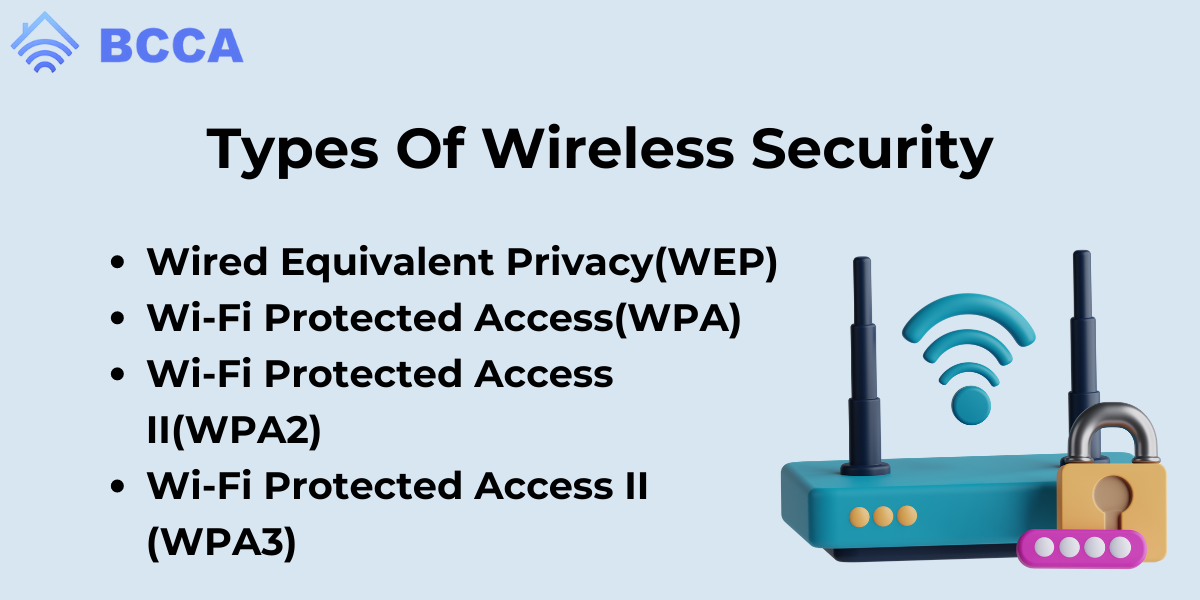
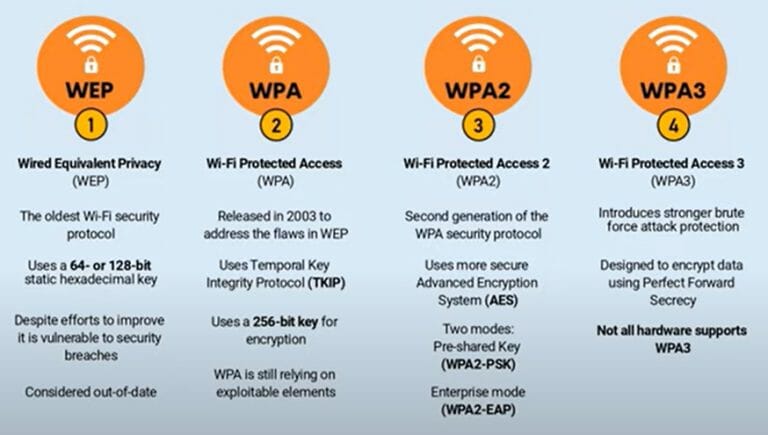
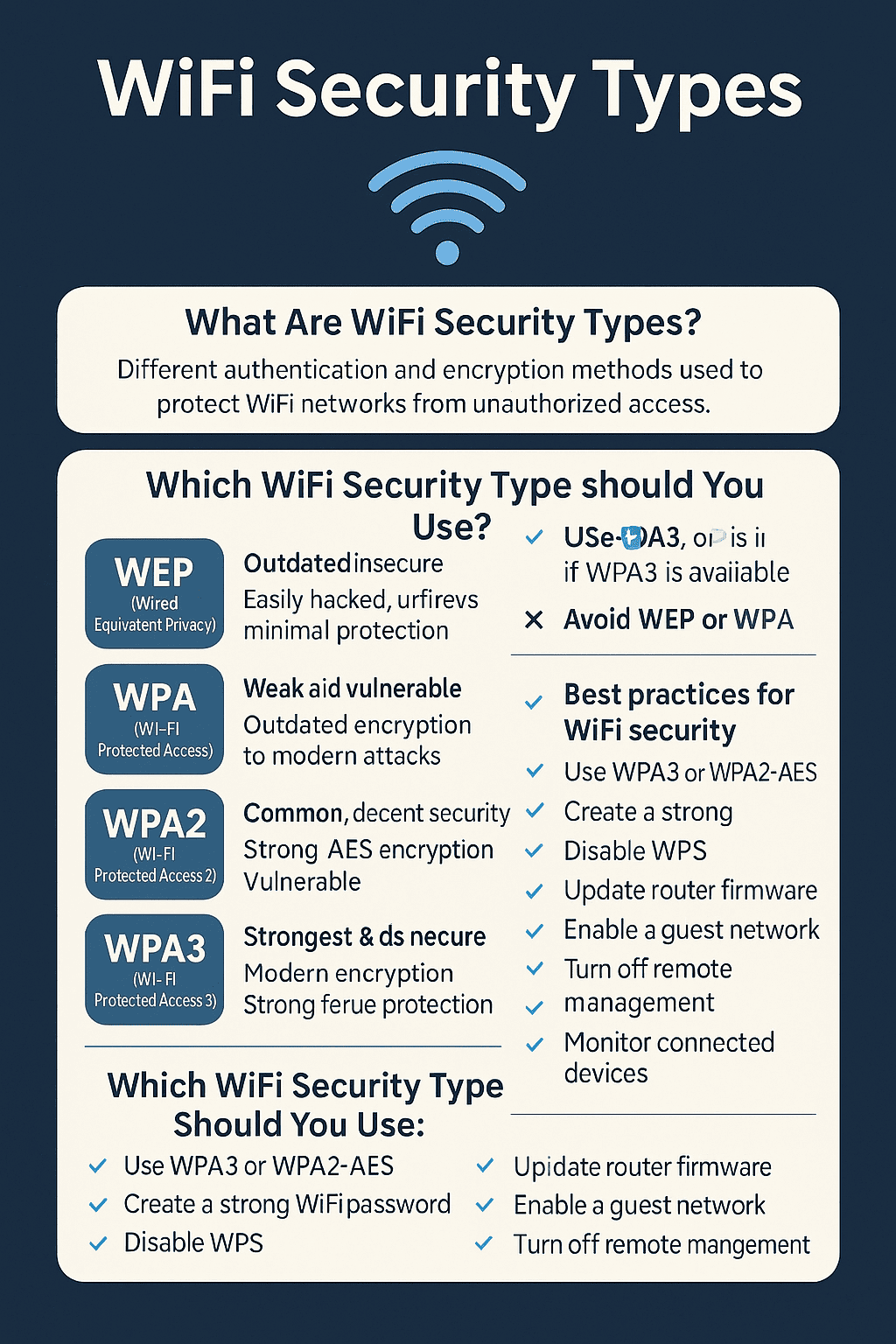
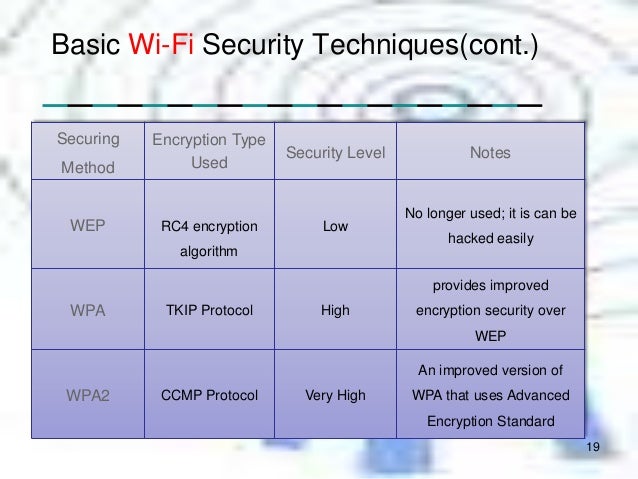
Let's start with the grandpa of Wi-Fi security: WEP, which stands for Wired Equivalent Privacy. If your coffee shop had WEP security, its bouncer would be a sweet, elderly gentleman who probably just asks, "Are you supposed to be here, dear?" and trusts whatever you say. He might even have a sticky note with the "secret" password tucked behind his ear. The truth is, WEP was innovative for its time, but it’s about as secure as hiding your diary under your pillow. Most modern devices will practically beg you to upgrade if you’re still using it. It’s a relic, a charming piece of internet history, but definitely not what you want protecting your treasured family photos or that epic online game score.
Must Read
Using WEP is like locking your front door, but leaving the key under the doormat.
The Stepping Stone: WPA
Next up, we have WPA, or Wi-Fi Protected Access. Think of WPA as the barista who's a little more on the ball. They might actually ask for a password, and perhaps even check if it’s legible. WPA was a much-needed improvement after WEP, patching up some of its most glaring holes. It offered a stronger encryption method, making it harder for unauthorized snoops to eavesdrop on your digital conversations. It was like upgrading from a flimsy lock to a slightly sturdier one. For a while, it was the standard, a good effort to keep things secure without being overly complicated. Many older routers still default to this, but like a well-loved but slightly worn armchair, it's starting to show its age.

The Dependable Workhorse: WPA2
Now we’re getting serious! WPA2 is the vigilant bouncer with a clipboard and a no-nonsense attitude. This is the most common and recommended security type you'll find on most home networks today. It's robust, it's reliable, and it uses much stronger encryption. With WPA2, your coffee shop has reinforced doors and a sophisticated alarm system. It’s what keeps your online banking secure, your video calls private, and ensures that only your family is hogging the bandwidth for their latest Netflix binge. If you're using WPA2, give yourself a pat on the back. You've got a solid foundation for your digital life, protecting everything from your smart thermostat to your kids' online homework.
WPA2 is your digital guardian, keeping the digital boogeymen at bay.
The Future-Proof Pal: WPA3
And then there’s the new kid on the block, the super-sleek, state-of-the-art security system: WPA3. This is like the bouncer who not only checks IDs but also has facial recognition, a background check, and a secret handshake that changes every hour. WPA3 takes Wi-Fi security to another level, offering enhanced protection against even the most sophisticated attacks. It's especially useful for public Wi-Fi networks, making it much safer to connect at airports or cafes without fear of someone peeking over your digital shoulder. While it's still rolling out and not on every device or router yet, WPA3 is the future. It’s the peace of mind knowing your data is wrapped in the digital equivalent of Fort Knox, ready for whatever tomorrow's internet throws at it.
So, What Type Do You Have?
Finding out is often surprisingly simple! You usually don't need to be a tech guru.
- Check your router’s settings by typing its IP address (often 192.168.1.1 or 192.168.0.1) into your web browser.
- Log in (the username and password are often on a sticker on the router itself, or simply admin/admin or admin/password).
- Look for a section called "Wireless Security" or "Security Mode."
Knowing your Wi-Fi security type isn't just about protecting abstract data packets. It's about protecting the things that truly matter: the video calls with distant family, the shared albums of precious memories, the online therapy sessions, or even just the quiet joy of streaming your favorite show without worrying if someone else is peeking in. It’s a tiny step that offers immense peace of mind, allowing you to enjoy your connected life without a worry. So go ahead, check your Wi-Fi security. Give your digital barista a strong security protocol to work with, and enjoy your internet coffee shop with confidence!