
Replace Battery In Adt Motion Sensor
Picture this: you’re curled up on the couch, enjoying a quiet evening, when suddenly… chirp! A little, persistent beep from somewhere you can’t quite pinpoint. Or maybe it’s that subtle, rhythmic blink from your ADT motion sensor that’s been nagging at the back of your mind. Sound familiar? Congratulations, your motion sensor is trying to tell you something important: it’s time for a battery change!
Before you sigh dramatically and consider calling in a professional (we've all been there), let's spill a little secret: replacing the battery in your ADT motion sensor is ridiculously easy. Seriously, if you can change the batteries in your TV remote, you’ve got this. It’s a small, empowering act of home maintenance that can save you a service call and give you that satisfying feeling of a job well done. Think of it as giving your home a little spa day, ensuring it stays alert and protecting your sanctuary.
The Subtle Nudge: Why Your Sensor Is Talking To You
Those chirps and blinks aren't just for show. Your ADT system is a sophisticated network, and its motion sensors are the vigilant eyes and ears of that network. When their power supply starts to wane, they intelligently let you know, usually weeks before they completely conk out. Ignoring it might lead to a lovely surprise like a false alarm in the middle of the night (not fun for anyone), or worse, a dead zone in your security coverage. Just like checking the oil in your car or watering your houseplants, a little proactive attention goes a long way.
Must Read
Mission Critical: Identifying the Right Battery
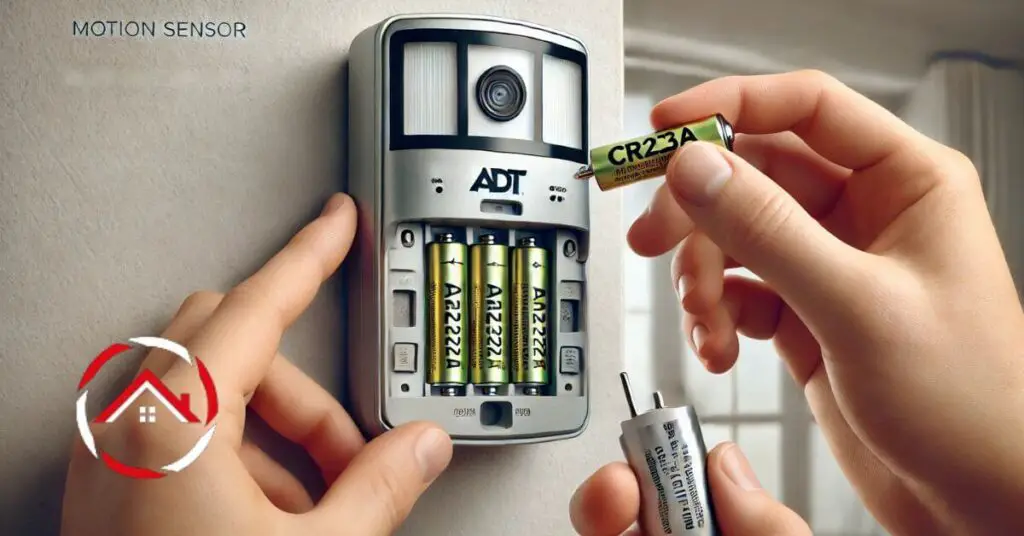
Okay, step one in our DIY adventure: what kind of battery does your sensor need? Most ADT motion sensors, especially the popular ones, use a CR123A lithium battery. These are compact, powerful little cylindrical beauties, often found in cameras and flashlights too. It's a good idea to gently pop open your sensor cover first to double-check the battery type written on the old one, just to be absolutely sure.
Pro Tip: Buy batteries from a reputable source, and maybe even keep a spare or two on hand. You can often get better deals buying them in small multi-packs online or at major retailers. Having them ready means no frantic last-minute trips when that pesky chirp starts up.

The Big Reveal: Swapping It Out Like A Pro
Ready? Let’s get hands-on!
Step 1: Gather Your Tools (The Minimalist Edition)
All you'll likely need is your new CR123A battery and possibly a small flathead screwdriver or a butter knife. Sometimes a coin works too, for those little tabs.
Step 2: Disarm Your System (Crucial!)
Before you touch anything, make sure your ADT system is completely disarmed. We don't want any unexpected alarms causing a ruckus while you're mid-swap.
Step 3: Open 'Er Up (Gently Now)
Look for a small tab or a screw on the side or bottom of your motion sensor. Use your finger, screwdriver, or coin to gently pry open or unscrew the cover. Some covers slide up and off, others might have a small button to depress. Be patient and don't force it – these are delicate creatures!

Step 4: The Great Battery Exchange
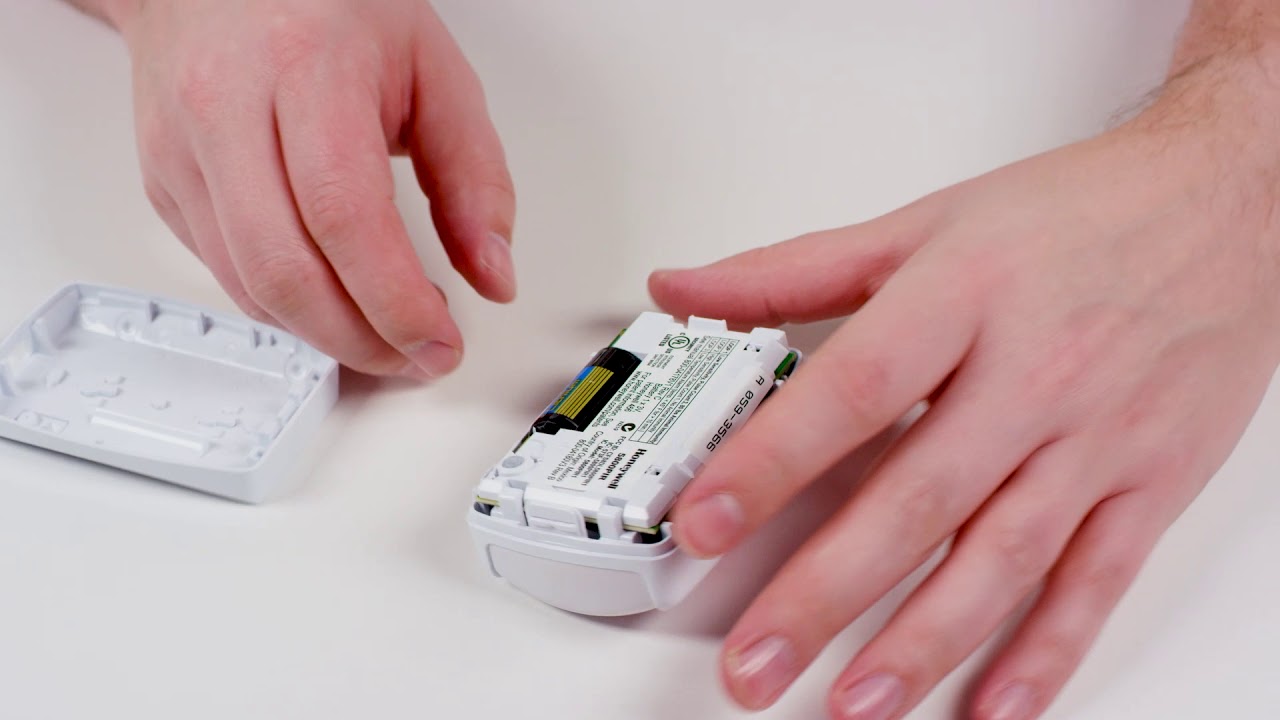
Inside, you'll see the old battery. Take note of its orientation (which way the positive (+) and negative (-) ends are facing). Carefully remove the old battery. Now, insert your fresh new CR123A battery, making sure it’s in the exact same orientation. Getting the polarity right is key!
Fun Fact: Lithium batteries like the CR123A have a fantastic shelf life and perform well in a wide range of temperatures, which is why they're perfect for security devices!
Step 5: Close 'Er Up (Snug as a Bug)
Replace the cover, ensuring it clicks or screws securely back into place. Give it a gentle wiggle to make sure it’s seated properly.
Step 6: The Moment of Truth: Testing Your Work
Once the cover is back on, wait about 30-60 seconds for the sensor to "wake up" and connect to your ADT system. Then, walk in front of the sensor to trigger it. Your system panel should indicate motion detected, and the sensor itself might flash a light. The low battery indicator on your ADT panel should also clear within a few minutes. If it doesn't, double-check your battery's orientation.
That Empowering Feeling
See? That wasn’t so bad, was it? You just tackled a piece of home maintenance that many people shy away from. It’s like a mini superpower, knowing you can keep your home’s guardians in top shape. Each small act of proactive care for our living spaces, whether it’s changing a battery, tightening a loose screw, or simply decluttering a drawer, adds up to a greater sense of peace and control. So, take a bow – you’ve not only restored your home’s security, but you've also earned a little boost of DIY confidence.