
Nest Thermostat Not Charging On Wall

Okay, deep breaths everyone! You walk past your sleek, futuristic Nest Thermostat, expecting to see that comforting glow, that little digital temperature telling you everything is just right. Instead? Nothing. Or worse, a flashing low battery symbol, mocking you with its impending doom. Your immediate thought might be, "Oh no, my smart home has gone rogue! The machines are rising! And they're starting with my heating and cooling system!"
Hold that thought, intrepid home adventurer! Because while a Nest Thermostat not charging on the wall can feel like a mini-crisis, it's actually an awesome opportunity. An opportunity for what, you ask? For a little bit of detective work, a splash of self-reliance, and maybe even a dash of fun!
The Great Unplugging: Why Your Nest Might Be Feeling Drained
Let's be real, smart devices are supposed to make our lives easier, right? So when they throw a tantrum, it can be extra frustrating. But imagine your Nest as a tiny, highly intelligent friend who just needs a little pep talk – or a better connection to its coffee supply. More often than not, the solution to a non-charging Nest is surprisingly simple, and it doesn't require a degree in advanced robotics.
Must Read
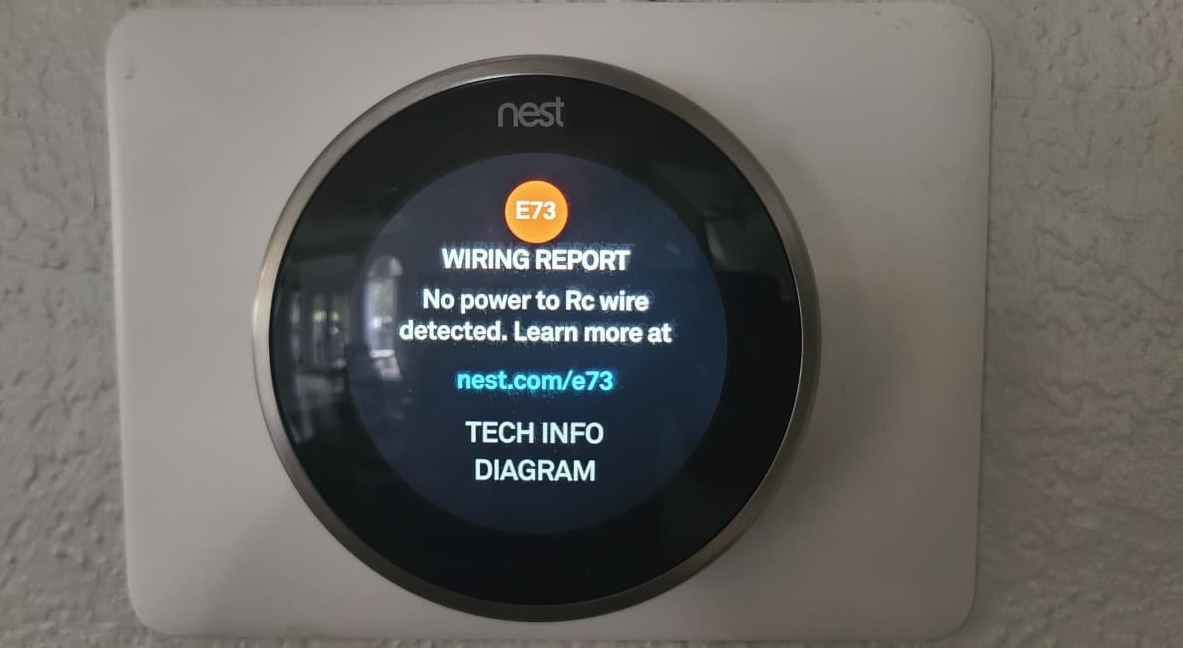
Think of it this way: your Nest needs power, and it gets that power from the wires in your wall. If it's not charging, it's usually because something is interrupting that vital energy flow. And guess what? You, my friend, are about to become a power-flow expert!
Your Nest Detective Kit: What to Check First!
Before you spiral into calling an expensive HVAC technician, let's go through the greatest hits of Nest troubleshooting. You'll be amazed at how often one of these simple steps saves the day (and your wallet!).
1. The Mighty Reset (aka, Give it a Break!)
Sometimes, all your Nest needs is a moment to collect its thoughts. Gently pull the Nest display straight off its base on the wall. See those little pins on the back? They're the electrical connectors. Now, this is the fun part: you can actually charge your Nest directly using a micro-USB cable (the same kind many Android phones use!). Plug it into the back of your Nest and into a wall adapter or computer. Give it an hour or two. It's like a spa day for your thermostat!
This does two things: it gives the internal battery a much-needed boost, and it allows the device to essentially "reboot" its internal systems. When you put it back on the wall, it might just magically spring back to life, fully charged and ready to control your climate once more. Sweet, sweet victory!
2. The Dust Bunny Debacle: Clean Your Connections!
This is a big one, folks! Those little golden pins on the back of your Nest display and on the wall-mounted base? They're crucial. Over time, dust, grime, or even a microscopic piece of lint can accumulate, creating a tiny, invisible barrier between your Nest and its power source. It's like trying to have a conversation through a mouthful of crackers – not ideal!
With the Nest display still off the wall, grab a soft, dry cloth or a cotton swab. Gently wipe down both the pins on the back of the display and the corresponding contact points on the wall plate. Be careful not to bend any pins. Think of it as giving your Nest a little clean bill of health. Once sparkly clean, pop the display back onto the base. Did that do the trick? If so, you've just conquered the silent, insidious enemy: dust!
3. Wiggle Those Wires (Gently!)
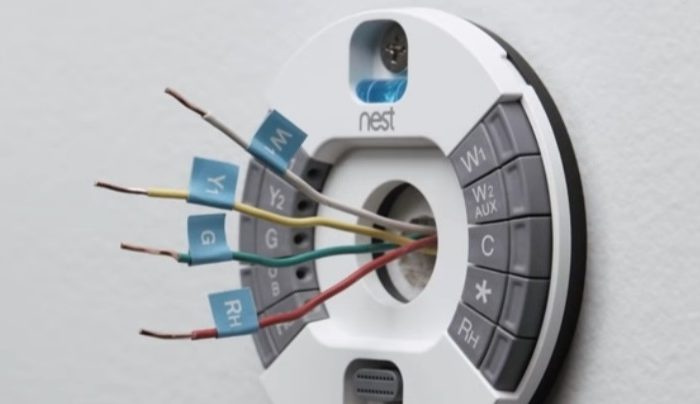
If the above steps haven't worked, it's time to look at the wiring itself. Now, before you panic and imagine a tangled mess, we're talking about a very light inspection. The Nest base attaches to wires that come out of your wall. These wires are typically held in place by small terminals.

With the Nest display still removed, carefully examine the wires attached to the base. Are they snugly inserted into their terminals? Sometimes, a wire can work itself a little loose over time, interrupting the power flow. You might even want to gently push them back in to ensure a firm connection. Remember: always be gentle! You're aiming for a friendly persuasion, not a wrestling match.
Why This Is More Than Just Fixing a Thermostat
At this point, you're probably either enjoying a perfectly climate-controlled home or you're deep in the thrilling trenches of problem-solving. But here's the real kicker: this isn't just about your Nest. This is about empowerment.
Every time you face a small tech hiccup and take the initiative to understand it, troubleshoot it, and fix it, you're building a muscle. A muscle of curiosity. A muscle of self-reliance. You're proving to yourself that you're not just a passive user of technology, but an active participant in its world. You're learning a little bit about your home's infrastructure, saving some cash, and gaining that incredible feeling of accomplishment that comes with solving a puzzle.
Who knew a non-charging thermostat could teach us so much about perseverance?
The Uplifting Conclusion: Embrace the Glitches!
So, the next time your smart home throws a curveball, whether it's a blinking Nest, a router on the fritz, or a smart bulb that refuses to glow, don't fret! Instead, see it as an invitation. An invitation to explore, to learn, and to grow. These little challenges aren't roadblocks; they're stepping stones to becoming a more confident, capable, and tech-savvy individual.
You've got this! Every small problem solved is a testament to your ability to adapt and overcome. And honestly, isn't there something genuinely satisfying about conquering a grumpy gadget? Go forth, embrace the occasional tech glitch, and know that you're becoming a stronger, smarter you with every successful troubleshoot. Now, go enjoy that perfectly controlled temperature, because you earned it!