
Kwikset Smart Lock How To Change Battery

Hey there, friend! Grab a coffee, let’s chat. So, you’ve got one of those awesome Kwikset smart locks, right? They're just the best, aren't they? No more fumbling for keys, remembering if you locked the door, or hiding a spare under a very obvious rock. It’s like living in the future!
Until… dun dun DUNNN… that little voice in the back of your head (or, you know, the lock itself) starts beeping. Or maybe it just goes silent. And suddenly, your futuristic convenience feels a tiny bit less, well, convenient. Because, guess what? It’s probably the battery saying adios.
Don't panic! Seriously, take a deep breath. You're not going to break anything, I promise. Changing the battery on your Kwikset smart lock is actually one of the easiest DIY tasks out there. It’s probably less stressful than trying to assemble IKEA furniture, and definitely quicker than waiting for a locksmith.
Must Read
First Things First: Gather Your Gear (It's Not Much!)
Alright, before we dive in, let's make sure you've got what you need. This isn't a complex operation, trust me.
You’ll primarily need some fresh AA alkaline batteries. Yes, AA! Most Kwikset smart locks use them. And no, don't try to use rechargeable ones here; they often have a different voltage that can confuse your smart lock. Stick to good old alkaline for the best performance and lifespan.
Sometimes, just sometimes, you might need a small Philips head screwdriver. But honestly, many models are completely tool-free for battery changes. See? Already easier than you thought, right?
Operation: Battery Swap! (The Fun Part)
Okay, ready? This is where the magic happens. Or, you know, the sensible, logical battery-swapping happens.
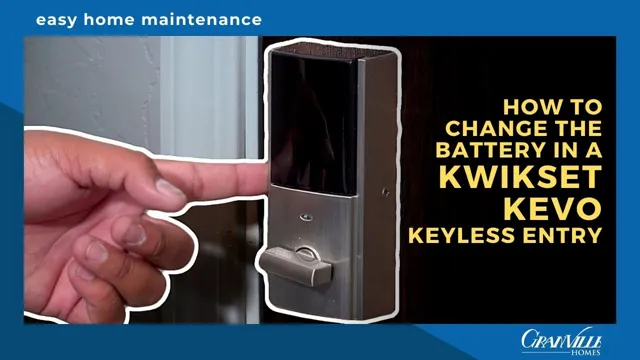
First, head to the inside portion of your Kwikset smart lock. This is super important because the batteries are always housed on the side that faces inside your home. Why? Because security, my friend! You don't want someone just walking up and yanking out your batteries from the outside, do you?
Now, look closely at that inside unit. Do you see a small, rectangular cover? Or maybe a larger, flat plate? Kwikset has a few different styles, but the idea is the same: find the part that looks like it could slide off or lift away. Some models have a couple of small screws holding the cover on, which is where your tiny screwdriver might come in handy. Others have a simple tab you press, or it just slides up and off.

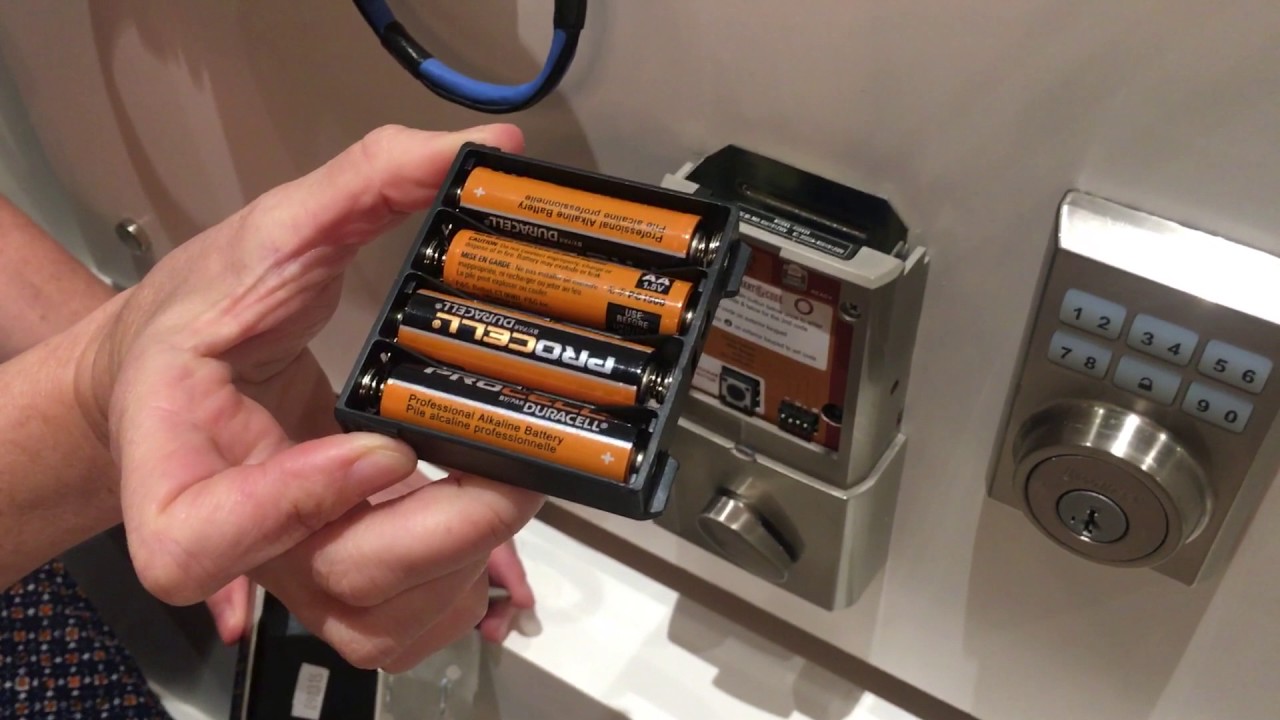
Go ahead and gently remove that cover. Ta-da! What do you see? A beautiful, often slightly dusty, battery pack! It’s usually a holder designed for four AA batteries. Don't worry if it's a bit snug.
Next up, it's time to remove the old batteries. Take them out one by one, noting their orientation (the positive [+] and negative [-] ends). This is a good time to give the battery compartment a quick peek for any corrosion, though it’s pretty rare with modern locks.
Now for the satisfying part: inserting your fresh, juicy AA batteries! Make sure you match the positive and negative ends correctly. Most battery compartments have little diagrams, but if not, just mimic how the old ones were in there. You’ll feel a nice, firm fit as they click into place.
Once all the new batteries are snuggled in, it’s time to replace the cover. Slide it back on, or screw it back down, making sure it’s secure. Don't over-tighten if there are screws; just snug is good.
The Moment of Truth: Testing Your Work
You've done it! Now, let’s make sure everything is working swimmingly. Go ahead and try to lock and unlock your door from the keypad. You should hear that familiar whirring sound of the deadbolt engaging and disengaging.
If your lock has a screen or lights, they should power up brightly now. Maybe even a little happy "beep boop!" to let you know it's alive and well. If for some reason it doesn't work right away, don't fret! Just double-check that all the batteries are inserted correctly. It's usually the culprit!
A Little Pro Tip From Your Friend
You know how smart locks often give you a warning chirp before the batteries completely die? That's your cue! Try to keep a pack of spare AAs in a handy drawer. Changing them before they completely conk out saves you the momentary "oh no, am I locked out?!" panic.
And remember, when you change batteries, change them all at once. Don’t just replace one or two. It’s like changing tires on a car; you want them all to be fresh and working in harmony for the best performance.
You Did It! High Five!
See? That wasn't so bad, was it? You've successfully navigated the thrilling world of Kwikset smart lock battery replacement. You’re practically a tech wizard now, a home maintenance hero! Go ahead and enjoy the seamless, keyless convenience once more.
Now, about that coffee… mine’s getting cold! Keep being awesome, and enjoy your fully powered smart home!