
Is Usb A Compatible With Usb C
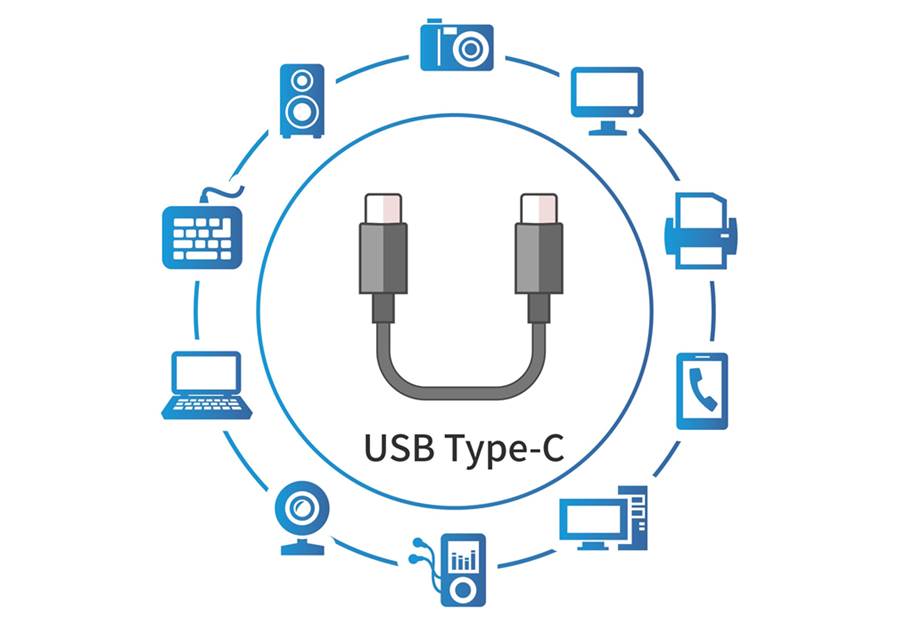
Hey there, ever find yourself staring at a pile of cables, feeling like you need a degree in advanced plugology just to charge your phone? You know the feeling, right? One minute you’re a tech wizard, the next you’re wondering if your trusty old USB-A plug can even talk to that sleek, reversible USB-C port on your fancy new gadget. It’s a common conundrum, trust me!
So, USB-A and USB-C: Are They Friends or Foes?
Let's get straight to it, because life’s too short for compatibility puzzles. The big question, the one that keeps us up at night (okay, maybe just mildly annoyed during the day): is USB-A compatible with USB-C?
And the answer, my friend, is a resounding… yes, mostly! But, and there’s always a “but,” isn’t there? It's not a straightforward "plug-and-play" situation in the way you might think. Imagine trying to fit a square peg in a round hole – that's your physical challenge right there.
Must Read
You see, USB-A, bless its heart, is that familiar, rectangular port we’ve known and loved for decades. It's the one you always try to plug in upside down three times before it finally goes in. (Don't lie, we all do it!). USB-C, on the other hand, is the new kid on the block: a sleek, oval, flippable marvel. It’s the one you can plug in any which way, and it just works. Ah, progress!
So, physically, they're different shapes. You can't just jam a USB-A plug into a USB-C port. That would be like trying to put your car keys in a bicycle lock – just not gonna happen without some serious force, and we definitely don’t want to break anything!
Enter the Mighty Adapter (or Smart Cable!)
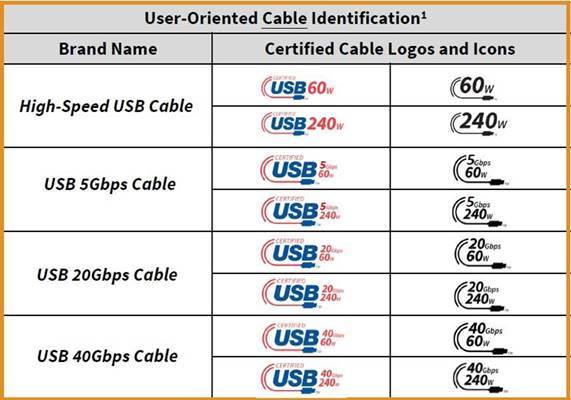
This is where the magic happens! While the physical ports don't match, the underlying technology behind them is largely designed to be compatible. That's the key! Think of it like different languages with a common root. They can communicate, they just need a translator.
And in the world of USB, that translator comes in two main forms:
- The Adapter: This little wonder plugs into your USB-C port and gives you a USB-A port to plug into. Or vice-versa! It changes the shape but keeps the data flowing. Like a tiny, techy diplomat.
- The Hybrid Cable: Even better, often you can just grab a cable that has a USB-A plug on one end and a USB-C plug on the other. Boom! Problem solved. No separate adapter needed. These are super common now, and probably already lurking in your cable drawer.
So, you want to plug your old USB-A flash drive into your shiny new laptop with only USB-C ports? No sweat! Grab a USB-C to USB-A adapter. Need to charge your new USB-C phone with an old wall charger that only has USB-A ports? Easy peasy! Just get a USB-A to USB-C cable. See? It's not so scary!
But What About Speed and Power?
Ah, now you're asking the really good questions! While an adapter or a hybrid cable will definitely get your devices talking, it’s worth noting that USB-C, being the newer tech, often brings more to the table. We’re talking about potential for much faster data transfer speeds (think zipping huge files instead of crawling) and significantly more power delivery (charging your devices much, much quicker).
When you connect an old USB-A device to a new USB-C port via an adapter or cable, the connection will generally operate at the speed and power capabilities of the older, slower component. It's like putting a super-fast engine in an old car – it'll still go, but it's limited by the other parts. So, your USB-A flash drive won’t suddenly become a speed demon just because it's plugged into a USB-C port. It’ll work, but at its own pace.
However, the great news is that the data will still flow, and your device will still charge. The standard is backward compatible, meaning the new stuff usually plays nice with the old stuff, even if it can't unlock its full, modern potential.
A Few Friendly Tips for Your Cable Journey:
- Quality Matters: Don't skimp on cheap, no-name adapters or cables. A bad cable can lead to slow charging, slow data transfer, or even damage. Stick with reputable brands!
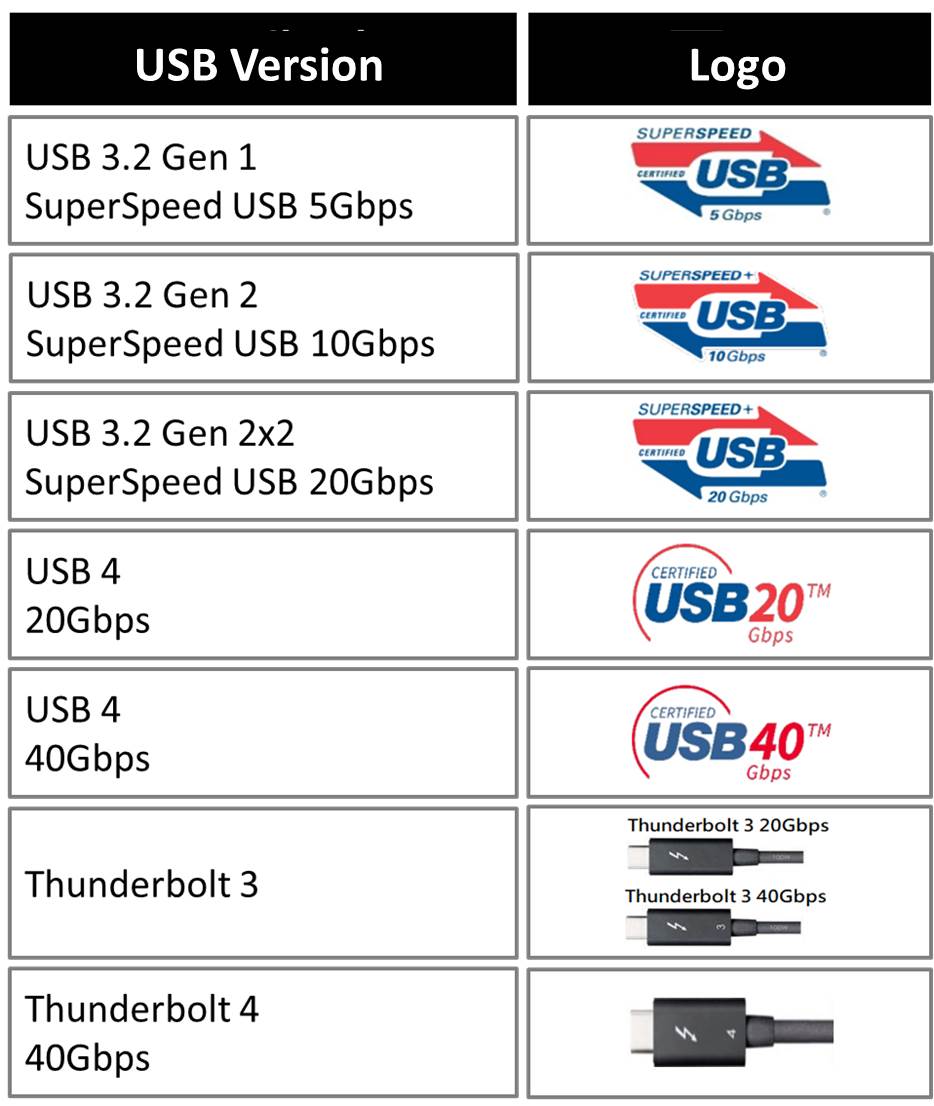
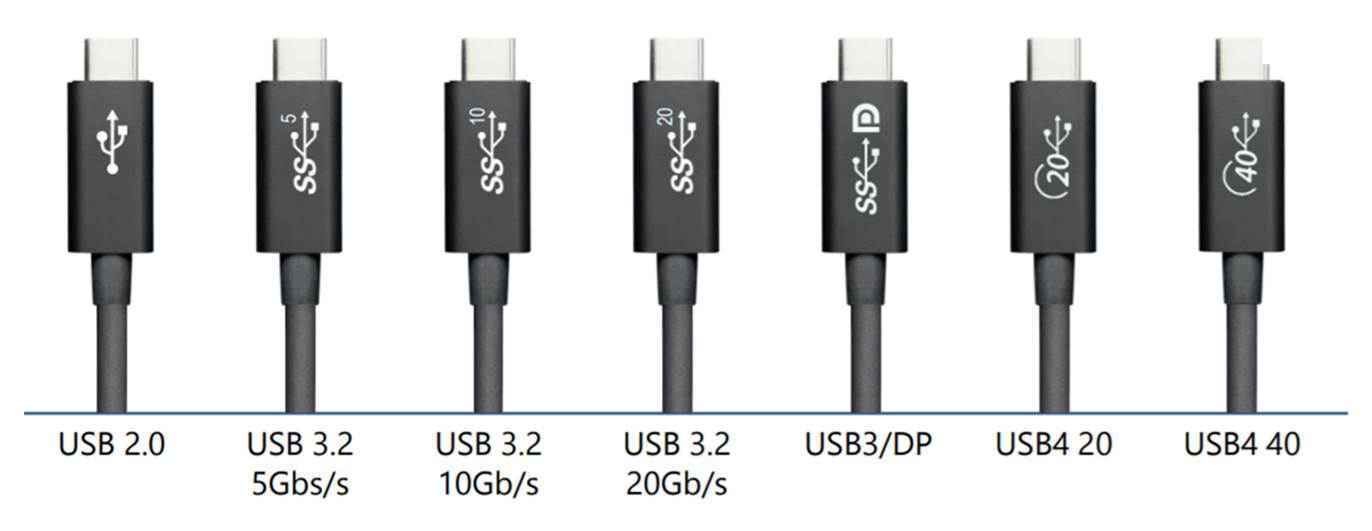
- Know Your Needs: Are you mostly charging? Or moving huge video files? This will help you decide if you need a basic adapter or a higher-spec USB-C cable that supports faster speeds (like USB 3.1 or Thunderbolt, if your devices support it!).
- Keep a Few Handy: A small collection of adapters and hybrid cables is a modern-day survival kit. You never know when you'll need to bridge the gap between old and new.
So, next time you’re staring down a perplexing port, don’t fret! USB-A and USB-C are, for the most part, happy to coexist, thanks to a little help from their adapter and cable friends. It’s all part of the glorious, slightly messy, always evolving world of tech. Now, go forth and connect with confidence!
