
How To Watch Bravo Live On Firestick

Okay, so you're craving some real Housewives drama, Vanderpump Rules antics, or maybe a dash of Top Chef action? You're in the right place. Let's get you watching Bravo live on that Firestick, stat!
Seriously, who doesn't love a little Bravo? It's the perfect guilty pleasure. (Don't worry, your secret's safe with me.)
Option 1: The Official Bravo App (If You Have Cable... Kinda)
Alright, first things first. Did you know Bravo actually has an app for Firestick? Wild, right?
Must Read
The Catch: You typically need a cable or satellite subscription (or a live TV streaming service login) to actually, you know, watch anything live. It's kinda like a VIP pass... you gotta prove you're already in the club. Boo!
If you're already paying for cable, just search for the "Bravo" app on your Firestick. Download it, install it, and then prepare to jump through some hoops to verify your subscription. It's usually pretty straightforward, but sometimes... well, let's just say tech glitches happen.

Important! Make sure your cable provider is supported. The Bravo app will walk you through the sign-in process. Keep your login info handy, because ain't nobody got time to reset passwords when Lisa Rinna's about to drop a bombshell.
Option 2: Live TV Streaming Services – Your Ticket to Freedom!
Don't have cable? No sweat! This is where things get interesting. There are a bunch of live TV streaming services that carry Bravo. Think of them as cable TV... but over the internet. So much better, right?
Here are a few of the big names to consider:
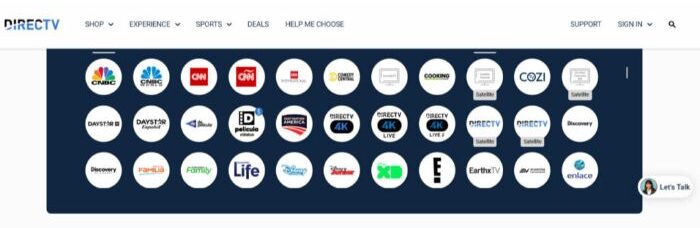
- YouTube TV: Solid option. Good channel lineup. They usually offer a free trial, too. Always a plus.
- Hulu + Live TV: Another popular choice. You get Hulu's on-demand library and live TV. Two birds, one stone. BAM!
- Sling TV: Can be a more budget-friendly option, especially if you only need certain channels. Check their channel packages carefully to make sure Bravo's included!
- fuboTV: Sports-heavy, but still carries Bravo. If you're a sports fanatic and a Bravo addict, this might be your dream come true.
Pro Tip: Most of these services offer free trials. Sign up, binge-watch your favorite Bravo shows, and then decide which one you like best. (Just remember to cancel before you get charged!) It's like a risk-free Bravo buffet!
Once you've picked your service, download their app on your Firestick. Easy peasy! Then, sign in and find Bravo in their channel guide. Boom! You're watching live TV!

Option 3: The "Other" Options (Proceed with Caution!)
Okay, I'm not going to endorse anything shady here. But… there are other ways to watch Bravo live online. However, these methods often involve sketchy websites or unofficial apps. The picture quality might be terrible, you might be bombarded with ads, and you could even be exposing yourself to malware. Yikes!
So, if you're thinking about going down this path, just be super careful. Is saving a few bucks really worth potentially messing up your Firestick (or worse)? Probably not. Just sayin'.
My Recommendation: Stick to the official Bravo app (if you have a subscription) or a reputable live TV streaming service. It's the easiest, safest, and most reliable way to get your Bravo fix.

Troubleshooting Tips (Because Things Always Go Wrong, Don't They?)
Alright, let's say you've followed all the steps, and... nothing. Don't panic! Here are a few things to try:
- Check your internet connection: Is your Wi-Fi working? (Duh, right? But you'd be surprised!)
- Restart your Firestick: Sometimes, a simple reboot can fix everything.
- Update the app: Make sure you're running the latest version of the Bravo app or your streaming service app.
- Clear the app's cache and data: This can sometimes resolve glitches. (Google "how to clear cache on Firestick" if you're not sure how.)
- Contact customer support: If all else fails, reach out to Bravo or your streaming service for help.
And there you have it! Everything you need to know to watch Bravo live on your Firestick. Now go forth and enjoy all the drama, tears, and table-flipping that Bravo has to offer!
Happy watching! (And try not to judge the Housewives too much. 😉)