
How To Use Nest Thermostat Without App

Imagine a world where you don't need your phone to adjust the comfort of your home. It sounds almost quaint, doesn't it? In an age dominated by apps and touchscreens, many of us assume our smart devices are chained to our digital lives.
But there's a charming secret hiding in plain sight, right on your wall. Your sleek, modern Nest Thermostat has a wonderfully analog heart beating beneath its digital display. It's ready to dance to your tune, no app required.
The Satisfying Spin: Temperature at Your Fingertips
Let's start with the most common task: changing the temperature. Forget fumbling for your phone or barking commands at a smart speaker. The real magic happens when you reach out and touch the device itself.
Must Read
That familiar, satisfying click-click-click as you rotate the shiny outer ring of your Nest is a tiny act of delightful rebellion. It’s a gentle reminder that some of the best interactions are still wonderfully tactile.
Want it warmer? Spin the ring clockwise. A little cooler? Counter-clockwise it goes. The numbers on the screen glow larger, confirming your choice with immediate feedback. It’s as intuitive as adjusting a classic radio dial, but with all the modern smarts humming beneath.
There’s a quiet confidence in this direct action. No need to unlock a phone, open an app, or scroll through menus. Just a simple, decisive twist of the wrist. It feels empowering, almost like you’re conducting your home’s climate orchestra with a single, elegant gesture.
"It’s like the Nest is winking at you, saying, 'Remember how easy things used to be? I still got it!'"
The Gentle Push: Beyond Just Temperature
Changing Modes: Heat, Cool, or Off
But what if you need to switch from heating to cooling, or simply turn the system off? Fear not, the Nest keeps it wonderfully straightforward. The entire face of the thermostat is a button.

Give it a gentle press. You'll hear a soft click and the main menu will appear on the display. This isn't some convoluted interface; it's a beautifully simple list of options, easy to read even from across the room.
Now, use that same satisfying ring to navigate. Spin it left or right to highlight your desired mode: Heat, Cool, Heat • Cool, or Off. See? It's all right there, patiently waiting for your command.
Once your choice is highlighted, simply press the face of the Nest again to select it. It’s a two-step dance: press to enter, turn to choose, press to confirm. Elegant and undeniably old-school in its directness.
Diving Deeper: Settings and Schedules
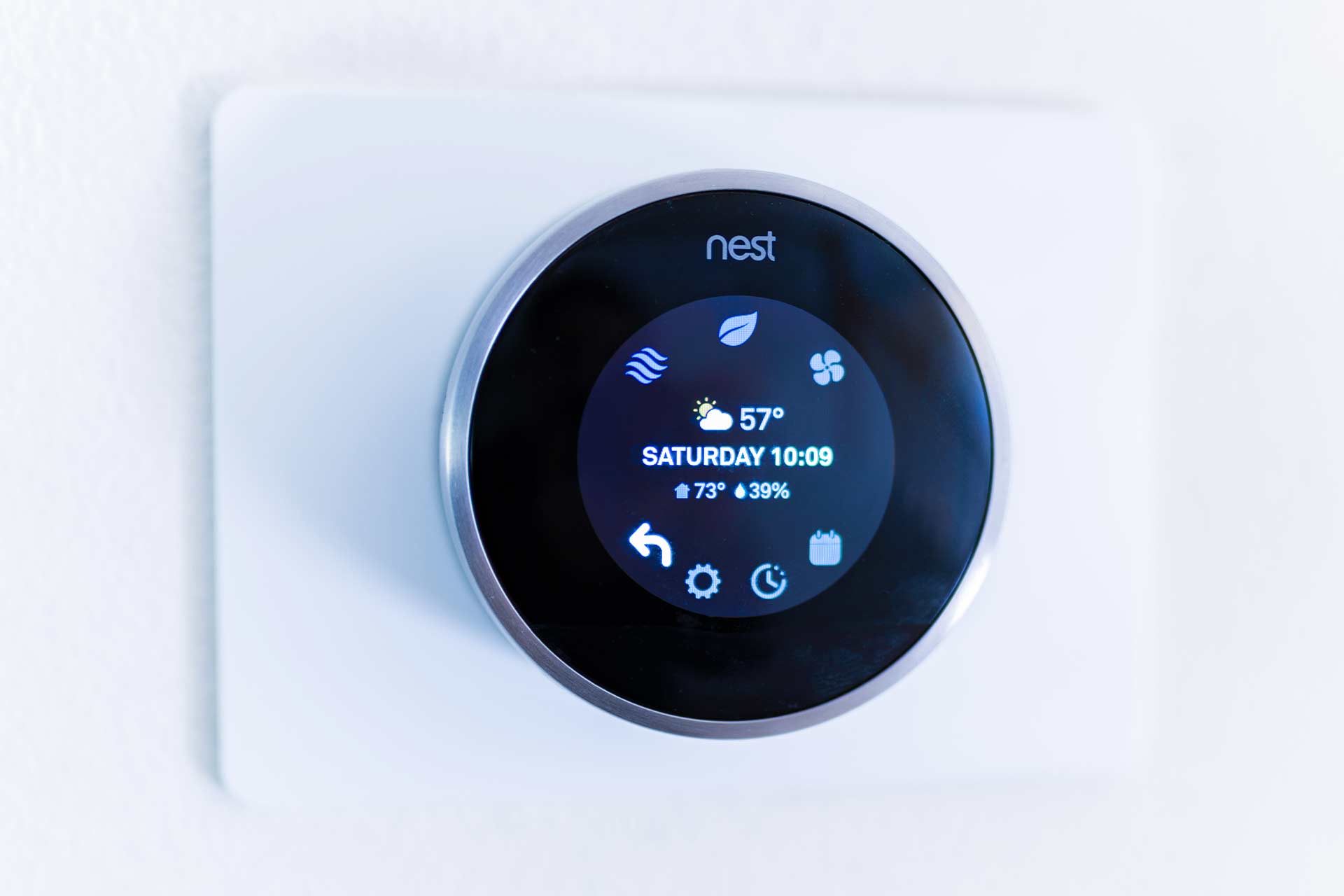
Even deeper settings, like adjusting your fan schedule or checking energy history, are accessible right on the device. Press the Nest’s face to bring up the main menu, then spin the ring to scroll down to the little gear icon for Settings.
Press to select Settings, and you're in! You can navigate through various options like Schedule, Away, Fan, and more, all with the familiar turn and press. It's a delightful journey of discovery, proving that you don’t need a smartphone to be smart with your home.
This manual interaction is particularly handy during those "oops" moments. Phone battery dead? Wi-Fi acting up? Guests who aren't tech-savvy? The Nest remains a steadfast, reliable beacon of comfort, always ready for a physical touch.
The Learning Legacy: Still a Smarty Pants
Here's the truly surprising part, and one that often warms the heart: even without the app, your Nest is still learning. Every time you manually adjust the temperature, you're teaching it your preferences.
It’s gathering data, quietly observing your patterns, and building its understanding of when you like things cozy or cool. This means your Nest Learning Thermostat lives up to its name, regardless of your digital habits.
It won't create a perfect schedule solely from manual tweaks, but it will certainly incorporate your physical adjustments into its existing understanding. It’s a beautiful blend of cutting-edge AI and human touch. The machine adapts to you, not the other way around.

Think of it as having a friendly house elf quietly taking notes on your comfort preferences. You make a change, the Nest logs it, and little by little, your home becomes even more attuned to your personal rhythm. It’s truly a testament to thoughtful design.
A Digital Detox for Your Digs
In a world constantly vying for our attention, there’s something wonderfully liberating about disconnecting. Using your Nest Thermostat without the app is like giving your home a mini digital detox.
It encourages you to be present, to engage directly with your environment. It’s a small rebellion against the always-on culture, a reminder that sometimes the simplest solutions are the most satisfying.
My elderly neighbor, Mrs. Henderson, who views smartphones with a mix of suspicion and bewilderment, absolutely adores her Nest. "It's just like my old thermostat," she'd beam, "only prettier and it knows what I want!"
This ease of use extends to children too. They love the glow, the satisfying click, and the instant gratification of changing the temperature with a simple twist. It turns home climate control into a fun, interactive game.
There's a subtle joy in walking past your Nest, noticing the temperature, and making a quick, tactile adjustment without breaking your stride. It's seamless, intuitive, and remarkably human.
Embrace the Simplicity
So next time you feel the urge to tweak your home's temperature, consider putting your phone down. Walk over to your Nest. Feel the cool glass, hear the gentle click of the ring, and press the face.
Discover the pure, unadulterated pleasure of direct interaction with a smart device that truly respects simplicity. It’s a testament to good design, proving that advanced technology doesn’t always need advanced fumbling.
Your Nest Thermostat is more than just a smart device; it’s a friendly companion on your wall, always ready to respond to a physical touch. Embrace its analog charm and enjoy the surprising satisfaction of going "app-free." It’s an easy, fun way to reconnect with your home.