How To Upload My Music On Soundcloud
Ever hummed a tune so catchy you wished the whole world could hear it? Or maybe you've finally recorded that killer guitar riff that's been stuck in your head for weeks. In today's digital world, sharing your creations with the world is easier than ever. One fantastic platform for doing just that is SoundCloud. It's more than just a place to listen to music; it's a community, a springboard, and a digital stage all rolled into one. Learning how to upload your music to SoundCloud unlocks a universe of possibilities, and frankly, it's pretty fun!
So, what exactly is the purpose of uploading your music to SoundCloud? It's about getting your work heard. Think of it as your online portfolio. It allows you to share your music with friends, family, and potential fans across the globe. You can build a following, get feedback on your tracks, and even collaborate with other artists. Plus, many industry professionals, from record label scouts to music supervisors, regularly scour SoundCloud for fresh talent. In short, it's a powerful tool for exposure and growth.
But the benefits extend beyond just aspiring musicians. Educators can use SoundCloud to share recordings of lectures, student projects, or even musical performances from school concerts. Think about a language teacher uploading audio lessons for students to practice pronunciation. Or a history teacher sharing interviews with local historians. In daily life, SoundCloud can be a great way to share voice notes with loved ones, record and share poems or stories you've written, or even create personalized playlists for friends. The possibilities are truly endless!
Must Read
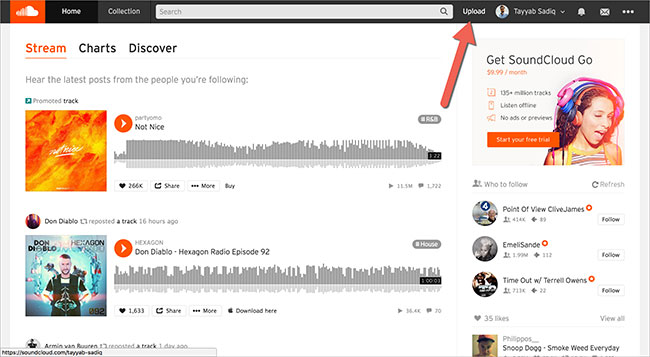
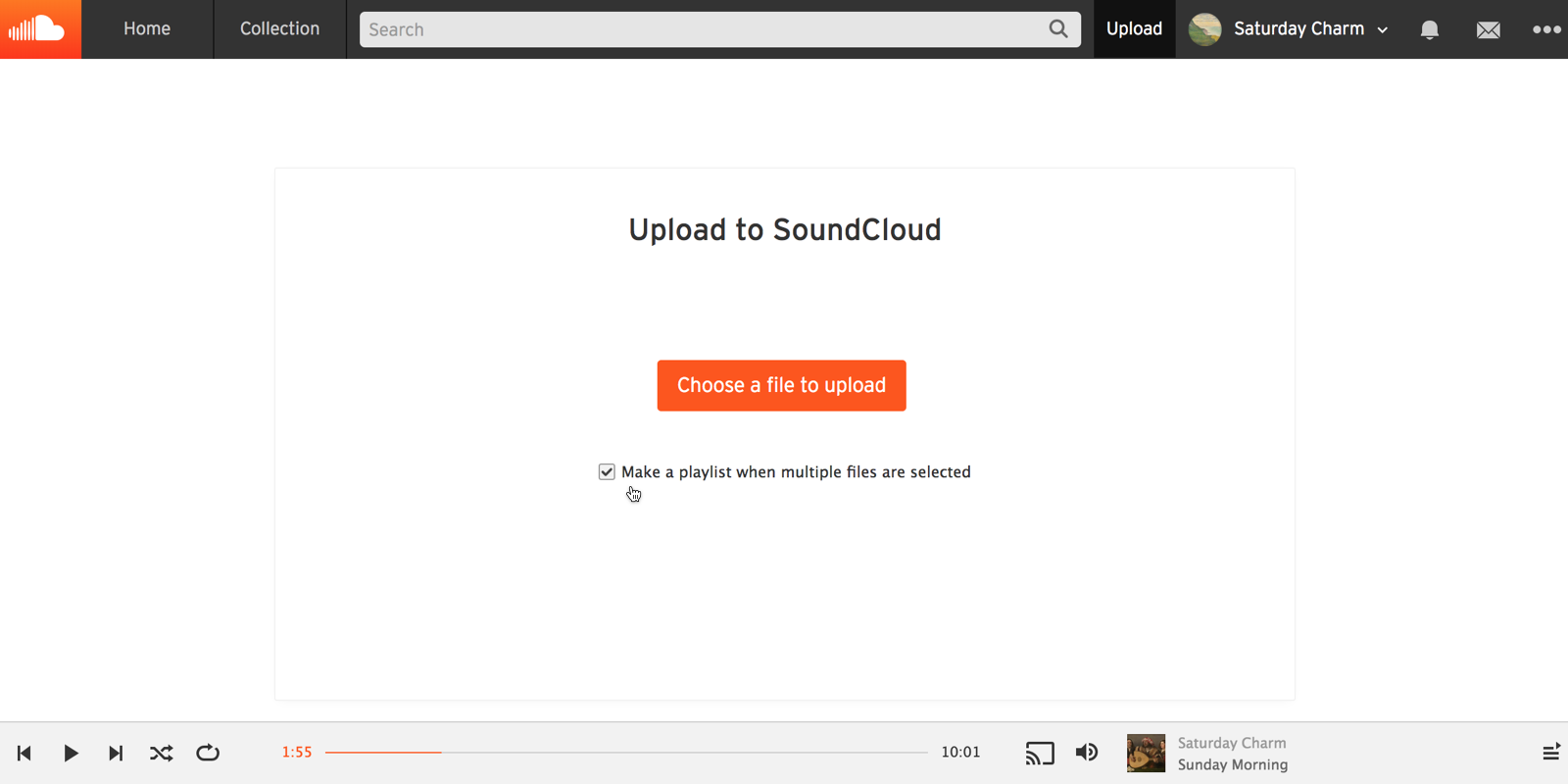
Okay, so how do you actually get your music onto SoundCloud? The process is surprisingly straightforward. First, you'll need to create a SoundCloud account. This is completely free and takes only a few minutes. Once you're logged in, look for the "Upload" button – usually prominently displayed at the top of the page. From there, you can simply drag and drop your audio files (MP3, WAV, FLAC, AIFF are all supported) or select them from your computer. SoundCloud will then guide you through the process of adding a title, description, genre tags, and even artwork to your track. Adding a compelling description and relevant tags is crucial for helping people discover your music, so don't skip this step!

A couple of practical tips to keep in mind: Firstly, ensure your audio file is of good quality. While SoundCloud will compress it, starting with a high-quality source file will result in a better listening experience. Secondly, be consistent with your uploads. Regular uploads keep your audience engaged and help you build momentum. Finally, interact with your listeners! Respond to comments, thank people for their support, and generally foster a sense of community around your music.
Want to explore further? Start by listening to other artists on SoundCloud in your genre. See what they're doing well, what kind of descriptions they use, and how they interact with their fans. Experiment with different tags and artwork styles to see what resonates with your audience. The key is to be creative, authentic, and persistent. So, grab your tunes, head over to SoundCloud, and start sharing your music with the world. You never know who might be listening!