
How To Turn On Electric Meter

Hey there, future home-hacker (the good kind, I promise)! So, you’ve just moved into your new pad, or maybe you’re tackling a property that’s been sitting dark and quiet. You’re ready to flip the switch, literally, and bring some glorious electricity into your life. But wait… how exactly do you “turn on” that mysterious electric meter thingy outside?
If you’re scratching your head, don't worry! It’s a super common question, and honestly, the answer is a little like trying to teach a fish to ride a bicycle: you don't actually turn it on yourself!
The Great Electric Meter Misconception!
Let's clear the air right away with a big, friendly bubble-burst: you, my friend, won't be waltzing up to your electric meter with a wrench and a grin, ready to perform some electrifying surgery. The meter itself isn’t a switch you can flip. Think of it as the highly sophisticated, super-important brainiac that just sits there, quietly doing its job:
measuring your power consumption.
Must Read
It’s like asking how to "turn on" your speedometer in your car. It’s always on, just waiting for the car to move! Similarly, your electric meter is always ready to measure power, but it needs power to flow through it first.
So, What Do I Turn On? (Spoiler: It's Inside!)
Ah, the million-dollar question! If the meter isn't a giant on/off switch, then what gives? The actual power "turn-on" process, from your end, happens inside your home at the breaker box (or fuse box, if your home is a bit more vintage chic).
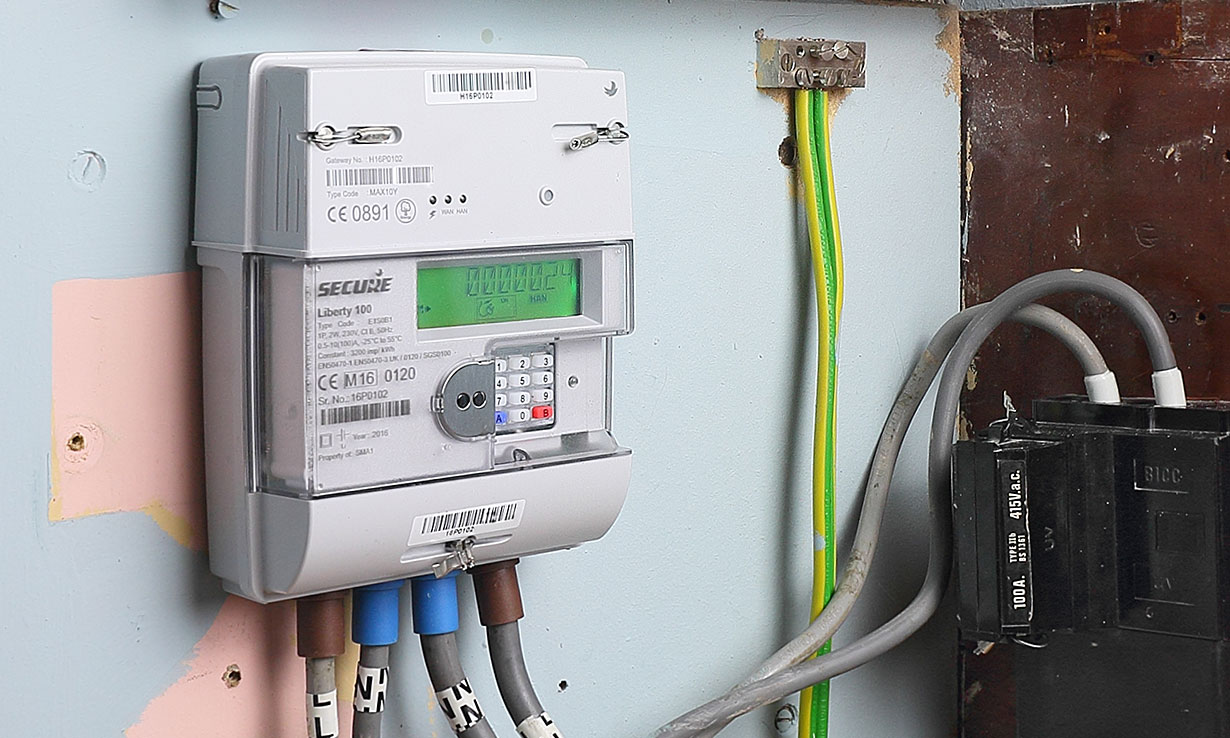
Often, when a property is vacant or power has been disconnected for safety or maintenance, the main breaker inside the house is switched to the "off" position. Your job, once everything else is in order, is to bring that juicy electricity from the grid, through the meter (which just counts), and into your home's circuits by flipping a switch or two in that magical breaker box.
Your Step-by-Step Guide to Power-Up Glory!
Alright, let’s get down to brass tacks. Here’s the friendly, step-by-step lowdown:
Step 1: Contact Your Utility Company (This Is Crucial!)
Before you even think about touching a breaker, make sure your utility company (your local electricity provider) has activated service to your address. They’re the gatekeepers! If they haven’t turned on the power to your meter from their end, no amount of breaker-flipping on your part will work. This isn't a game of hide-and-seek; you need an active account and service. Call them up, tell them you've moved in, and confirm your service start date.

Step 2: Locate Your Breaker Box
This sturdy metal box is usually found in a basement, garage, utility closet, or sometimes even an outdoor wall. It might be gray, beige, or sometimes even painted to blend in (clever!). If you’re playing detective, look for a large, rectangular box with a hinged door.
Step 3: Safety First, Friends! (No Jokes Here)
Electricity is fantastic, but it demands respect. Ensure your hands are completely dry. Wear rubber-soled shoes. If it’s dark, use a flashlight. If you smell anything funny or see sparks, do not proceed and call an electrician immediately!
Step 4: Open the Breaker Box and Find the Main Breaker
Carefully open the door. Inside, you'll see a row (or rows) of smaller switches. Somewhere in there, you'll find the main breaker. This big daddy is usually larger than the others, often labeled "Main," or positioned at the top or bottom of the panel. It's the master switch for all the power in your home.

It's likely in the "off" position, which might be indicated by a label, or simply by the switch being pushed fully to one side (often with a red indicator showing when it's off).
Step 5: Flip the Main Breaker to "On"
With a firm, deliberate push, flip the main breaker to the "on" position. You might hear a satisfying clunk. This sends power from the meter, through the main breaker, and to all the individual circuit breakers in your home.
Step 6: Check Individual Circuit Breakers (If Needed)
Sometimes, individual breakers (the smaller ones that control specific areas or appliances) might also be off or "tripped." A tripped breaker usually sits in a middle position, not fully "on" or "off." To reset it, push it firmly to the "off" position first, and then back to "on."

Step 7: The Grand Unveiling!
Now, go check your lights, plug in a lamp, see if the fridge hums to life! If everything is working, congratulations! You've successfully wrangled the power into your humble abode.
What If Nothing Happens?
If you've done all this and still have no power, don't panic! First, double-check with your utility company that they have indeed activated service. If they confirm it's on at their end, and you've tried all the breaker steps, it might be time to call in the pros. A qualified electrician can safely diagnose any deeper issues.
And There You Have It!
So, while you might not be giving your electric meter a high-five and a friendly "hello, turn on!" pat, you are the hero who brings the light (and the Wi-Fi!) back into your life. Enjoy that sweet, sweet glow of a powered-up home. May your fridge be cold, your Wi-Fi be strong, and your battery never be at 1%! Go forth and bask in the brilliance!