
How To Turn Off Thermostat Honeywell
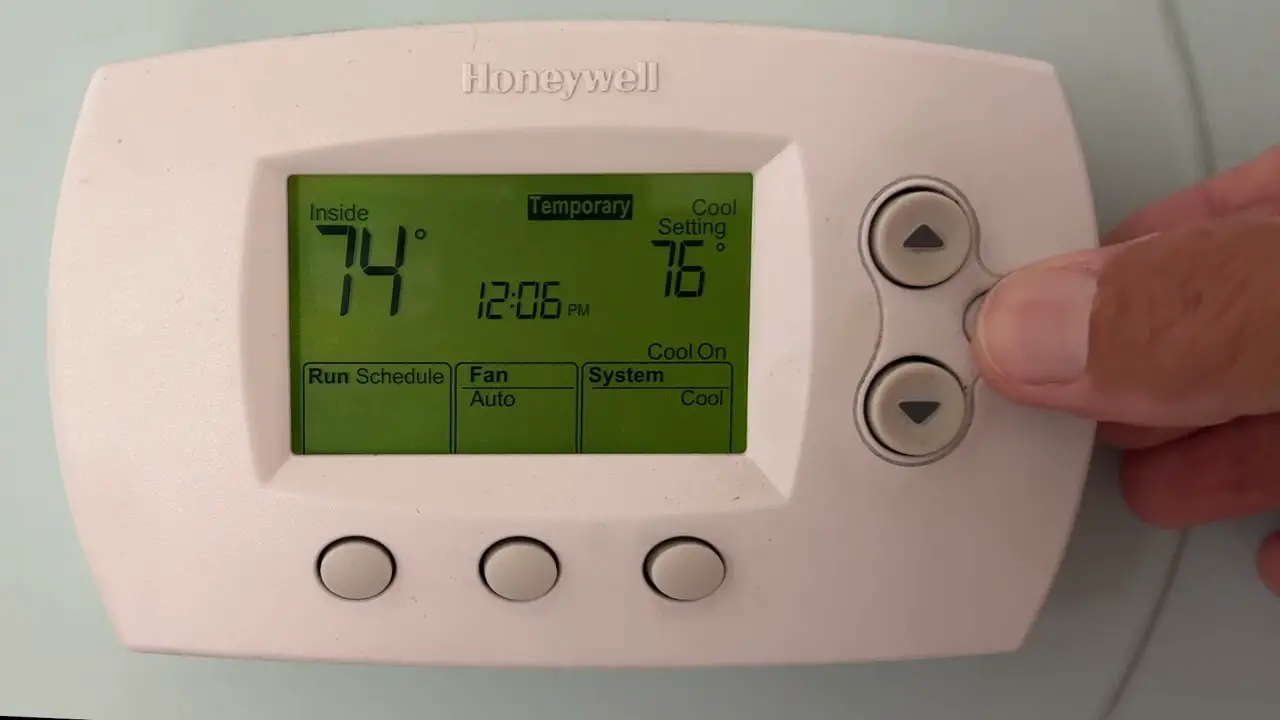
Ever had that moment? You're packing your bags for a dreamy escape to a sun-drenched beach, or maybe you're just waving goodbye to winter's chill and welcoming spring's embrace. You've double-checked the windows, locked the doors, and then it hits you: the thermostat. Is it still humming away, subtly draining your wallet and the planet's good vibes? It’s a common modern-day conundrum, but fear not, fellow home manager! Turning off your Honeywell thermostat is often as simple as a gentle tap, and we're here to guide you through it with a smile.
Think of your thermostat as the brain of your home's climate. Just like you wouldn't leave your car running in the driveway while you're on vacation, you probably don't want your HVAC system working overtime when it's not needed. It's not just about saving a few bucks (though that's always a bonus, right?). It’s about being mindful, sustainable, and truly in control of your sanctuary.
Why Go "Off"? The Zen of Thermostat Control
Beyond the obvious financial perk of seeing a lower energy bill, consciously turning off your thermostat has a few unsung heroes:
Must Read
- Planet Power! Less energy consumption means a smaller carbon footprint. You're basically giving Mother Earth a high-five.
- System Longevity: Giving your heating and cooling system a break when it's not needed can extend its lifespan. It’s like a mini-vacation for your furnace or AC unit.
- Peace of Mind: No more nagging worries about an empty house being heated or cooled unnecessarily. You’re free to fully enjoy your time away or the perfect outdoor weather.
Plus, there's something genuinely satisfying about taking command of your home environment. It's a small act, but it's a powerful one.
Finding Your Honeywell's Off Switch: A Little Detective Work
Honeywell thermostats are a bit like a family reunion – lots of different models, but they all share some core genes. Whether you've got a sleek digital smart thermostat, a classic programmable one, or even an older dial-and-slider model, the principle is similar. You're looking for the "Mode" or "System" setting, or sometimes a good old "Power" button.

For Digital & Smart Honeywell Thermostats:
Most modern Honeywell thermostats, like the popular T-series or Lyric models, will have a digital display. Here's your go-to move:
- Locate the "Mode" or "System" Button: This is your key player. It usually cycles through options like Heat, Cool, Auto, and thankfully, Off.
- Tap and Cycle: Press the "Mode" or "System" button repeatedly. You'll see the current setting change on the screen. Keep going until you see "Off" clearly displayed.
- Confirm: Some smart thermostats might ask you to confirm your selection. Just give it an affirmative tap, and you’re golden!
Pro Tip: If you're a proud owner of a Wi-Fi enabled Honeywell smart thermostat, you might even be able to switch it off from your phone app while you're still on the couch, or even halfway to your getaway! Talk about futuristic convenience!

For Older or Non-Digital Honeywell Thermostats:
Got a classic, maybe with a slider or a dial? No problem, vintage is cool!
- Find the Selector Switch: Look for a physical switch labeled Heat, Cool, and Off. It might be on the bottom or side of the unit.
- Slide or Turn to "Off": Simply slide the switch or turn the dial to the "Off" position. You’ll feel a satisfying click, and that’s your cue that the system has powered down.
When "Off" Isn't Quite "Off": A Quick Note on "Fan" Mode
Sometimes, after you turn the "System" mode to "Off," you might notice a "Fan" setting still offering options like Auto or On. For most purposes, when you want your system truly dormant, you'll also want to set the fan to "Auto" or ensure it's not running continuously. "Auto" means the fan will only kick on when the heating or cooling system is actively working (which it won't be if the system is "Off"). Leaving it "On" would just circulate air without temperature control, wasting a bit of electricity. Unless, of course, you want some air circulation!
A Few Handy Reminders Before You Unplug (Figuratively Speaking)
- Battery Check: If your digital thermostat runs on batteries, turning off the system mode won't necessarily turn off the display. Keep an eye on battery life, especially if you're gone for extended periods.
- Vacation Mode: Many smart thermostats have a dedicated "Vacation" mode. This is brilliant! Instead of full "Off," it lets you set higher (summer) or lower (winter) temperature limits. This prevents pipes from freezing in extreme cold or your home from turning into a sauna in scorching heat, all while still saving energy. It's the thoughtful middle ground.
- The "Oops, I Forgot to Turn it Back On" Factor: We've all been there! Before returning home, a quick check on your smart app or a mental note can save you from stepping into an uncomfortably chilly or warm house.
The Bigger Picture: Beyond the Thermostat
Turning off your Honeywell thermostat isn't just a practical household chore; it's a small yet significant act of conscious living. It’s about being present with your energy consumption, making smart choices, and appreciating the quiet power of control. Just as famous author Anne Lamott once said, "Lighthouses don't run around trying to save ships; they just stand there shining." Your thermostat, when turned off, stands there quietly, saving energy and shining as a beacon of your mindful home management. So go ahead, tap that "Off" button. Feel the calm. You've earned it!

