
How To Skip Songs With Airpods Pro
Hey there, fellow AirPod enthusiast! Ever found yourself head-bopping to a killer playlist, then BAM! Suddenly a song comes on that makes you want to chuck your phone (and maybe your AirPods) across the room? Yeah, we've all been there. Lucky for you, skipping those musical offenders with your AirPods Pro is easier than ordering pizza. Let's dive in, shall we?
The Force is Strong (With Force Sensor Control)
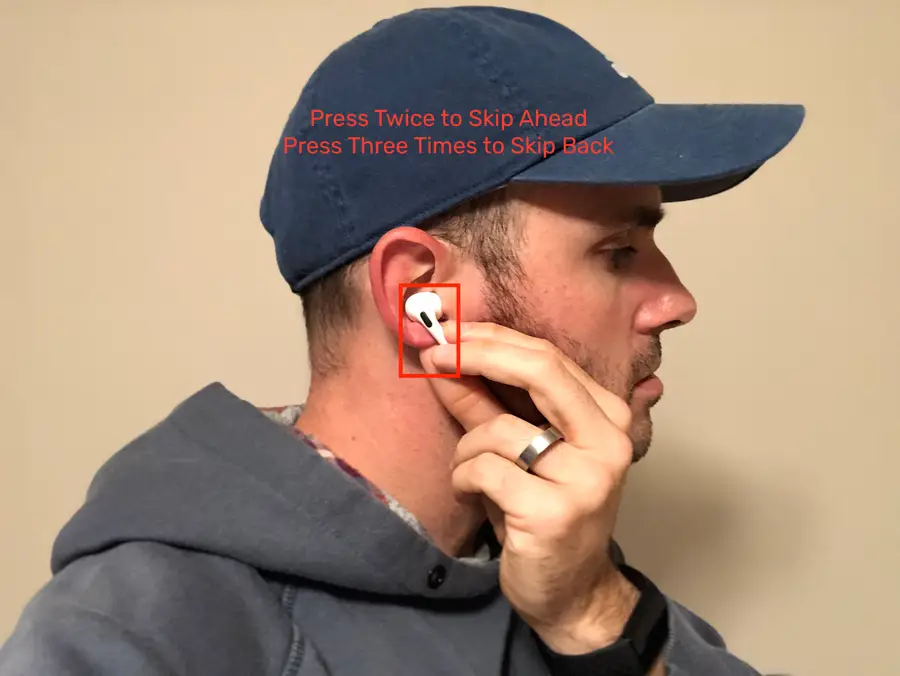
First things first, we're talking about the AirPods Pro here, the ones with the little stems. Not the regular AirPods (sorry!). If you've got the Pros, you're in luck because they come equipped with a nifty little feature called a Force Sensor. Think of it like a tiny, invisible button hiding on that stem. It’s your secret weapon against musical mediocrity.
So, how do you actually use this magical Force Sensor? Glad you asked!
Must Read
To skip to the NEXT song: Just double-press that Force Sensor. That's right, two quick squeezes on either AirPod. It's like giving your ear a little hug, but instead of affection, you get a new tune. Think of it as tapping a tiny bouncer to let the next song into the club that is your ears. "Sorry, buddy, not today!" tap tap
To go back to the PREVIOUS song: This is where it gets slightly more… advanced. (Just kidding, it's still super easy!) Triple-press that Force Sensor. Three quick squeezes! Now you’re rewind master. Maybe you missed a particularly amazing guitar solo? Now you can relive it!

Seriously, that’s all there is to it. No complicated spells, no secret handshakes required. Just squeeze and enjoy (or squeeze and escape, depending on the song).
Pro Tips for Pro Skippers
Okay, you've got the basic squeezing down. But let's turn you into a true AirPod skipping ninja with a few extra tips:
- Speed Matters: Make sure your squeezes are quick and deliberate. If you pause too long between squeezes, your AirPods might not register it correctly. Imagine you're trying to open a stubborn pickle jar – firm and fast is key!
- Find the Spot: Experiment with where you're squeezing on the stem. Everyone’s different and you’ll find your sweet spot where the sensor registers the best.
- Cleanliness is Key: Earwax buildup can sometimes interfere with the Force Sensor. Eww, right? But a quick wipe-down of your AirPods with a soft, dry cloth can work wonders. Your ears (and your music) will thank you.
Customizing Your Controls (Because You're Special!)
Did you know you can actually customize what the Force Sensor does? Mind. Blown.
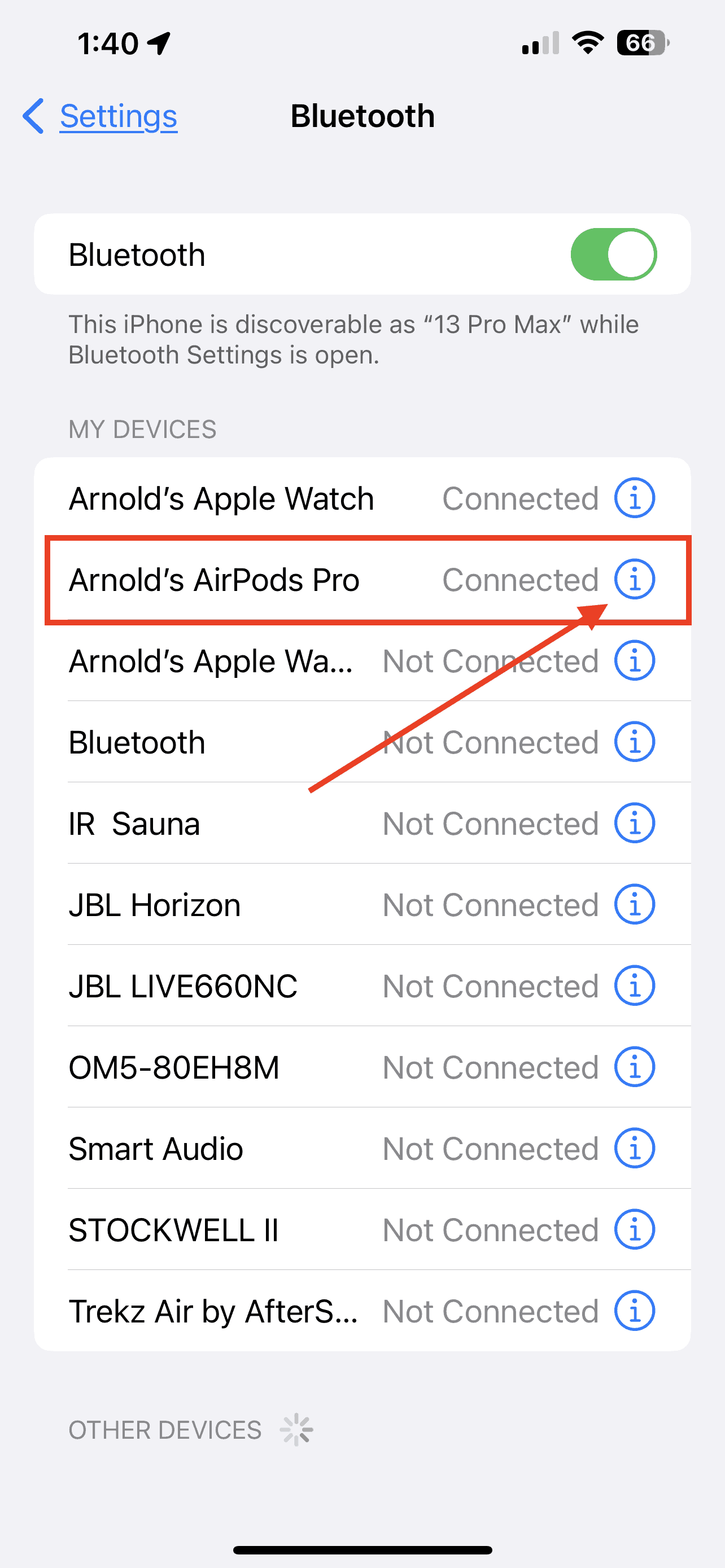
Here's how (assuming you have an iPhone or iPad):
- Open the Settings app on your iPhone or iPad.
- Tap Bluetooth.
- Find your AirPods Pro in the list of devices and tap the "i" icon next to them.
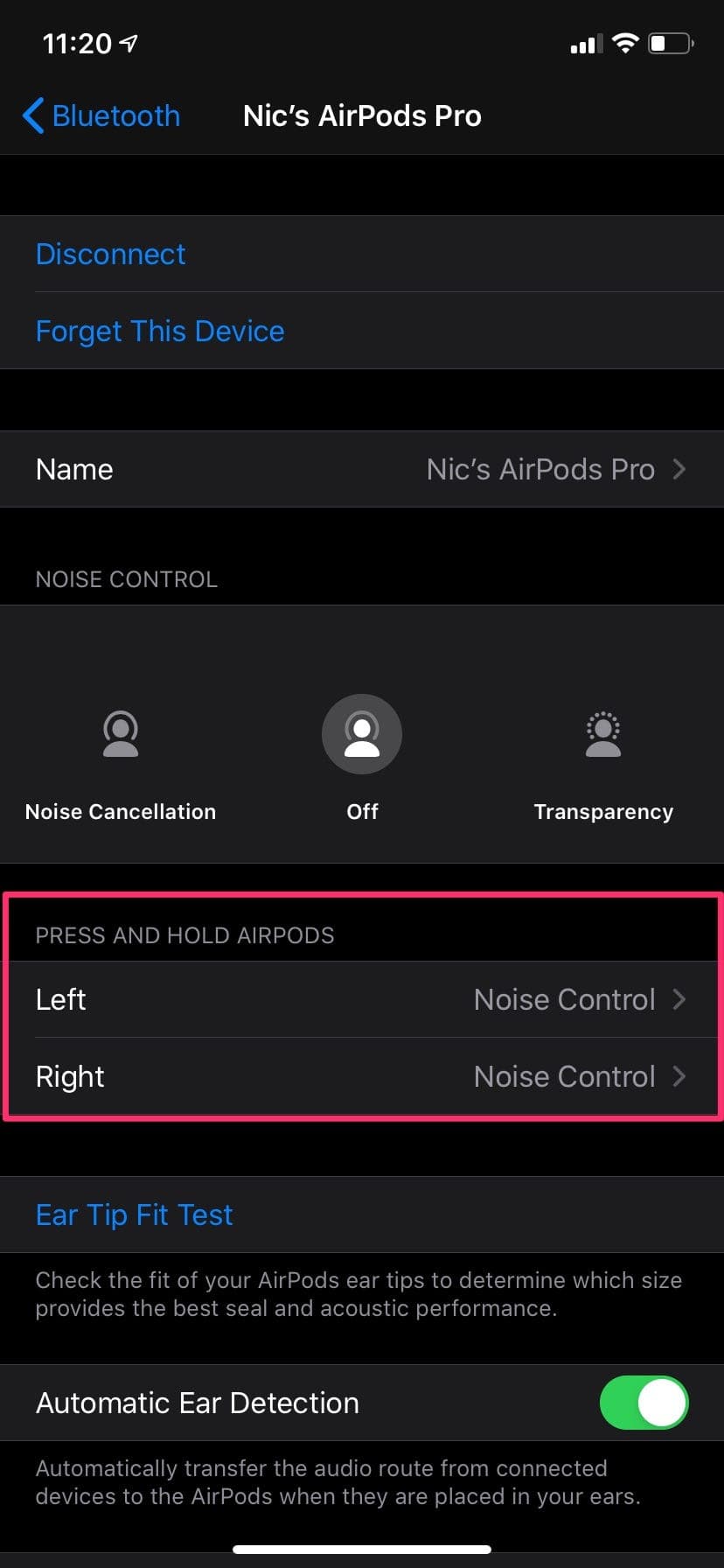
- Under "Press and Hold AirPods," you can choose what happens when you press and hold the Force Sensor. You can set it to Siri (if you're feeling chatty) or Noise Control (to switch between Active Noise Cancellation, Transparency mode, and Off).
Unfortunately, you can’t customize the double or triple press, but hey, you can’t have everything, right?
Troubleshooting: My AirPods Hate Me!
Sometimes, even with the best of intentions, your AirPods might decide to ignore your commands. Don't panic! Here are a few things to try:
- Restart Your AirPods: Put them back in the charging case, close the lid, wait 15 seconds, and then take them out again. It's like a little spa day for your AirPods.
- Check Your Bluetooth Connection: Make sure your AirPods are properly connected to your device. Sometimes a simple reconnect can do the trick.
- Update Your iOS: Make sure your iPhone or iPad is running the latest version of iOS. Outdated software can sometimes cause issues with Bluetooth devices.
- Reset Your AirPods: If all else fails, you can try resetting your AirPods to their factory settings. This is a bit more involved, but Apple's website has detailed instructions.
And if that doesn't work, well, maybe it's time to consult a tech guru or Apple themselves. But hopefully, these tips will get you back to your music-skipping glory!
So there you have it! You're now a certified AirPod Pro skipping master. Go forth and conquer those questionable song choices with confidence and a well-placed squeeze. Happy listening (and happy skipping)! May your playlists forever be filled with bangers and free from musical mishaps!
