
How To Share Your Instagram Link

Want to let the world in on your awesome Instagram life? Sharing your Instagram link is super easy! It's like handing out a VIP pass to your personal highlight reel. Let's unlock the secrets to getting that link out there!
Finding Your Instagram Link: It's Easier Than You Think!
First things first: getting your link! Sadly, Instagram doesn't hand you a link button on your profile page. But don't worry! We can easily make one. The general formula is:
instagram.com/yourusername
See that "yourusername" part? That's where your Instagram handle goes. Simple, right? For example, if your username is "TotallyAwesomePhotos," your link is: instagram.com/TotallyAwesomePhotos.
Write this link down somewhere safe. Now you're ready to share!
Sharing on Other Social Media: Multiply the Fun!
Spreading the Instagram love on other platforms is a breeze. Think of it as cross-promoting your awesomeness! Head over to Twitter, Facebook, TikTok, or even LinkedIn. Paste that link into a post or your bio. Boom! Instant access to your curated world.
![How to Share Your Instagram Profile Link [2 Ways] | TechRushi](https://techrushi.com/wp-content/uploads/2023/05/Share-Your-Instagram-Profile-Link-from-Android-and-iPhone-1024x1015.webp)
Write a catchy caption to go with it. Something like: "Come see what I'm up to on Instagram! Follow me for [mention what you post, e.g., travel adventures, delicious recipes, cute animal pics]!" Make it sound exciting and intriguing! You want people to click, don't you?
You could even add a call to action. Something like, "Click the link in my bio to follow!" A little nudge never hurts.
Sharing in Emails: Professional & Personal Connections
Want to add a touch of visual flair to your emails? Include your Instagram link in your email signature! It's a subtle but effective way to let people know where else they can find you. Perfect for networking or just showing off your personality.
Most email providers have a setting where you can customize your signature. Just paste the link in there, maybe even add a little Instagram logo if you're feeling fancy.

You can also directly share a post in an email too. On Instagram, find the post, tap the three dots, and find the share option. You can directly email it to anyone.
Sharing via Text Message: Direct and Personal
For a more personal touch, why not text your Instagram link to friends and family? It's a quick and easy way to connect and share your latest updates.
Maybe you just posted an amazing photo from your vacation. Text your link with a caption like, "Check out my latest post! Wish you were here!" They'll be instantly transported to your sunny paradise (or wherever your photo takes them).

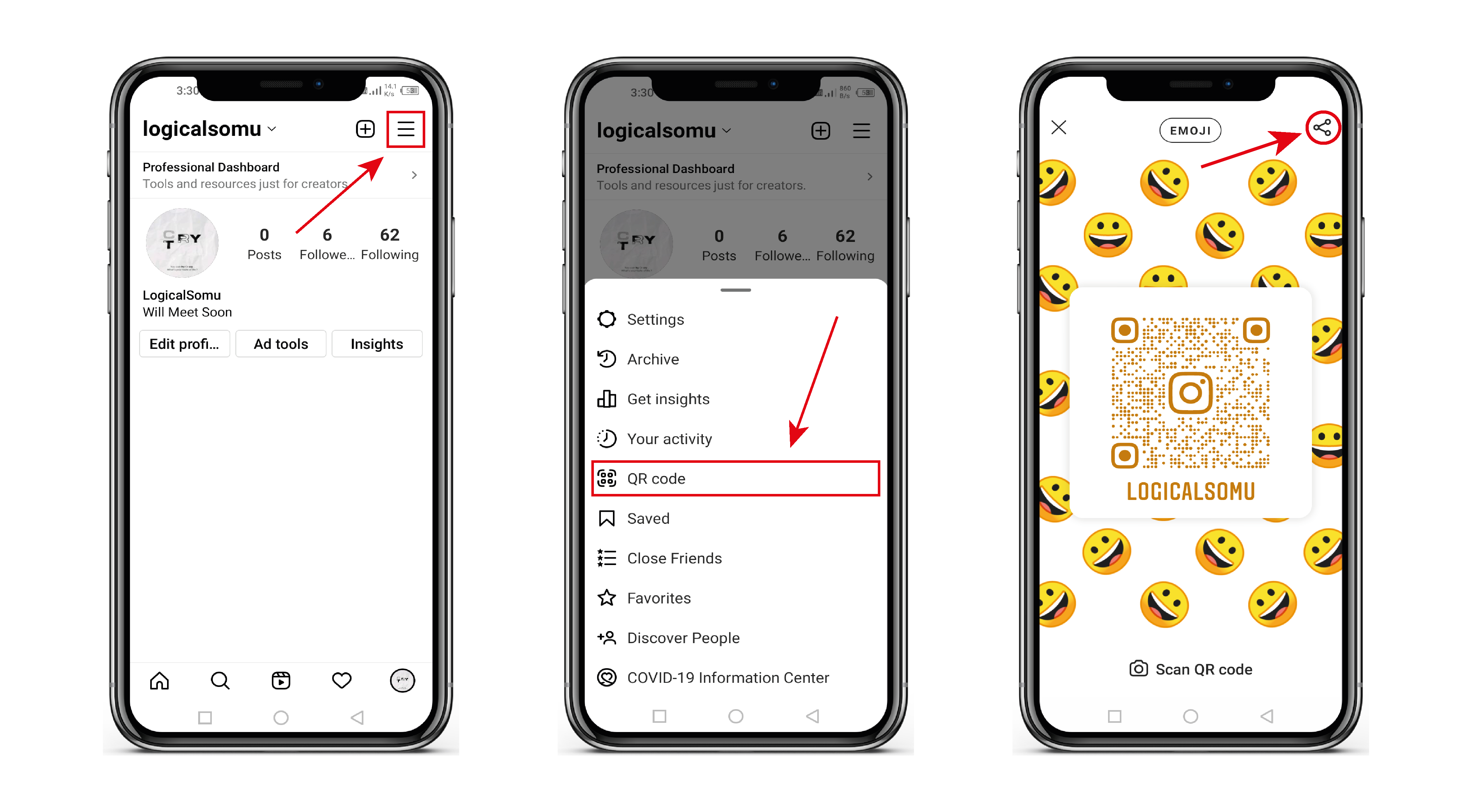
Using a QR Code: Scan to Connect!
Feeling tech-savvy? Generate a QR code for your Instagram profile! There are tons of free QR code generators online. Just paste your Instagram link, and it'll create a scannable code.
You can then add this QR code to your business cards, flyers, or even print it on a t-shirt (for the truly dedicated!). When people scan the code with their phone, they'll be taken directly to your Instagram profile.
It's a fun and modern way to share your link. Plus, it looks pretty cool!
Adding to Your Website or Blog: Central Hub for Everything You!
If you have a website or blog, definitely add your Instagram link! It's a great way to drive traffic and connect with your audience on a different platform. Include an Instagram feed on your website using plugins to display it. That way visitors can take a look before following.
Place the link prominently in your website's header, footer, or sidebar. Make it easy for people to find and click. You can also embed Instagram posts directly into your blog posts to add visual interest and showcase your content.
Why Share Your Instagram Link? Because It's Fun!
Sharing your Instagram link isn't just about getting more followers. It's about sharing your world, connecting with people, and expressing yourself creatively. It's about building a community and spreading the good vibes.
So go ahead, get that link out there! Let the world see what you're all about. You never know who you might connect with or what opportunities might arise. Happy sharing!
Sharing your Instagram link can be so much fun. Think of it as handing out an invitation to your visual party! Go on, spread the joy, one link at a time. Make sure your profile shows the best of you.