
How To Send Alarm To Someone's Phone
Alright, settle in, grab your imaginary coffee (or real one, I’m not judging), because we’re about to dive into a topic that has vexed humanity for eons: how to wake up that one person who could sleep through the apocalypse. Or maybe you just need to send a reminder so potent it practically vibrates them out of their socks. Whatever your noble (or mischievous) intent, you've come to the right place. We're talking about the digital equivalent of a bucket of cold water, but way less messy: how to send an alarm to someone else’s phone.
Why Even Bother? (Beyond Sheer Vengeance)
Let's be honest, the first thought is usually a prank, isn't it? Waking up your roommate at 3 AM with the sound of a flock of angry seagulls. But there are actually some legitimate, even heroic, reasons.
- Your best friend has a job interview they absolutely cannot miss, and they're notorious for snoozing through hurricanes.
- You need to remind your significant other to take out the trash before it becomes a sentient being, and a simple text just won't cut it.
- You're a parent trying to get your teenager to, you know, participate in the waking world.
See? We're practically doing God's work here. But remember, with great power comes great... potential for annoyance. So, use it wisely.
Must Read
The Golden Rule: Consent (Don't Be a Digital Jerk)
Before we unleash your inner digital prankster, a quick, serious note: always, always, ALWAYS get consent. Sending unsolicited alarms can range from mildly irritating to genuinely alarming (pun intended) if the recipient doesn't know what's happening. We’re aiming for helpful and hilarious, not harassment. Okay, disclaimer over. Let's get to the fun stuff!
Method 1: The "Official" Way - Shared Reminders & Family Features
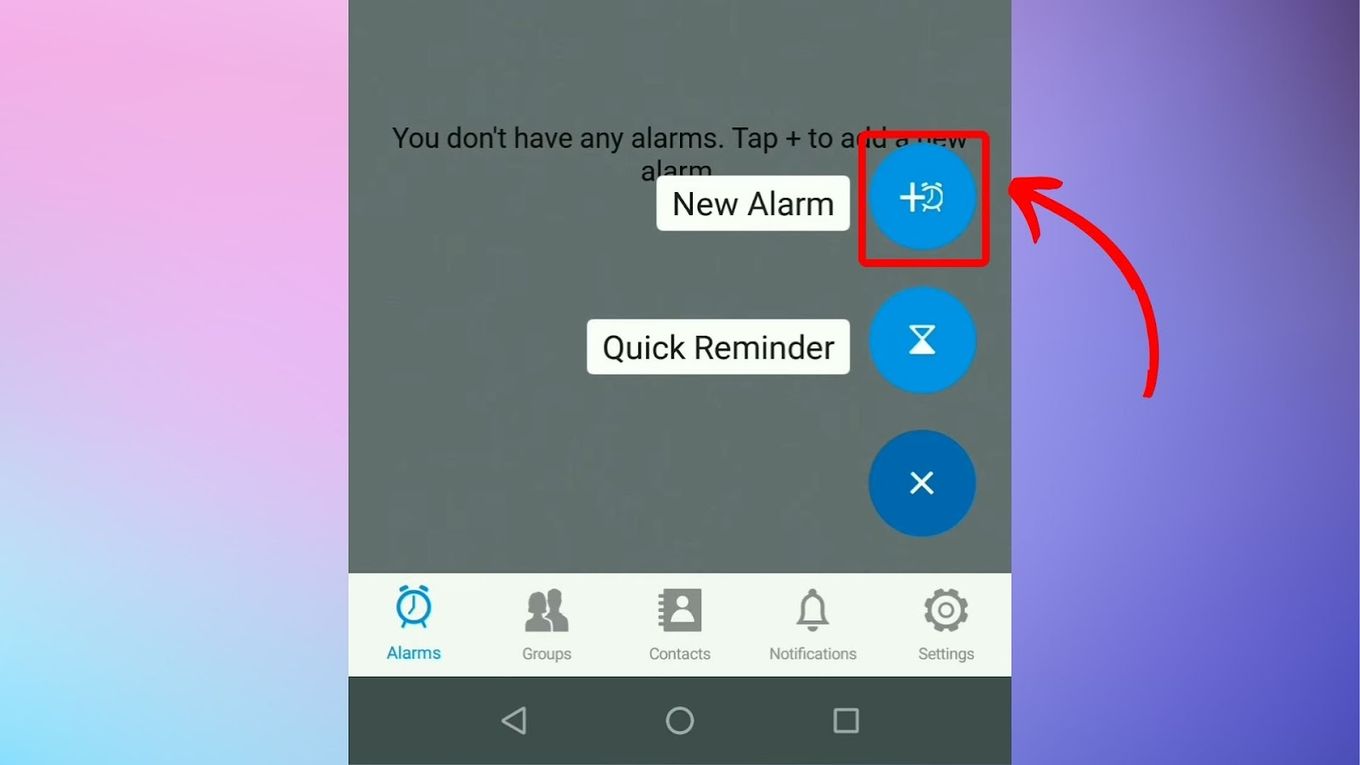
This is the most above-board, least likely-to-get-you-yelled-at method. Many smartphone ecosystems are designed for exactly this kind of helpful nudging.
:max_bytes(150000):strip_icc()/AndroidAlarmExample1-b4037453d3d4447bac83e741cca7bffd.jpg)
If you're both in the Apple ecosystem, shared Reminders lists are your secret weapon. Create a list, invite them, and when you set a reminder, it can absolutely pop up on their phone with a notification sound. You can even set specific times and locations for these. It’s not a full-blown alarm, but it’s a powerful, persistent notification.
For families, services like Google Family Link or Apple's Family Sharing have features that allow parents to manage screen time and, in some cases, remotely send alerts or messages. These are more for parental control but can be repurposed for a very insistent wake-up call. "Hey Siri, remind Johnny to wake up at 7 AM on his phone!" might just work!
Method 2: The Calendar Invite (The Stealth Bomber of Alarms)
This is one of my personal favorites because it often flies under the radar. People are used to calendar invites, but they often forget the power of the calendar alert.

Here's the trick:
- Create a new event in your calendar app (Google Calendar, Outlook Calendar, Apple Calendar, etc.).
- Set the event for the exact time you want the "alarm" to go off on their phone.
- Crucially, add the person as a guest to this event.
- Then, set an alert or notification for the event. Make it aggressive! 10 minutes before, 5 minutes before, 0 minutes before. You can often choose the notification sound or style.
When they accept the invite, that event (and its associated alerts) gets added to their calendar. Boom! Their phone will light up and make noise at your command. Just remember to give the event a funny, but clear, title like "WAKE UP, SLEEPYHEAD!" or "Operation: Don't Miss That Meeting!"
![How to Wake Someone up When iPhone Is on Silent [ Solved] - Alvaro](https://alvarotrigo.com/blog/assets/imgs/2023-06-10/set-alarm-send-alarm-someone-iphone.jpeg)
Method 3: Third-Party Apps (Proceed with Caution and a VPN)
Yes, there are apps out there specifically designed for this, or apps that have features that can be twisted into service. Think apps that allow you to send messages that demand attention, like a specific notification sound that overrides 'Do Not Disturb.' Some messaging apps, especially business-focused ones, have "urgent message" features.
However, I'm not going to name any specific ones, because frankly, they come and go, and you need to be super careful about privacy and permissions. Always read reviews, check the app's reputation, and understand what data it's accessing. If an app asks for permission to your firstborn, maybe reconsider.
Method 4: The Smart Home Broadcast (The House Has Spoken!)
If the person you're trying to wake shares a home with you and has a smart speaker (Google Nest, Amazon Echo), you have another fantastic option! You can often use the broadcast feature.
![How to Wake Someone up When iPhone Is on Silent [ Solved] - Alvaro](https://alvarotrigo.com/blog/assets/imgs/2023-06-10/customize-alarm-send-alarm-someone-iphone.jpeg)
Just say, "Hey Google, broadcast 'WAKE UP! YOUR BREAKFAST IS GETTING COLD!'" or "Alexa, announce 'The early bird catches the worm, but the second mouse gets the cheese!'" This sends your message through all connected speakers in the house. It's not strictly an alarm on their phone, but it's an incredibly effective, house-wide wake-up call.
The "Old Fashioned" Method (Because Sometimes, Analog is Best)
Sometimes, despite all our digital wizardry, the simplest solution is still the most effective: call them, repeatedly. Seriously. Or text them so many times that their phone sounds like a slot machine. It's not an "alarm," but it definitely gets their phone vibrating and making noise until they finally pick up or throw it across the room.
Final Thoughts: Be a Responsible Alarm-Sender
There you have it. You're now equipped with the knowledge to digitally poke, prod, and even startle your friends and family into action. Remember, the goal is to be helpful or playfully annoying, not genuinely disruptive or malicious. Use these powers for good, for waking up sleepyheads for important things, or for the occasional, agreed-upon, hilarious prank. Now go forth, and may your alarms always be answered!