
How To Put A Picture Inside A Picture
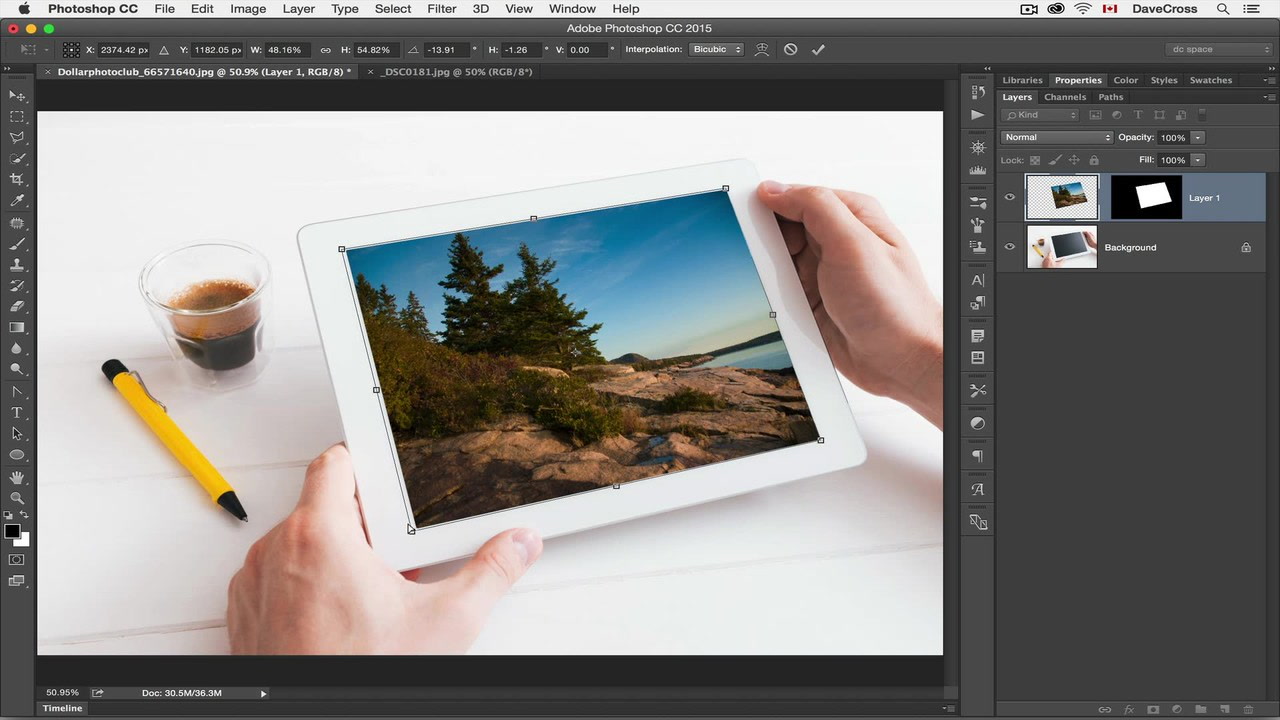
Ever seen a photo so captivating, it feels like looking through a window into another world? Or maybe you've scrolled through Instagram and stumbled upon a picture where a tiny version of the same image is nestled inside the larger one? That's the magic of putting a picture inside a picture – a fun, creative trick that's easier than you might think! Whether you're a seasoned photographer or just starting to explore your phone's editing features, creating these "image-in-image" effects is a fantastic way to add visual interest and tell a more complex story.
But why bother? Well, the benefits are numerous! Beyond simply looking cool, this technique can emphasize a particular detail within a scene. Imagine a sprawling landscape photo, but inside a small frame within it, you highlight a single wildflower. It draws the viewer's eye and adds depth to the overall composition. This trick is particularly useful for highlighting emotions, creating a sense of nostalgia, or even adding a touch of humor.
In everyday life, you see this technique applied in various ways. Think about advertising – a product shot inside a miniature version of its packaging. Or in travel photography, a zoomed-in shot of a landmark nestled within a wider shot of the surrounding city. Online, you’ll find it everywhere from quirky memes to professional design portfolios. It's a versatile tool for communicating visual ideas in a dynamic and engaging way.
Must Read
So, how can you get in on the action and enjoy this technique more effectively? Here are a few practical tips:
- Choose your images carefully: The "inside" picture should complement and enhance the "outside" picture, not compete with it. Consider color palettes, subject matter, and overall mood.
- Experiment with placement: Don't just slap the smaller image in the center. Try different positions, sizes, and angles to see what works best. Consider negative space and how it draws the viewer's eye.
- Use editing apps: Numerous apps, both free and paid, offer features specifically designed for creating this effect. Look for ones that allow layering, masking, and precise adjustments. Popular options include PicsArt, Snapseed, and even Photoshop (for more advanced users).
- Consider the story: What message do you want to convey? Are you highlighting a contrast? Creating a sense of scale? Thinking about the narrative will help you make more impactful choices.
- Don't overdo it: Subtlety can be key. Sometimes, a slightly off-center, almost hidden image-in-image effect is more powerful than a large, obvious one.
Ultimately, the best way to learn is to experiment! Play around with different images, apps, and techniques. Don't be afraid to break the rules and develop your own unique style. Putting a picture inside a picture is a fun and rewarding way to express your creativity and add a touch of visual flair to your photos. So grab your phone, download an editing app, and start creating your own miniature worlds within worlds!


