
How To Install Wired Security Cameras

Okay, let's talk about home security. You've probably been there: your fancy Wi-Fi camera decides to stage a dramatic exit from connectivity just when you really needed to see if it was the neighbor's cat or a rogue squirrel raiding your bird feeder. Or maybe you're just tired of charging batteries like they're demanding toddlers. That's why we're talking about wired security cameras today, my friend.
Yes, wired. The word itself can strike a little fear into the hearts of even the bravest DIY warriors, conjuring images of tangled spaghetti and accidental electrical fires. But fear not, intrepid home guardian! It's less like defusing a bomb and more like assembling IKEA furniture blindfolded – challenging, but ultimately rewarding (and you'll probably have a few extra screws left over).
Why Go Wired, You Ask?
Think of wired cameras as the reliable old golden retriever of the security world. They're always there, always on, and they don't lose their signal because your microwave is having an identity crisis. No battery anxiety, no Wi-Fi dropouts – just a steady, dependable gaze over your castle. Plus, they often offer better resolution and storage options. It’s the set-it-and-forget-it solution for true peace of mind, not just a fleeting moment of "is it working?"
Must Read
Gather Your Arsenal (Tools, Not Swords)
Before you embark on this noble quest, let's collect our supplies. This is like prepping for a gourmet meal, but instead of exotic spices, you're grabbing things like:
- A drill (your trusty steed for making holes).
- A ladder (because magic carpets are still on backorder).
- Lots of cable (the more, the merrier – you’ll inevitably run short, trust me).
- Cable ties and clips (to tame the wild spaghetti monster).
- A screwdriver set (for all those fiddly bits).
- And maybe, just maybe, a good playlist and a calming beverage. You'll thank me later.
The Grand Vision: Where to Put the Eyes?
This is where you become a strategic mastermind. Walk around your house like you’re casing the joint (but in a good way!). Think about your blind spots. Where does that pesky delivery driver always leave packages just out of sight? Where do the neighborhood kids dare each other to ring the doorbell and run? Common spots include:

- Front door (obviously!).
- Backyard access points.
- Driveway.
- Any vulnerable windows.
Remember, higher is generally better for coverage and out of reach of mischievous hands. Aim for angles that give you a wide view without too many obstructions.
The Spaghetti Monster Challenge: Running Those Cables
Ah, the heart of the "wired" experience! This is where you channel your inner contortionist and master of patience. Running cables is often the most daunting part, but it's also the most rewarding once done. Imagine you're trying to get a wet noodle from one side of a room to another without touching the floor – that's essentially what fishing cable through walls or attics feels like.
If you're going through an attic, be prepared for dust, heat, and maybe a few spider friends. If you're going through exterior walls, you'll need to drill neat holes and seal them up later like a pro. The goal is to make the cables as invisible and protected as possible. Use those cable clips to neatly secure them along eaves or baseboards. Think of it as giving your home a discreet wiring facelift, not a Frankenstein monster of dangling cords.
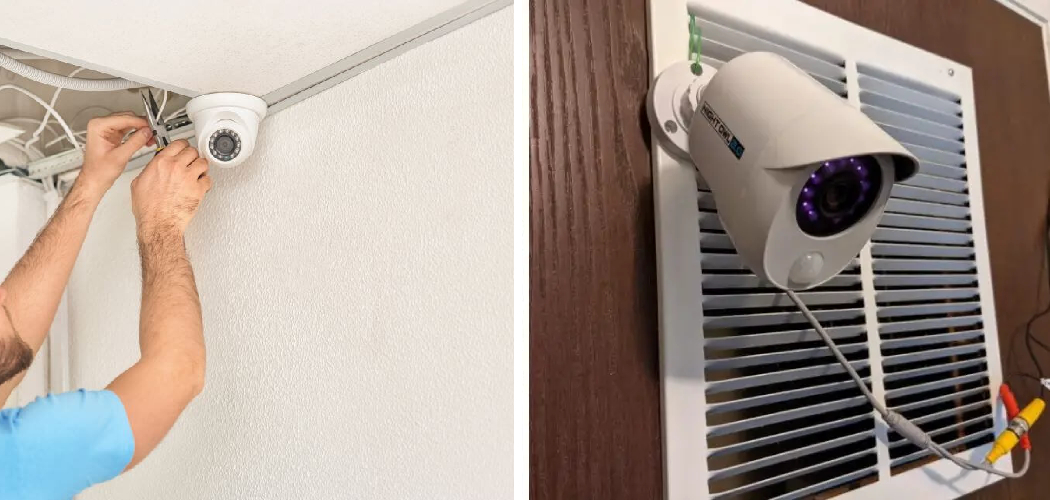
Pro-tip: When drilling, always check what's on the other side of the wall. Nobody wants to accidentally drill into a water pipe or electrical line. A stud finder and a healthy dose of paranoia can be your best friends here.
Mounting the Watchful Eyes
Once your cables are magically snaked to their destinations, it's time to mount the cameras. This is often the most satisfying part, like finally hanging that picture perfectly straight after 10 attempts. Most cameras come with templates for drilling screw holes. Take your time, make sure they're level, and aim them for optimal coverage. Imagine you're directing a movie scene; you want the best possible shot!
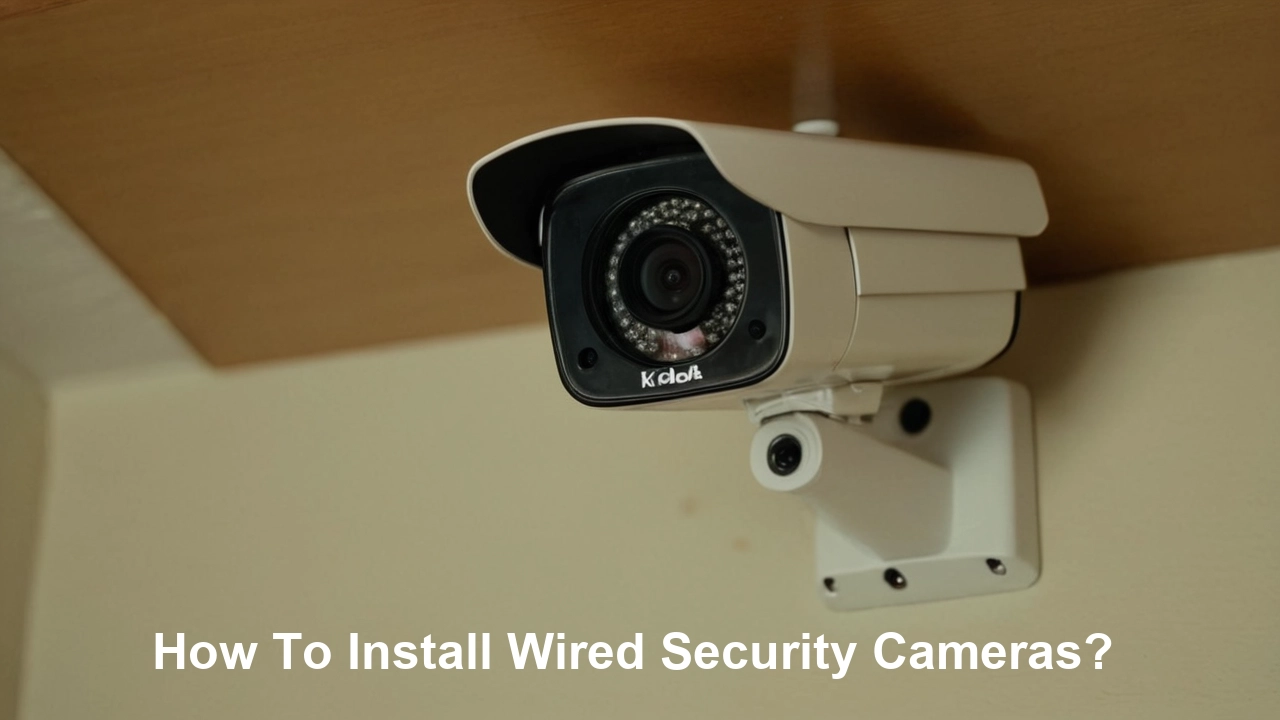
Tighten those screws, but don't overdo it – we're building a security system, not launching a rocket.
Connecting to the Brain (Your DVR/NVR)
All those lovely cables now converge at one central point: your Digital Video Recorder (DVR) or Network Video Recorder (NVR). This is the "brain" of your operation, the keeper of all the footage. Connecting them is usually a breeze: each camera cable plugs into its designated port. It’s like plugging in your TV – mostly foolproof, unless you try to put the HDMI into the USB slot.
Hook up your NVR/DVR to a monitor (even temporarily) and a power source. You'll likely have a user-friendly interface to set up recording schedules, motion detection, and remote viewing apps. This is where you transform from a cable wrangler into a tech wizard!

The Grand Reveal: Testing and Tweaking
Moment of truth! Power everything up. Check each camera feed on your monitor. Are the angles perfect? Is anything obstructed? You might need to climb that ladder one more time for a slight adjustment, or re-angle a camera to capture that exact corner of your garden. This fine-tuning stage is crucial for ensuring you're actually capturing what you think you're capturing.
Test the remote viewing app on your phone. Can you see your cat napping in the sun from your office? Success! That's the feeling of accomplishment we're aiming for.
You Did It!
And there you have it. You've braved the attic dust, wrestled with cables, and transformed your home into a fortress of digital eyes. It might have involved a few muttered curses, some head-scratching, and maybe even a moment of "why did I start this?", but now you have a robust, reliable security system that won't go on strike during a Wi-Fi tantrum. So, pat yourself on the back, grab that calming beverage, and enjoy the sweet, sweet peace of mind that comes with being truly wired for security!