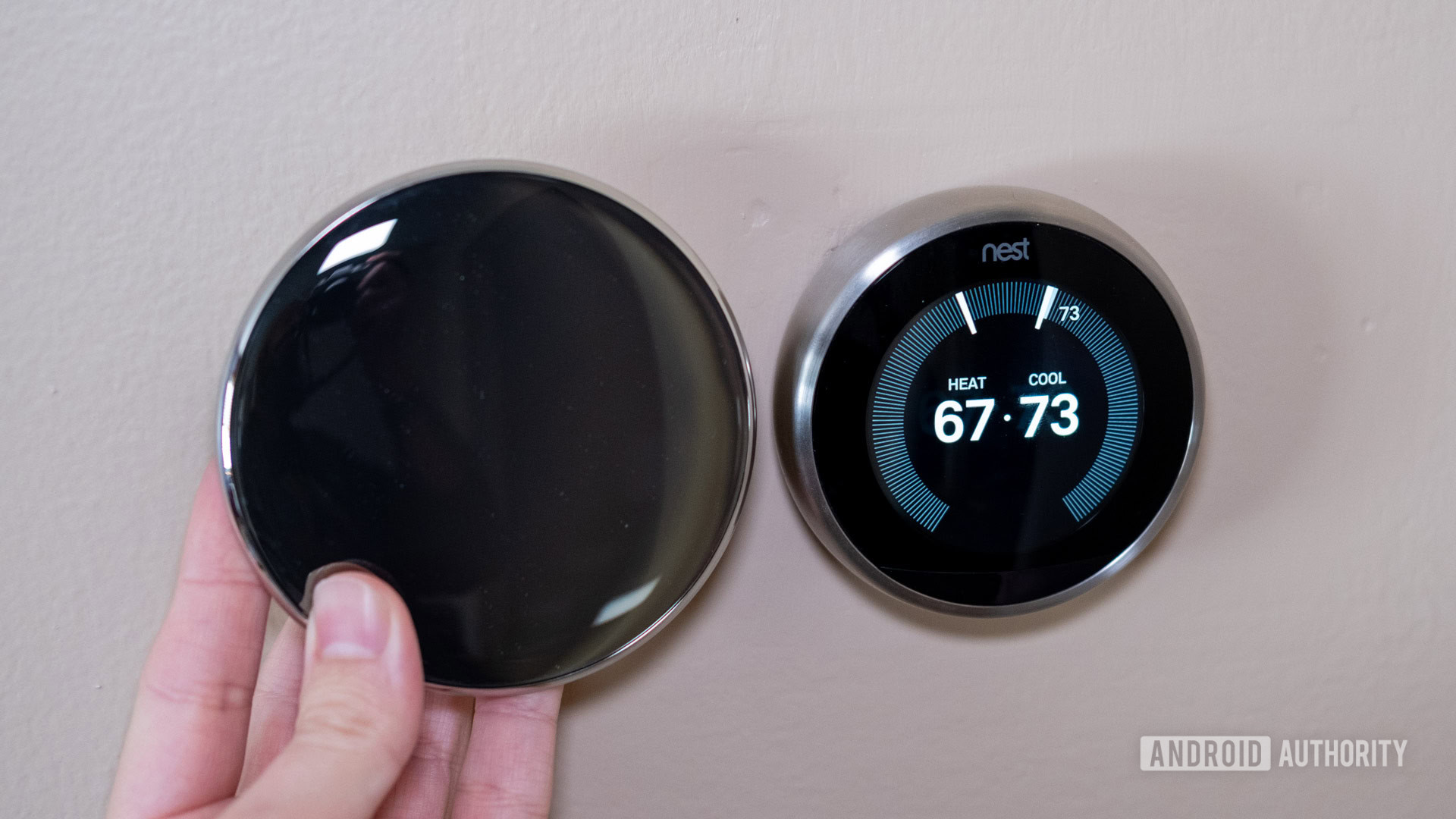
How To Identify Nest Thermostat Generation
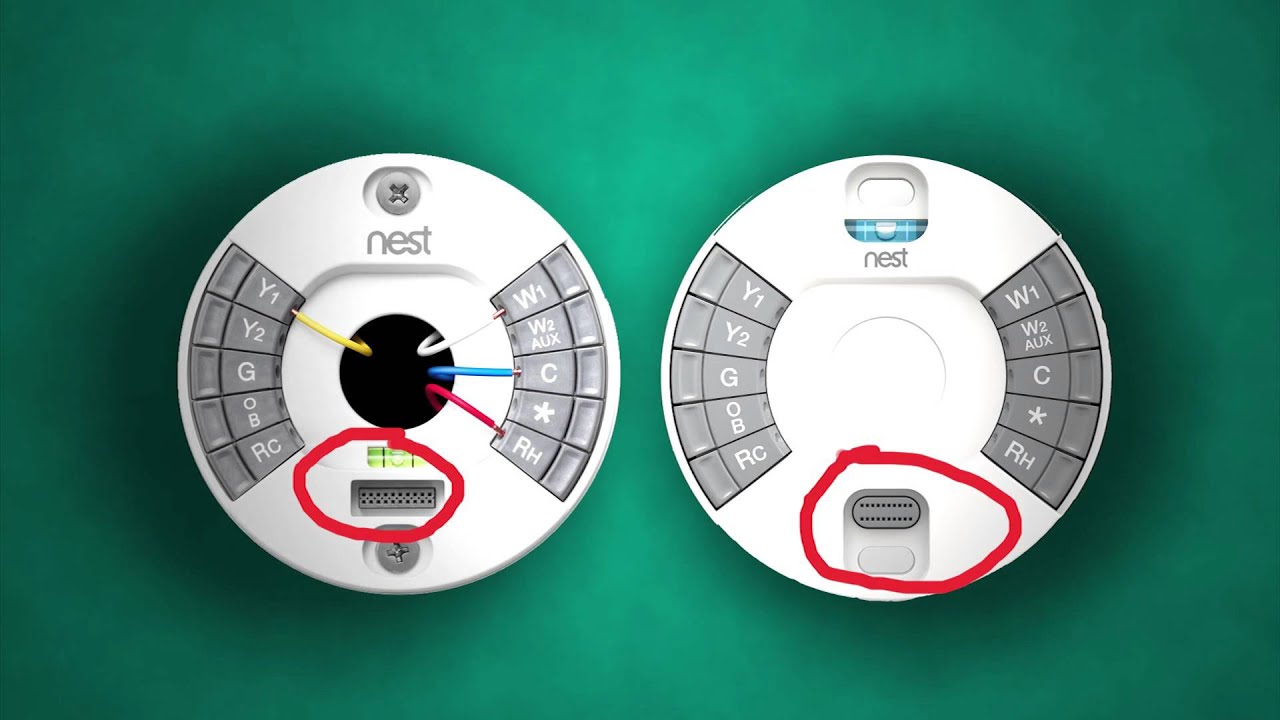
Ever stared at your sleek Nest Thermostat and wondered, "Just how old are you, really?" Identifying its generation is actually a pretty neat trick, turning a whimsical thought into a surprisingly useful piece of knowledge. It’s a little bit like knowing the vintage of a classic car, except instead of engine purrs, we're talking about smart home compatibility and features. Plus, it gives you a deeper appreciation for the tech keeping your home cozy (or cool!).
So, why bother playing detective with your thermostat? Turns out, knowing your Nest’s generation offers some surprisingly practical perks. Firstly, it's crucial for understanding compatibility. For instance, older 1st and 2nd generation Nest Learning Thermostats don't support Nest Temperature Sensors, unlike the 3rd generation and Nest Thermostat E. Knowing this crucial detail can save you a frustrating trip to the store!
Secondly, it helps with troubleshooting. Different generations can have slightly different quirks, so knowing your model quickly guides you to relevant support. It also clarifies what features you should have; the 3rd generation, for example, introduced "Farsight" to show time/temp from across the room, a capability absent in earlier models. This knowledge explains missing features and accurately describes your smart home tech if you ever decide to upgrade or sell.
Must Read
In daily life, this knowledge can be a real conversation starter or problem solver. Imagine helping a friend whose new Nest Temperature Sensor isn't working – a quick check of their thermostat's generation might reveal an incompatible older model, instantly solving their mystery! For the curious mind, it’s a tangible lesson in product evolution, showcasing how design and functionality iterate over time and how hardware influences software capabilities. A mini-educational moment right in your living room!
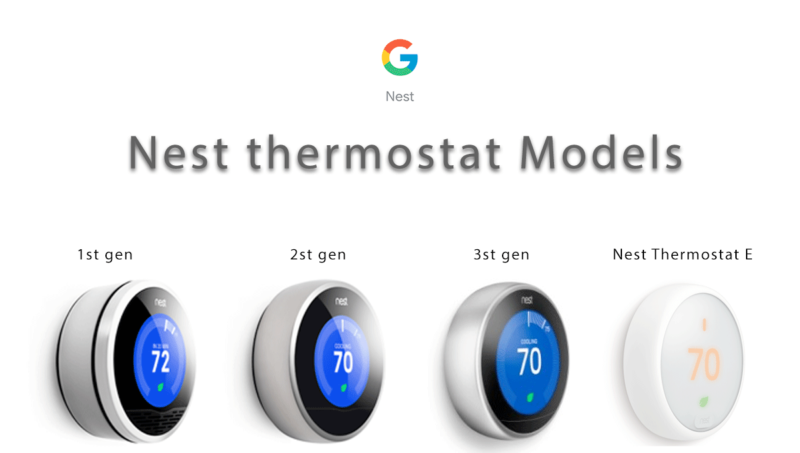
Ready to uncover your Nest's lineage? Here are some simple, practical ways to identify it:
-
Visual Clues are King:
- The Nest Learning Thermostat (3rd Gen) is the slimmest of the Learning family and features Farsight, allowing you to see time or temperature from across the room.
- The Nest Thermostat E is easily spotted by its frosted white display and casing, a distinct look from the metal rings of the Learning models.
- The 1st and 2nd Gen Learning Thermostats are noticeably thicker than the 3rd Gen. Visually distinguishing between the first two can be tricky without direct comparison, but both share the classic metal ring design.
-
Check the Serial Number: This is the most definitive method. Gently pull the display unit straight off its base plate (no twisting!). On the back, you'll find the serial number. Look for the first two digits or a specific letter in the model number:
- Serial numbers starting with 01 or 02 indicate 1st or 2nd Gen Learning Thermostats.
- Those starting with 03 identify a 3rd Gen Learning Thermostat.
- If the model number contains a letter ‘A’ (e.g., A0001), it's likely a Nest Thermostat E.
- Through the App: If your Nest is connected, open the Nest app (or Google Home app), tap on your thermostat, then go to Settings (gear icon) > Technical Info or About. The model name or generation is usually listed there, making it super easy.
So next time you glance at your smart thermostat, take a moment to appreciate its journey. Knowing its generation isn't just about technical specs; it's about understanding your home's ecosystem a little better and becoming a more informed, curious smart homeowner. Happy sleuthing!