How To Get Sand Out Of Your Phone Charging Port

Okay, so picture this: you're living your best life, toes in the sand, ocean breeze in your hair, Instagram story documenting every glorious second. You're basically a beach goddess/god. Then BAM! Reality bites. Your phone's battery is flatter than a pancake after a steamroller convention, and you reach for your charger... only to discover your charging port is now a miniature Sahara Desert. Yep, you've got sand in your phone's charging port. Congratulations, you've achieved peak beach-bum status. Now what?
Don't panic! (Unless you're actually stranded on a desert island with no power source. Then, okay, maybe a little panic is warranted. But like, controlled, civilized panic. Deep breaths.) This has happened to the best of us. Think of it as a rite of passage. Here’s your survival guide to freeing your phone from its sandy prison.
The Prep Work: Before You Wage War on Grains
First things first: power down your phone! Seriously. Imagine sticking a metal probe into a live electrical socket. That's basically what you're doing if you poke around a charging port while the phone's on. Short circuits are not your friend. They're more like that distant cousin you only see at weddings who always manages to spill red wine on your best outfit.
Must Read
Next, take a deep breath and resist the urge to violently shake your phone. I know, the temptation is strong. You want to rattle that sand loose like you're playing maracas at a particularly aggressive salsa party. But trust me, that's a one-way ticket to spreading the sand further into the delicate innards of your beloved device. Think of it like trying to herd cats… with a leaf blower. Doesn’t end well.
Also, observe the scene. Are we talking a light dusting of sand, or are we talking full-on sandcastle-grade infiltration? This will determine your approach. Consider it a reconnaissance mission. Know thy enemy (in this case, tiny, annoying silica particles).
The Arsenal: Tools for Sandy Liberation
Okay, time to gather your weapons! (Figuratively speaking, of course. No need to call in an airstrike.) Here's what you might need:
- Compressed Air: This is your heavy artillery. Short, controlled bursts are key. Think of it as a gentle breeze, not a hurricane.
- Toothpick (Wooden or Plastic): Proceed with extreme caution! We’re talking surgical precision. Think of yourself as a brain surgeon… but with a toothpick and a phone.
- Anti-Static Brush: These are those little brushes used for cleaning electronics. They’re gentle and designed to not create static electricity, which could fry your phone. Basically, it’s the pacifist’s choice for sand removal.
- Soft Brush (Like a Clean Makeup Brush): If you don't have an anti-static brush, a very soft makeup brush can work in a pinch. Just make sure it's clean! You don't want to replace sand with rogue eyeshadow.
- Magnifying Glass (Optional): For those of us with, shall we say, less than eagle-like vision, a magnifying glass can be a lifesaver. Especially when dealing with the aforementioned tiny, annoying silica particles.
The Battle Plan: Removing the Sandy Invaders
Alright, soldier, let's get this sand out! Start with the least aggressive methods first.

- Compressed Air: Aim the nozzle at the charging port and give it a few short, controlled bursts. Hold the can upright to avoid spraying liquid propellant into your phone. That’s a recipe for disaster, and possibly a very bad smell.
- Gentle Tapping: Hold your phone upside down and gently tap it against your palm. Gravity is your friend here. Let it work its magic.
- Toothpick Maneuver (Use with Extreme Caution!): If the compressed air and tapping don't work, very carefully insert the toothpick into the charging port and try to dislodge any stubborn grains of sand. Do NOT force anything! If you feel resistance, stop! You don't want to break off the toothpick or damage the charging pins. Imagine trying to pick a lock… with a toothpick… that’s also made of glass. Frustrating, right?
- Brush It Off: Use the anti-static brush or soft makeup brush to gently sweep away any loose sand.
Repeat these steps as needed. Patience is key! Remember, you're performing delicate surgery, not demolishing a building.
The Aftermath: Prevention is Better Than Cure
Once you've successfully evicted the sandy squatters from your charging port, it's time to think about prevention. Because let's be honest, nobody wants to go through this again. Consider investing in a charging port cover. They're cheap and effective at keeping out sand, dust, and other debris. Think of them as tiny little phone condoms. (Okay, maybe not the best analogy, but you get the idea.)

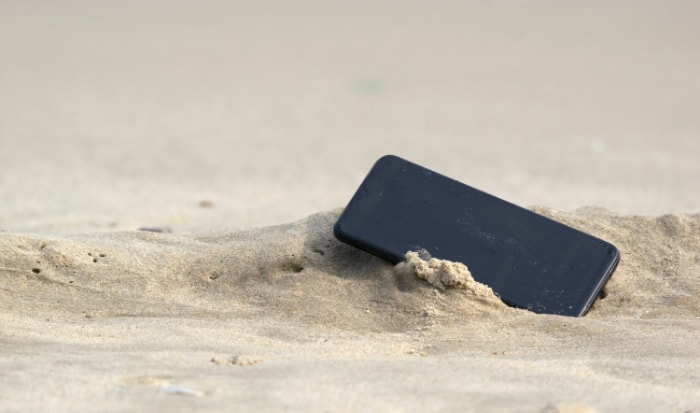
Also, be mindful of where you're placing your phone. Keep it out of direct contact with sand whenever possible. And for the love of all that is holy, don't bury your phone in the sand for a cute Instagram photo. It's just not worth it. Trust me. Your phone will thank you. And your sanity will too.
And finally, if all else fails, and your phone still won't charge, it's time to consult a professional. Sometimes, the sand damage is too severe for DIY repair. But hey, at least you tried! And you now have a hilarious story to tell at your next beach bonfire.