How To Check How Good Your Wifi Is
Ever feel like your Wi-Fi is playing hide-and-seek? One minute you're streaming cat videos, the next you're staring at a buffering wheel that mocks your very existence. We've all been there, right? It’s like trying to drink a smoothie through a coffee stirrer - frustrating and ultimately unsatisfying. Before you chuck your router out the window (please don’t!), let's figure out how to see just how good (or bad) your Wi-Fi really is.
Why Bother Checking?
Think of your Wi-Fi as the plumbing for your digital life. A leaky pipe (slow Wi-Fi) means everything gets sluggish and annoying. Maybe your video calls are pixelated, your online games are laggy, or your downloads take longer than it takes to bake a cake from scratch. Checking your Wi-Fi lets you diagnose the problem. Is it the internet provider, your router, or just too many devices hogging the bandwidth like teenagers at a pizza buffet?
Knowing the actual speed also helps you understand what you can realistically do. Can you stream in 4K? Host a virtual party? Download that ridiculously large game? Or are you stuck with basic browsing and praying Netflix doesn't buffer during the climax of your favorite show? It's all about managing expectations, folks.
Must Read
The Speed Test Showdown: Online Tools to the Rescue!
Thankfully, you don't need to be a tech wizard to test your Wi-Fi speed. There are tons of free online speed test tools. Just Google "internet speed test" and pick one. Seriously, it's that easy. It's like ordering pizza online - a few clicks and delicious (hopefully fast) results arrive shortly.
Some popular choices include:
- Speedtest by Ookla: The classic, reliable choice.
- Fast.com: Powered by Netflix, it's great for checking streaming speeds.
- Google's Speed Test: Built right into Google search. Convenience at its finest!
The test usually takes less than a minute. It'll measure your download speed (how fast you can receive data) and your upload speed (how fast you can send data). Think of download speed as how quickly you can receive packages at your door and upload speed as how quickly you can send packages out.
Decoding the Numbers: What Does It All Mean?
Okay, you ran the test. Now you're staring at a bunch of numbers. Don't panic! Here's a quick guide:

- Download Speed: This is the most important number for most people. It determines how quickly you can stream videos, download files, and browse the web.
- Upload Speed: Important for video calls, uploading files (like photos to social media), and online gaming.
- Ping (Latency): This measures how responsive your connection is. Lower ping is better, especially for online gaming. Think of it as the time it takes for your thoughts to travel to your fingers to press the button!
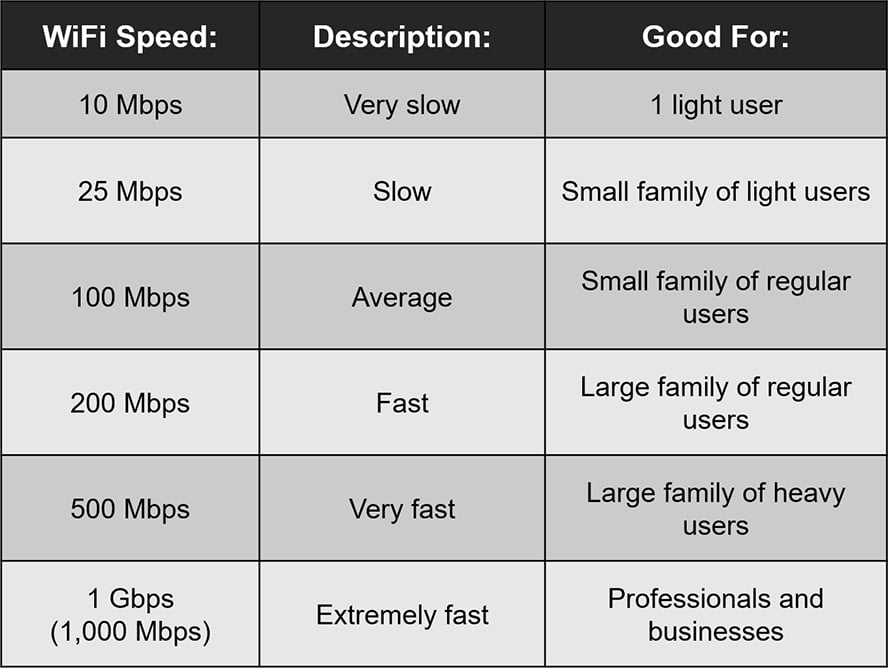
So, what's a "good" speed? It depends on what you're doing. Here's a general guideline:
- Basic Browsing & Email: 5-10 Mbps download speed.
- Streaming Standard Definition Videos: 10-25 Mbps download speed.
- Streaming High Definition (HD) Videos: 25-50 Mbps download speed.
- Streaming 4K Videos & Online Gaming: 50+ Mbps download speed.
- Multiple Devices Using the Internet Simultaneously: 100+ Mbps download speed (the more, the merrier!).
Remember, these are just general guidelines. Your actual experience may vary. If you’re paying for a specific speed from your internet provider, compare the test results to what you’re paying for. If there’s a big discrepancy, it’s time to call them up and have a (polite!) chat. No one wants to pay for a Ferrari and only get a bicycle.
Beyond the Speed Test: Other Things to Consider
Your speed test results aren't the whole story. Here are a few other things that can affect your Wi-Fi experience:
- Router Location: Is your router hidden in a closet behind a stack of old newspapers? Move it to a central, open location. Wi-Fi signals don't like obstacles.
- Router Age: If your router is older than your dog, it might be time for an upgrade. Technology moves fast!
- Number of Connected Devices: Too many devices can slow down your Wi-Fi. Try disconnecting devices you're not using.
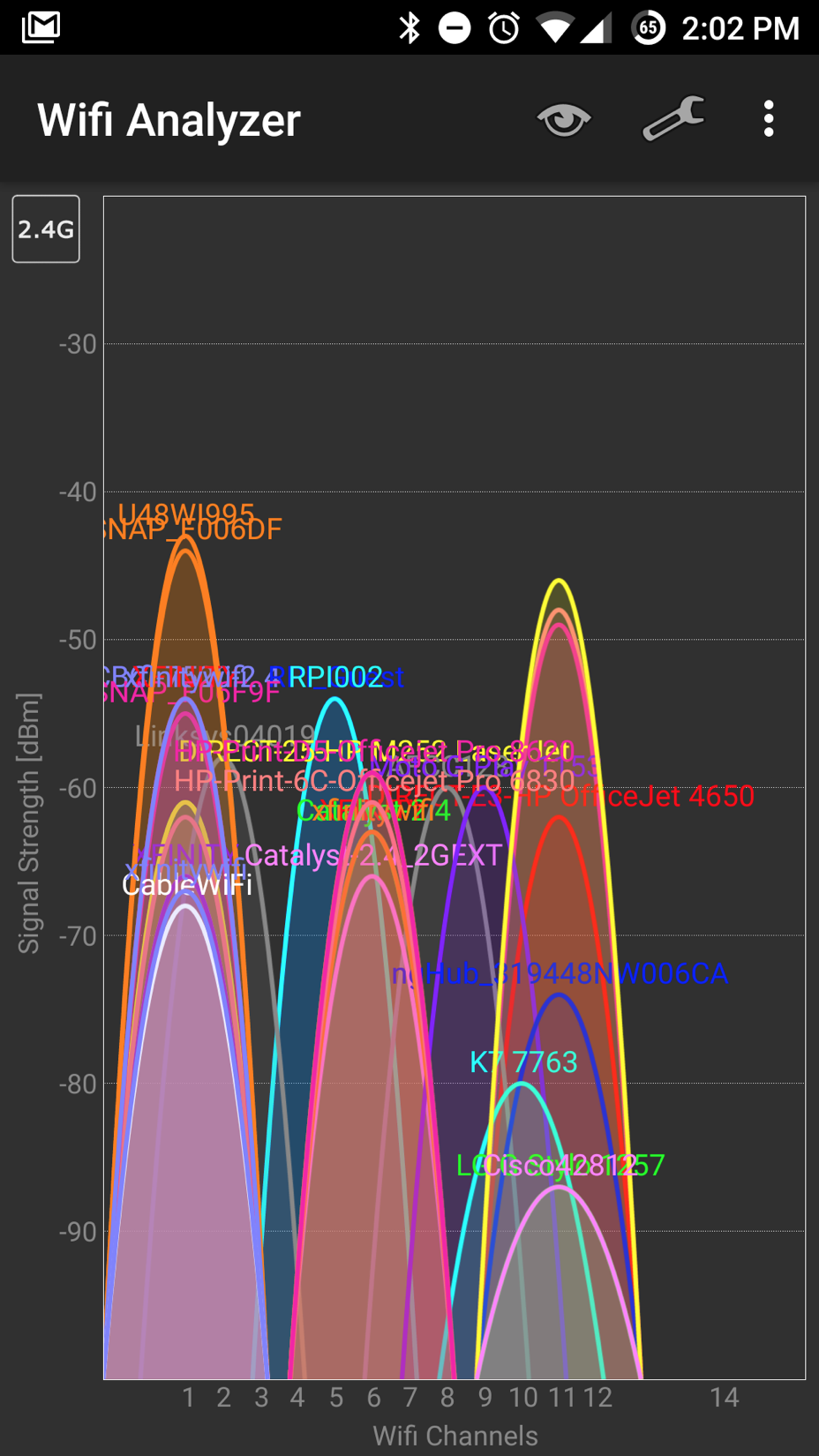
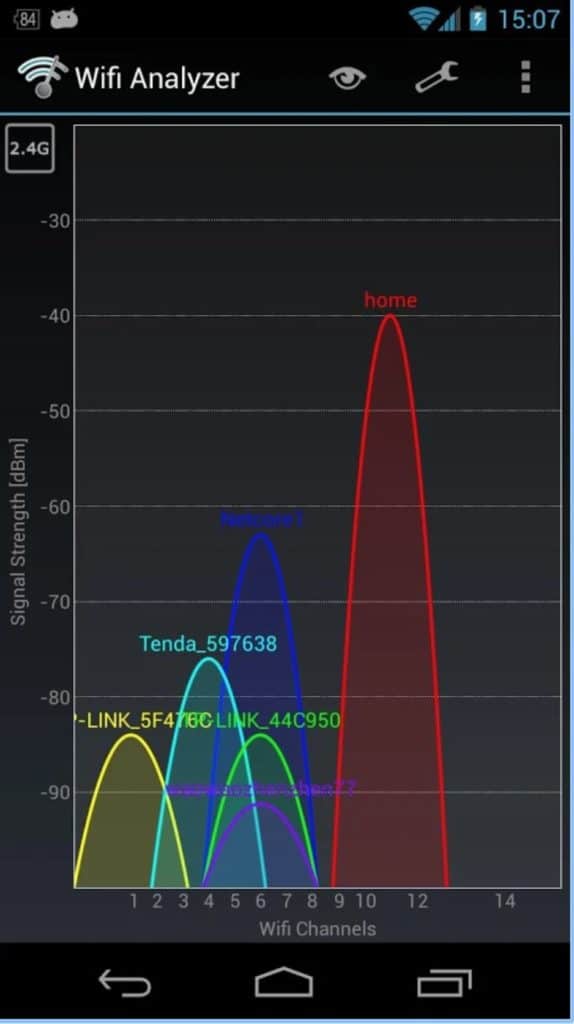
- Interference: Microwaves, Bluetooth devices, and even your neighbor's Wi-Fi can interfere with your signal.
Checking your Wi-Fi speed is like giving your digital life a health checkup. It’s quick, easy, and can help you diagnose any problems. So, go ahead, run a speed test and see if your Wi-Fi is living up to its full potential. If not, you've got some investigating to do! Good luck, and may your Wi-Fi always be strong!