How To Change Sensitivity On Ring Camera

Ever felt like your Ring camera is either seeing everything – every squirrel, every falling leaf, every passing car – or missing the really important stuff? You're not alone! Getting your Ring camera's motion detection just right can feel like a bit of a Goldilocks challenge: not too sensitive, not too little, but just right. And guess what? It's not only possible but also super easy and incredibly satisfying to achieve. Think of it as giving your camera a brain upgrade so it knows exactly what to pay attention to. It's about turning those annoying false alarms into genuinely useful alerts, making your smart home even smarter and giving you that sweet peace of mind.
So, why bother tweaking these settings? Well, for beginners, understanding motion sensitivity is your first step to truly owning your home security. It shows you that these devices aren't just plug-and-play; they're customizable! For families, a properly tuned camera means fewer unnecessary notifications interrupting dinner or waking the baby. Imagine only getting alerts for that package delivery or when the kids get home from school, not every time a neighbor walks their dog. It frees up your mental bandwidth and keeps your notifications meaningful. And for the hobbyists and tech enthusiasts among us, fine-tuning your Ring's sensitivity is a delightful project, letting you squeeze every ounce of performance out of your smart security setup. It's about optimizing your digital guardian to protect your home exactly the way you want it to.
Let's talk about the common scenarios. If your camera is too sensitive, you're likely bombarded with alerts about wind-blown branches, reflections off parked cars, or the infamous neighborhood cat convention. This can lead to notification fatigue, where you start ignoring alerts because most of them are irrelevant. On the flip side, if it's not sensitive enough, you might miss crucial events like a package thief, a delivery driver leaving a note, or even someone lingering suspiciously near your property. Ring offers various ways to tackle this. Beyond the main sensitivity slider, you'll often find options like Motion Zones, which let you draw specific areas for your camera to monitor, effectively ignoring busy streets or a swaying tree. Some models even have a People Only Mode, which uses smarter detection to focus solely on human shapes, drastically cutting down on animal or object-related alerts. It's all about finding the perfect balance for your unique environment.
Must Read
Ready to get started? It's simpler than you think!
- Open the Ring App: This is your control center.
- Select Your Device: Tap on the specific camera you want to adjust.
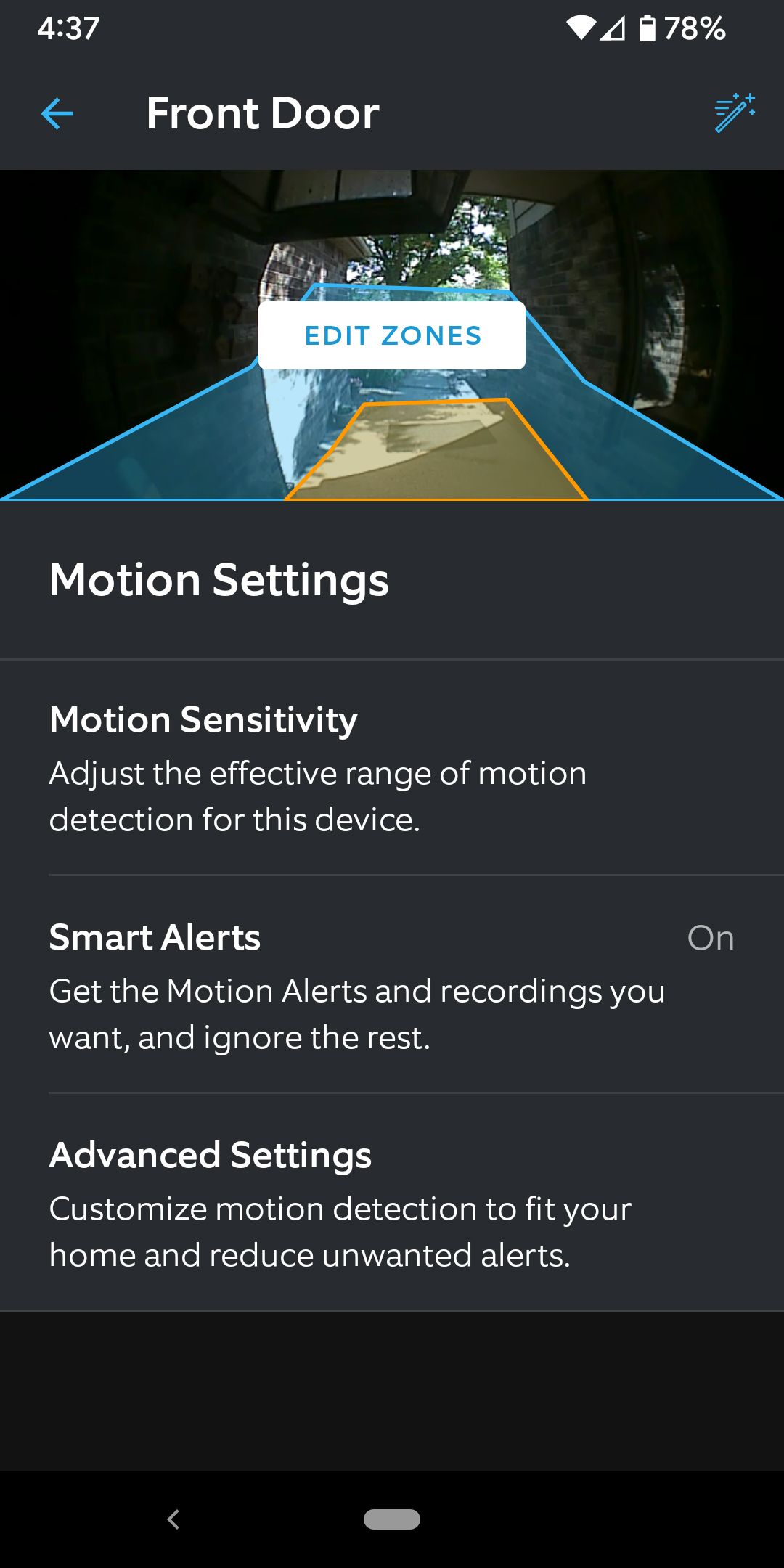
- Navigate to Motion Settings: Look for an icon or menu option usually labeled 'Motion Settings' or 'Device Settings' > 'Motion Settings.'
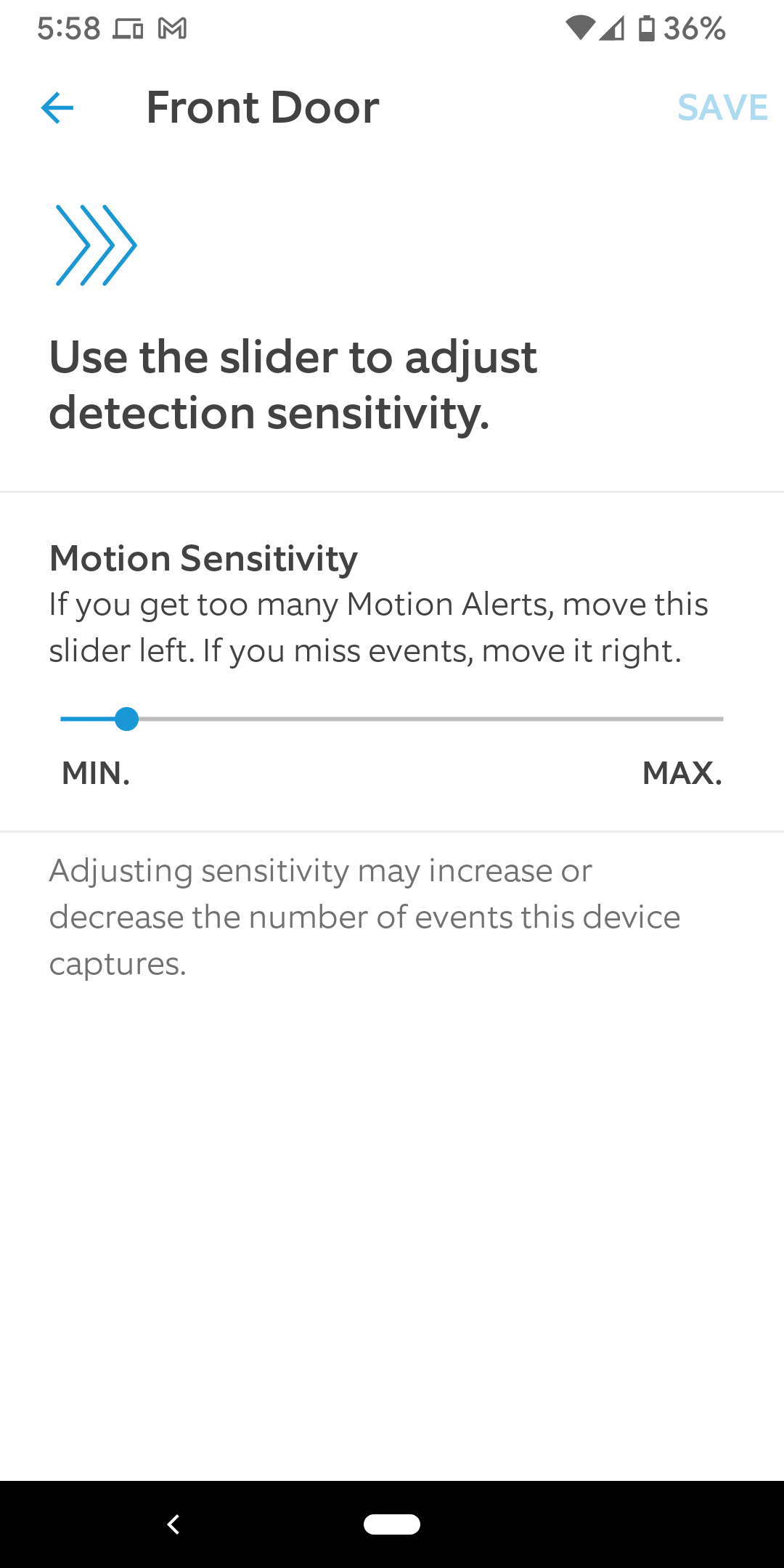
- Adjust Motion Sensitivity: You'll likely see a slider. Experiment by moving it towards 'less sensitive' if you're getting too many false alarms, or 'more sensitive' if you're missing things.
- Set Up Motion Zones: This is a game-changer! Tap 'Motion Zones' and draw boxes over the areas you do want to monitor, like your porch or front door, while excluding areas like the sidewalk or a busy road.
- Enable People Only Mode (if available): If your camera offers this, definitely try it out to focus on human activity.
- Test, Test, Test! After making changes, step outside and walk through the zone yourself. Have a friend or family member do the same. Observe the alerts you receive. Make small adjustments, then test again.
Remember, patience is key; it might take a couple of tries to dial it in perfectly.
Changing your Ring camera's sensitivity isn't just a technical tweak; it's an act of empowerment. You're taking control of your home's digital eyes, making them smarter, more reliable, and less annoying. No more phantom alerts, no more missed moments – just a perfectly tuned security system that works for you. So go ahead, dive into those settings, and enjoy the peace of mind that comes with a Ring camera that's just right.