
How To Cash Out In Coinbase Wallet

So, you've got some digital gold chilling in your Coinbase Wallet? Nice! Now comes the fun part: turning those cryptic coins into cold, hard cash. Or, you know, funding your next avocado toast obsession.
First things first: you need to figure out where you want that digital dough to land. Your bank account? PayPal? Back into Coinbase itself for more crypto adventures?
Moving Things Around
Think of it like moving furniture. You can't just teleport your crypto from your Coinbase Wallet straight into your checking account. Not yet, anyway.
Must Read
Instead, you’ll probably need to do a little digital dance. Most folks start by sending their crypto from Coinbase Wallet to their regular Coinbase account.
It’s like moving your favorite armchair from the guest room to the living room. Close, but not quite where you ultimately want it.
The Transfer Tango
Open your Coinbase Wallet app. See that “Send” button? Give it a tap!
Now, it's address time. You need the address of your Coinbase account for that particular cryptocurrency. It’s like finding the exact right apartment number.
Head over to your regular Coinbase account. Find the "Receive" option. Copy that address carefully. Triple-check it!
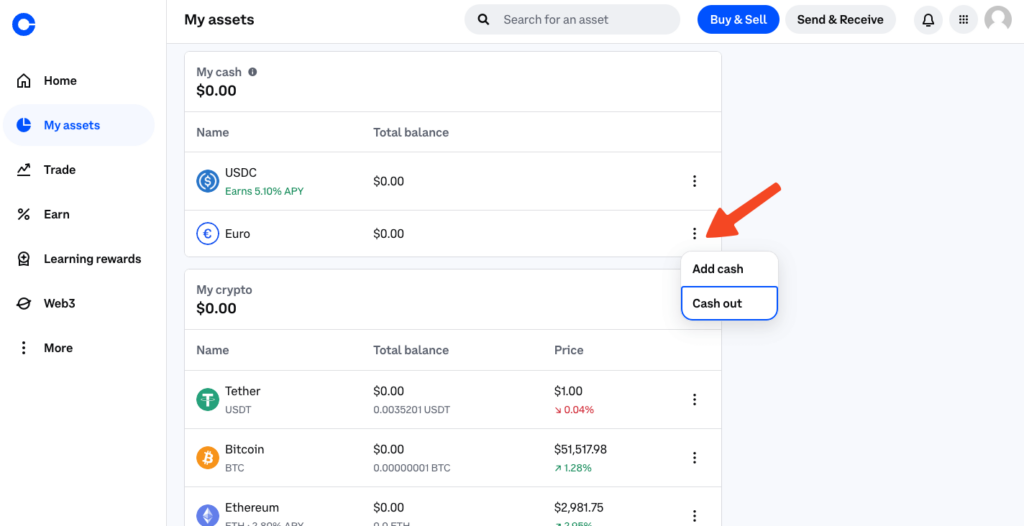
Paste that address into your Coinbase Wallet send form. Choose the amount you want to send. Brace yourself.
Double-check everything again. Seriously. Typos in crypto land are a nightmare. Then, hit send!
Congratulations, you've initiated the transfer! Now, patience. It might take a few minutes (or longer, depending on the cryptocurrency) for your funds to arrive in your regular Coinbase account.
The Great Escape to Fiat
Okay, your crypto is now safe and sound in your regular Coinbase account. Time to turn it into real-world money!
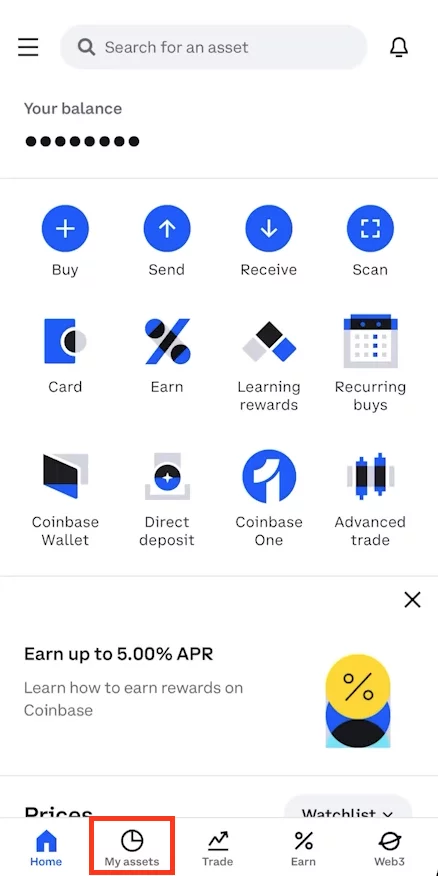
Find the "Sell" option. Select the cryptocurrency you want to cash out. Decide how much you're selling.
Now, here’s the slightly less-fun part: fees. Coinbase, like any exchange, charges fees for its services. It's the price you pay for convenience.
Review the transaction details, including the fees. If you're happy (or at least resigned), confirm the sale.
Poof! Your crypto is now converted into USD (or whatever your local currency is).
The Final Frontier: Your Bank Account
The money is in your Coinbase account, but still not in your hot little hands. Time for the grand finale: withdrawing to your bank.
Go to the "Withdraw" section. Select your bank account. (You'll have to link it if you haven't already.)
Enter the amount you want to withdraw. Confirm the details. Prepare to wait… again.

Bank transfers usually take a few business days. So, try not to spend it all in your head before it actually arrives. Although, I totally understand if you do.
Unpopular Opinion Time!
Here’s my unpopular opinion: all this transferring and selling feels a bit…clunky.
I mean, we're living in the future, right? Shouldn't cashing out crypto be as easy as ordering pizza?
It feels like we’re still in the dial-up internet era of crypto. We need faster, simpler ways to get our digital assets into the real world without all the hopping around.
Don't get me wrong, I appreciate Coinbase and other exchanges. They've made crypto more accessible to the masses.

But the cashing out process? Room for improvement. Big time.
Until then, we’re stuck doing the crypto shuffle. So, take a deep breath, follow these steps, and try not to get too frustrated.
And remember: you're turning digital magic beans into something tangible. That’s pretty cool, even if it takes a few extra steps.
Maybe one day, we’ll just think about needing cash, and it’ll magically appear from our Coinbase Wallet. A girl can dream, right?
Until that day, happy cashing out! May your transactions be swift and your fees be low.
And if you accidentally send your crypto to the wrong address? Well, let’s just say that’s a story for another article (and a lot of tears).