
How Long Does It Take To Charge A Lithium Battery
Ever wondered how long it takes to juice up that trusty phone or your kid's favorite remote control car? Charging lithium batteries is a fascinating dance of electrons! Let’s dive into this electrifying topic.
The Battery Charging Timeline: It's a Balancing Act!
There's no one-size-fits-all answer to the charging time question. It’s a bit like asking how long it takes to bake a cake. It depends on the recipe!
Several factors influence the charging speed. Think about the size of the battery and the power of the charger.
Must Read
Battery Capacity: The Tank Size
Battery capacity is measured in mAh (milliampere-hours) or Wh (watt-hours). Imagine it as the size of the fuel tank in your car.
A bigger tank (higher mAh/Wh) simply takes longer to fill. A tiny battery will be ready much faster than a massive power pack.
Charger Power: The Fuel Pump
The charger's power output, measured in watts (W), is like the fuel pump at the gas station. A high-powered charger can deliver more juice in less time.
Using a low-wattage charger with a high-capacity battery? Get ready for a long wait!
Other Sneaky Speed Factors
It's not just about size and power! Temperature plays a role. Batteries prefer to charge in a Goldilocks zone – not too hot, not too cold.
The battery's age and health also matter. An older battery might take longer to charge and may not hold as much charge as it used to.
Everyday Gadgets: Charging Time Estimates
Let's look at some common gadgets and their approximate charging times. Remember, these are just estimates! Your mileage may vary.
Smartphones: Pocket-Sized Powerhouses
Smartphones typically take 1 to 4 hours to fully charge. Fast charging technology can significantly reduce this time.
Some phones can reach 50% charge in as little as 30 minutes! That's thanks to sophisticated power management and higher wattage chargers.
Tablets: Bigger Screens, Bigger Batteries
Tablets generally have larger batteries than smartphones. Therefore, they usually require 2 to 5 hours to fully charge.
Using the charger that came with your tablet is always a good idea. It's designed to deliver the optimal charging current.
Laptops: Powering Your Productivity
Laptop charging times can vary widely, from 2 to 6 hours. It depends on the battery size and the laptop's power consumption.
Gaming laptops, with their powerful components, often have larger batteries and require more powerful chargers.
Electric Vehicles (EVs): The Future of Transportation
Charging an EV is a whole different ball game! It can take anywhere from 30 minutes (with a supercharger) to over 12 hours (with a standard wall outlet).

The charging time depends on the battery capacity and the charging station's power level. Investing in a home charging station can significantly speed up the process.
Other Devices: A Mixed Bag
Smaller devices like Bluetooth headphones or smartwatches can charge in as little as 1 to 3 hours. The batteries are much smaller!
Power tools, e-bikes, and other battery-powered gadgets all have their own charging quirks. Always refer to the manufacturer's instructions.
Charging Tips and Tricks: Maximize Your Battery Life
Want to keep your lithium batteries happy and healthy? Here are a few helpful tips!
Avoid Extreme Temperatures
Don't leave your phone baking in the sun or freezing in the snow. Extreme temperatures can damage the battery.
Charge your devices in a cool, dry place for optimal performance. Your battery will thank you!
Use the Right Charger
Using the charger that came with your device is always the best option. It's designed to deliver the correct voltage and current.
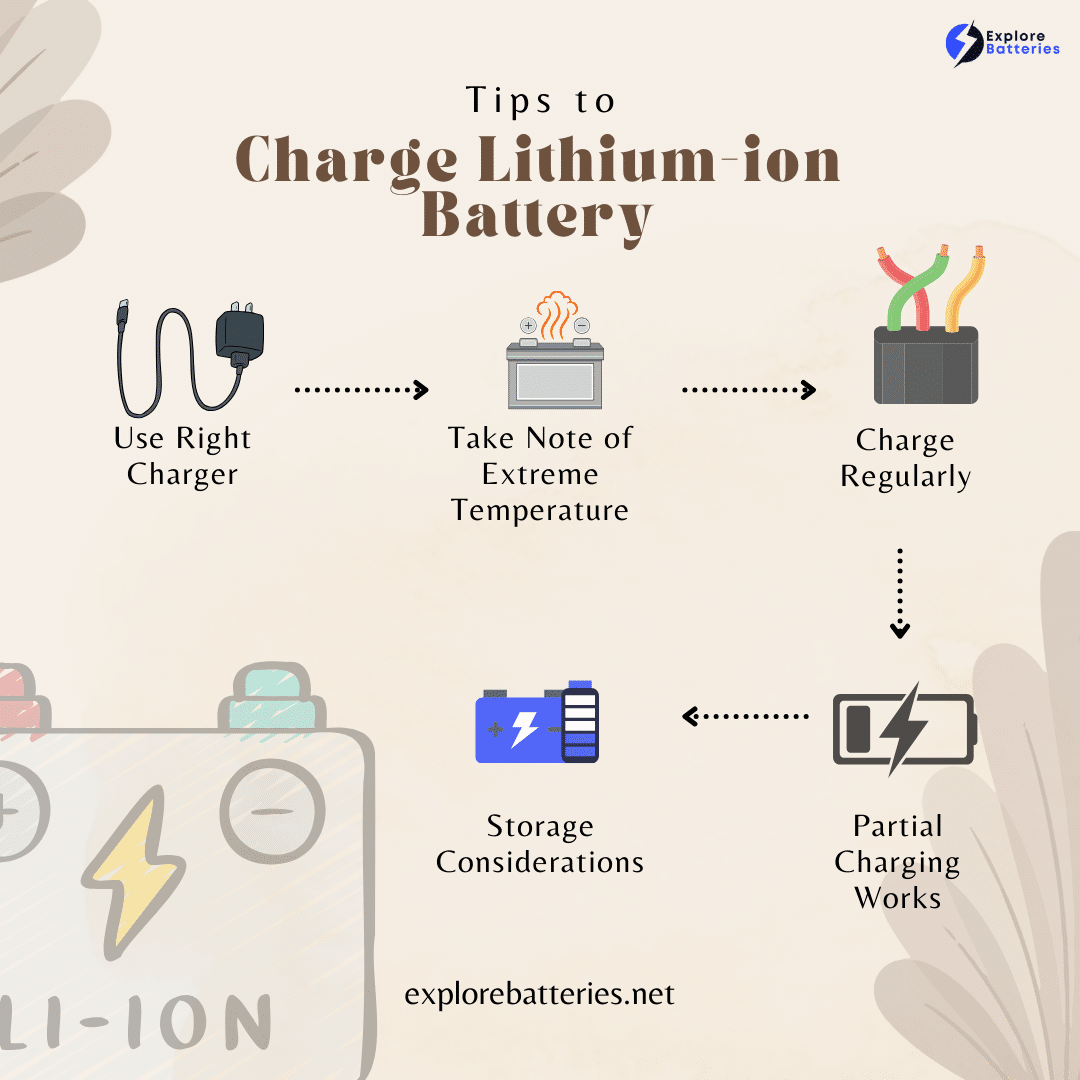
If you need a replacement, choose a charger from a reputable brand that is specifically designed for your device. Avoid cheap, generic chargers.
Don't Overcharge (Usually Not a Problem Anymore)
Modern devices have built-in charging protection. They stop charging when the battery is full.
However, it's still a good idea to unplug your device once it's fully charged. Leaving it plugged in for extended periods can generate heat and potentially reduce battery lifespan.
Partial Charging is Okay!
Unlike older battery technologies, lithium batteries don't suffer from "memory effect." You don't need to fully discharge them before recharging.
In fact, partial charging is often better for the overall lifespan of the battery. Feel free to top up your phone whenever you have a few minutes to spare.
Store Batteries Properly
If you're storing a lithium battery for an extended period, keep it at around 50% charge. This helps prevent degradation.
Store the battery in a cool, dry place. Avoid extreme temperatures and direct sunlight.

The Future of Battery Charging: What's Next?
Battery technology is constantly evolving. Expect to see even faster charging speeds and longer battery life in the future!
Wireless charging is becoming increasingly popular. It offers a convenient way to power up your devices without the hassle of cables.
Researchers are also exploring new battery chemistries. These chemistries could provide even greater energy density and faster charging capabilities.
Imagine a world where you can fully charge your EV in just a few minutes. That future may be closer than you think!
Conclusion: Charging Up Your Knowledge
Understanding how long it takes to charge a lithium battery is a fascinating journey. It's a blend of science, technology, and a little bit of everyday magic.
By following these tips and tricks, you can keep your batteries healthy and enjoy longer-lasting power. So go forth and charge with confidence!
Now you are equipped to impress your friends with your newfound battery knowledge! Go tell them how much you have learned about charging time!