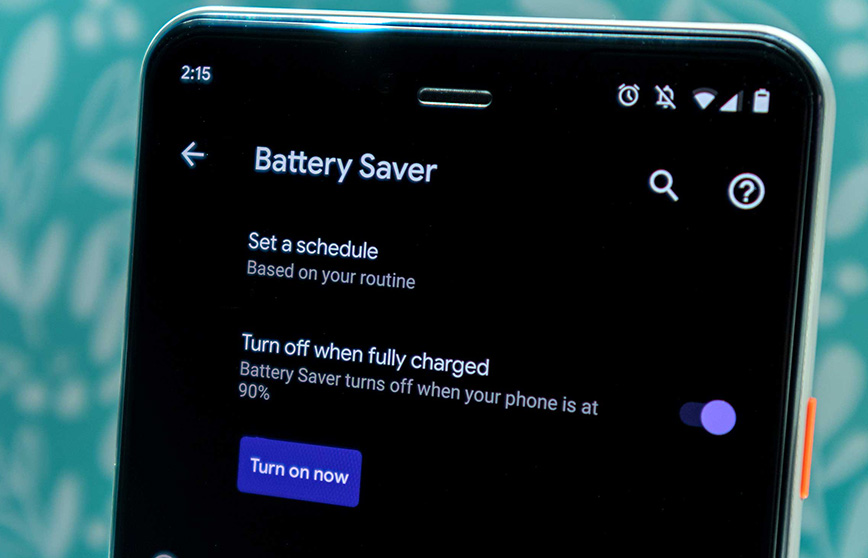
How Do You Save Battery Life
Okay, confession time. I was once on a date, trying to impress someone with my extensive knowledge of, I don't know, ancient Roman plumbing systems? (It sounded good in my head, alright?). My phone was crucial for fact-checking a particularly outlandish claim I'd made. We're talking mid-sentence, deep into the intricacies of aqueducts, and bam! Black screen of death. My phone, bless its digital heart, decided that was the perfect moment to spontaneously combust its remaining 1%.
Awkward? Absolutely. But also, utterly relatable, right? We've all been there. That sinking feeling when your phone, your digital lifeline, decides to take an unscheduled nap right when you need it most. It’s like, seriously, phone? Now? This isn't just about avoiding date-night disasters, though. It's about keeping our little rectangles of joy alive and kicking throughout the day. Because let’s be real, a dead phone in 2024 is practically a public emergency.
So, you want to squeeze every last drop of juice out of that precious battery? Good, because I’ve picked up a few tricks over the years, some obvious, some a little less so. Let’s dive in!
Must Read
Dim the Lights (Literally!)
First up, and probably the most obvious, is your screen. Think about it: it's literally glowing energy into your eyeballs. Dim it down, friend! Most phones have an auto-brightness feature, which is great, but sometimes it overcompensates. You don’t need your screen blinding you indoors just because it’s sunny outside. And that screen timeout? Set it to the shortest comfortable duration. Do you really need your phone screen staring blankly for two minutes after you've checked a notification? Probably not. Every second counts!
Curb Those Background Parties
Those apps chilling in the background? Yeah, they’re sneaky. They might not be actively on, but they're often refreshing content, checking for updates, and generally having a little party without your permission. Go into your settings – it's usually under 'Battery' or 'General' – and turn off 'Background App Refresh' for anything you don't absolutely need updated constantly. No, Candy Crush doesn't need to know what's happening every five minutes. Trust me on this one.

Location, Location, (Not Always) Location
GPS is awesome for finding that new taco place, but it's a battery hog. Check which apps have permission to use your location always. Do you really need the weather app tracking your every move? Probably not. Switch it to 'While Using App' or 'Ask Next Time' whenever possible. Your battery (and maybe your privacy) will thank you.
Notification Nation: Opt Out!
Every buzz, every pop-up, every little vibration or screen light-up uses juice. Think about it. Do you need to know immediately that someone liked your cousin's dog's picture on Instagram? Probably not. Get ruthless with those notification settings. Silence the non-essentials. Your brain will also thank you for less constant distraction, just sayin'.

Wi-Fi vs. Mobile Data & the Power of Flight
When you're home or at work, make sure you're on Wi-Fi. It's generally less power-intensive than constantly searching for and maintaining a mobile data connection. Your phone works harder to hold onto a cellular signal, especially in weak areas. And if you're in an area with really poor signal? Hello, airplane mode! Your phone will stop desperately trying to cling to a non-existent network, saving a ton of battery. Plus, it's a great excuse to unplug for a bit, isn't it?
Embrace the Dark Side (for OLED Screens)
If you have a phone with an OLED screen (most modern high-end phones do), dark mode isn't just for aesthetics; it's a battery saver! OLED screens light up individual pixels. Black pixels mean those pixels are literally off, using no power. So go ahead, embrace the dark side. It's cool, literally and figuratively.
The Nitty-Gritty of Battery Health
Okay, this one's a bit more long-term. Don't always let your phone die completely. Charging in shorter bursts, keeping it between 20-80%, is often recommended to prolong your battery's overall lifespan. Modern batteries are pretty smart, but avoiding those extreme full-cycle drains can help. And avoid extreme temperatures! Leaving your phone baking in the sun or freezing in the snow is a big no-no for battery health. Treat it kindly, folks.
There you have it! A few simple tweaks that can make a pretty big difference in how long your phone stays alive and kicking. You won’t become a battery-saving guru overnight, but incorporating even a couple of these habits can save you from that dreaded 1% anxiety. Go forth and conquer your digital day, fully charged!