
How Do You Replace A Honeywell Thermostat
Who knew a little box on your wall could hold so much power? Seriously! Your thermostat isn't just a temperature dial; it's the brain of your home's climate control, orchestrating comfort and dictating energy bills. And if you've been living with an old, clunky, or simply not-so-smart Honeywell thermostat, you're in for a treat. Replacing it isn't just a chore; it's a mini-adventure in home improvement that’s surprisingly fun, incredibly useful, and increasingly popular. Think about it: upgrading this tiny tech can lead to significant savings, ultimate comfort, and a serious tech-savvy glow-up for your home.
So, why bother replacing a perfectly functional (albeit ancient) thermostat? The benefits are huge! Modern thermostats, especially the latest smart models, offer a world of advantages. Imagine waking up to a perfectly warm house without ever touching a dial, or setting your AC to kick on just before you arrive home from work – all from your phone! These new devices aren't just about convenience; they're about smart energy management. They can learn your habits, sense when you're away, and optimize heating and cooling schedules, leading to substantial energy savings and a lower carbon footprint. Plus, they look sleek, often sporting user-friendly touchscreens that make adjusting your comfort levels a breeze.
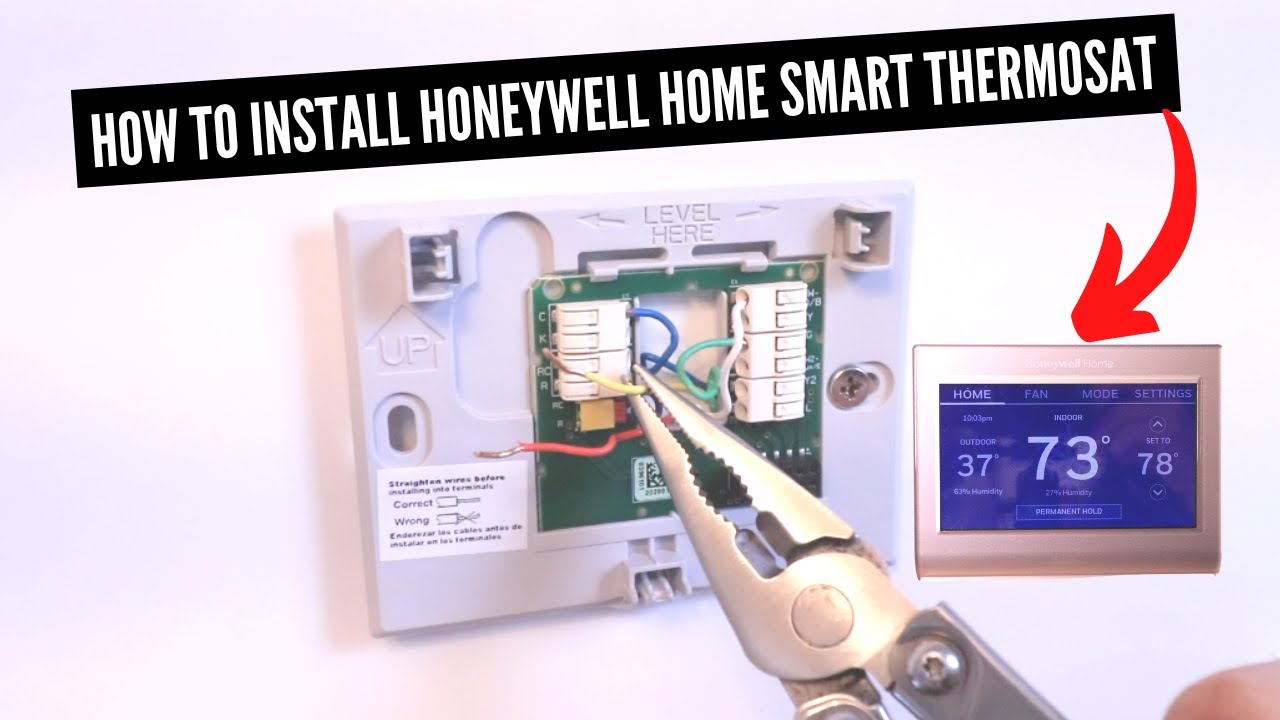
Now, let's tackle the "how." The idea of messing with electrical wiring might sound intimidating, but for many standard thermostat replacements, it's a surprisingly straightforward DIY project. The golden rule, and we can't stress this enough, is safety first! Always, always, always turn off the power to your HVAC system at the circuit breaker before you touch anything. Once the power's off, the process usually involves a few key steps. First, take a clear photo of your existing wiring – this is your absolute best friend for knowing which wire goes where. Then, carefully disconnect the old wires, unmount the old thermostat, and mount your shiny new one. Finally, reconnect the wires to their corresponding terminals, snap on the cover, and restore power. Voila! You're almost there.
Must Read
One crucial consideration, especially if you're upgrading to a smart thermostat, is the C-wire (Common wire). Many advanced thermostats require a C-wire to provide continuous power for their smart features like Wi-Fi and backlit displays. Older thermostats often don't use a C-wire, which means you might need to check your furnace or air handler for an unused wire or consider a C-wire adapter kit. Don't let this deter you! There are plenty of resources and clear instructions available, and many smart thermostat brands offer excellent customer support to guide you through this potential hurdle. With a little patience and attention to detail, you'll be enjoying automated comfort and smarter energy use in no time. Get ready to experience your home in a whole new, perfectly regulated way!


