
Honeywell Pro Series Thermostat Heat On Flashing

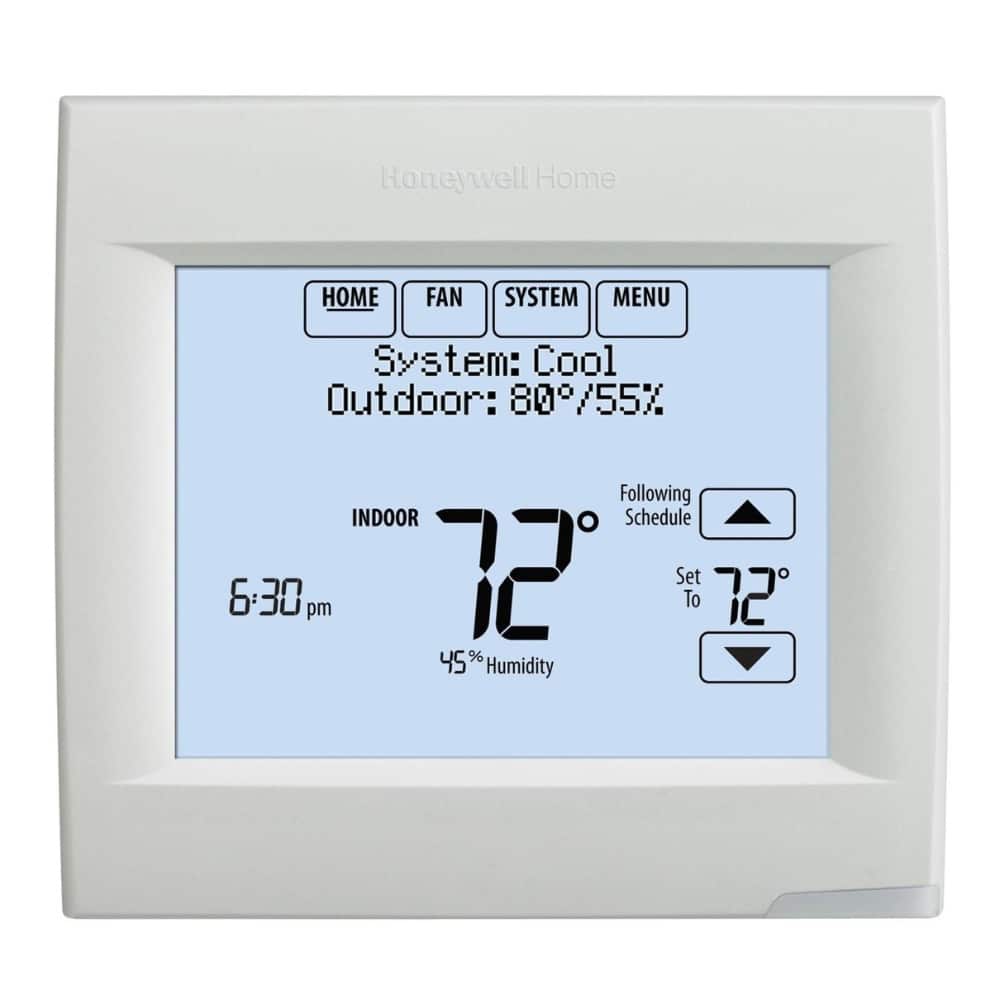
Alright, let’s spill the tea on a tiny, often overlooked household mystery that probably makes you go, “Huh?” when it pops up. We're talking about your Honeywell Pro Series thermostat and that little moment when “Heat On” starts flashing like a mini disco light for your furnace. It’s not a secret code, and no, your house isn't about to spontaneously combust!
Think of it as your thermostat having a little internal monologue, a moment of deep thought before it springs into action. It's less a crisis, more a polite pause. And honestly, once you know why, it’s actually pretty clever. Your thermostat, bless its digital heart, is just doing its job of being a tiny, diligent bodyguard for your HVAC system. Who knew a box on the wall could have such a dramatic inner life?
The Great Flashing Reveal: What’s Happening?
So, you’ve cranked up the heat, eager for that cozy warmth, and BAM! Instead of instant gratification, you get a blinky "Heat On." Annoying, right? But here’s the scoop: your thermostat isn't broken, it's actually doing you a solid favor. This flashing usually means your system is in a delightful little state called a “minimum off-time delay.”
Must Read
“Minimum off-time delay?” Sounds super technical, but it’s actually really simple. Imagine your furnace (or AC compressor, if we were talking cooling) as a highly sensitive, slightly dramatic piece of machinery. Turning it off and on too quickly can be like making it run a marathon, then immediately asking it to do burpees. Not good for its longevity, health, or efficiency!
Most thermostats, especially those savvy Honeywell Pro Series models, have a built-in safety feature that says, "Hey there, hold your horses! Let’s give the system a few minutes to chill out before we kick it back into gear." This delay is often around five minutes. It’s like a tiny coffee break for your furnace before its next shift.

Why So Serious, Thermostat? (But Not Really)
This little pause is all about protecting your equipment. Specifically, for heating, it prevents something called "short cycling." Short cycling is when your furnace turns on and off too frequently. Doing this can put undue stress on the components, leading to faster wear and tear, higher energy bills (because it’s always starting from scratch), and potentially, a much more expensive repair down the line. Nobody wants a cranky, broken furnace in the middle of winter, right?
For AC systems, this delay is even more crucial. Rapidly cycling an AC compressor without this delay can cause liquid refrigerant to return to the compressor, leading to "slugging." Trust us, you don't want to Google what that looks like for a compressor. It's not pretty, and it certainly won't make your wallet happy. So, that flashing light? It’s essentially preventing tiny, metallic heart attacks for your home's most important comfort systems!
Quirky Facts & Fun Observations
Isn’t it funny how something so seemingly minor can trigger a tiny moment of panic? You just want to be warm, and your thermostat is over here playing mind games! But really, it’s just being smart. It's like a tiny, digital guardian angel, silently working to extend the life of your very expensive heating and cooling units.
Next time you see it flash, instead of groaning, try this: imagine your thermostat is a tiny CEO, making important executive decisions. "No, Mr. Furnace, you may not start immediately. I require a minimum five-minute cool-down period. My data indicates optimal performance requires this protocol. Thank you for your understanding." See? Suddenly, it’s less annoying, more… professional!

And let’s be real, the "Pro Series" moniker isn't just for show. These thermostats are designed with a bit more intelligence under the hood, making them more efficient and protective. So, when your Honeywell Pro Series decides to flash "Heat On," it's not being difficult; it's living up to its "Pro" status, making sure everything runs smoothly and lasts longer. It's the equivalent of a seasoned pro athlete taking a strategic time-out – smart, necessary, and ultimately beneficial.
So, What Should You Do When It Flashes?
Drumroll please… absolutely nothing! Just chill. Literally. Give it those glorious five minutes (or whatever its programmed delay is). Grab a snack, check your phone, or contemplate the profound wisdom of your home's HVAC system. It will eventually kick in, and you’ll be basking in that sweet, sweet warmth.
Unless, of course, it flashes for an unreasonably long time (like, more than 10 minutes) or never turns on. Then, yeah, that might be a real issue. But for the standard brief flash, it’s just your clever little thermostat doing its job, protecting your investments, and maybe, just maybe, subtly reminding you that good things come to those who wait. Who knew a thermostat could teach us such valuable life lessons?
