
Honeywell 2 Wire Thermostat Instructions

Alright, let's talk about thermostats. Not the fancy, Wi-Fi-enabled, "talk-to-me-from-the-beach" kind. Oh no, we're diving into the delightful simplicity of the Honeywell 2-wire thermostat. Bless its heart, it's the humble workhorse of the HVAC world, often found clinging to walls in older homes, patiently doing its one job: keeping you toasty (or sometimes, just not freezing). If modern tech is a smartphone, the 2-wire is your trusty flip phone – simple, reliable, and gets the message across without a million notifications.
Why Just Two Wires, You Ask?
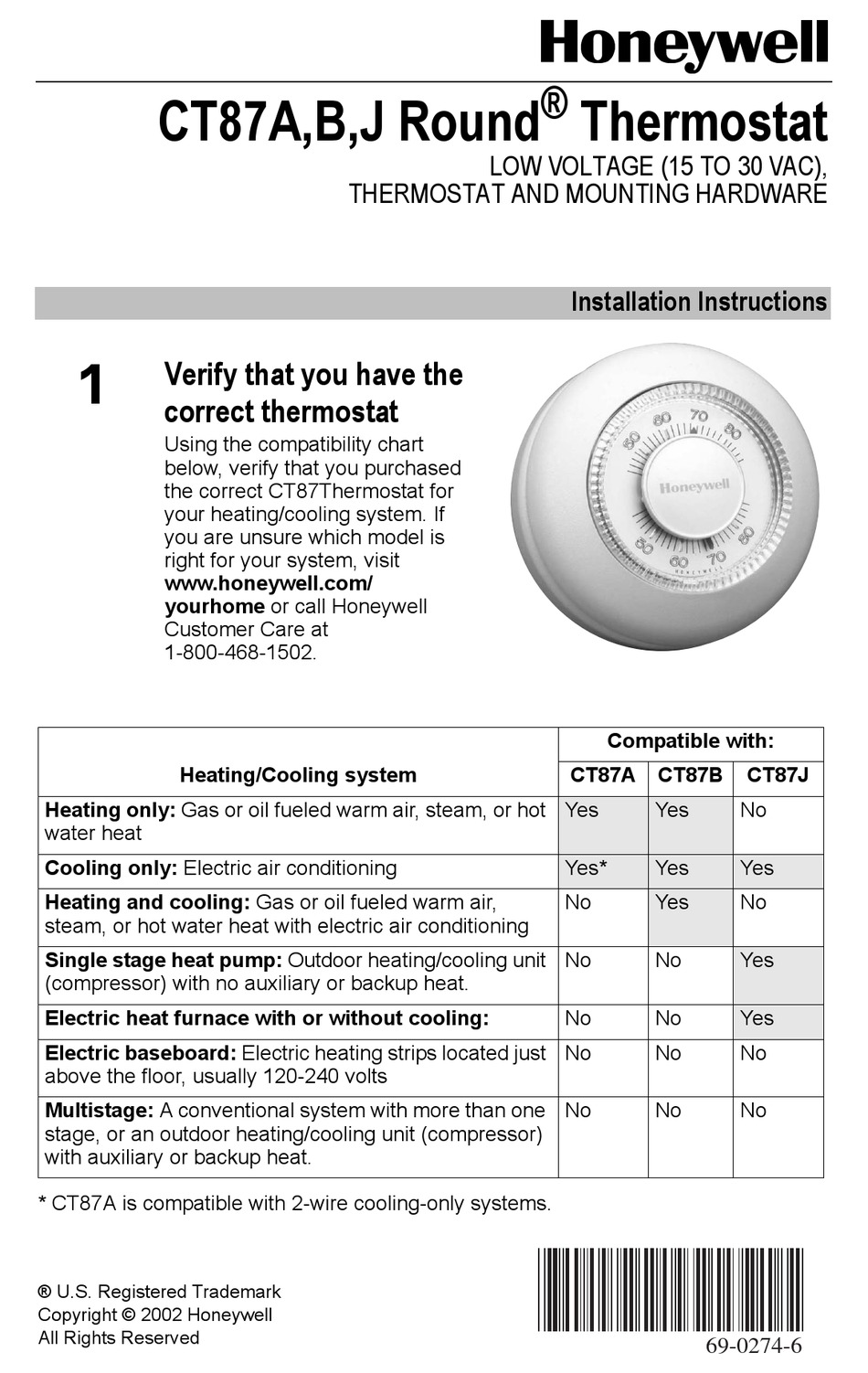
Good question! In a world of complex wiring, the 2-wire system is like finding a two-ingredient recipe. It's typically for heating-only systems, often found with boilers, gravity furnaces, or simple zone valves. These systems don't need to control a fan or multiple stages of heating and cooling. They just need to know: "Hey, is it cold? Turn on the heat!" and "Are we warm enough? Okay, you can chill out now."
Think of it this way: your fancy coffee maker has a dozen buttons for espresso, lattes, frothing, and self-cleaning. Your grandma's percolator? One button: "ON." The 2-wire thermostat is the percolator of temperature control. It’s wonderfully uncomplicated, and frankly, a bit of a relief in our always-connected lives.
Must Read
Before You Begin: Your DIY Superhero Origin Story
Okay, before you grab that screwdriver and channel your inner MacGyver, let's set the stage. This isn't brain surgery, but a little prep makes all the difference.
- Step 1: Power Down, Buttercup! This is the most important step. Head to your circuit breaker and find the switch for your furnace or boiler. Flip it off. Seriously. We're dealing with electricity, and unless you want a "zappy" anecdote to tell at parties, power needs to be OFF. Think of it like defusing a very tiny, non-exploding temperature bomb.
- Step 2: Gather Your Tools (The Mighty Trio). You won't need a whole toolbox. Usually, a Phillips head screwdriver and maybe a flathead are all you'll require. A smartphone with a camera is also your secret weapon – trust me on this one.
- Step 3: The Old Guard Must Go. Gently pry open or unscrew your old thermostat. Sometimes there are tabs, sometimes tiny screws. Just be gentle. It’s had a long life of dutiful temperature regulation.
The Big Reveal: Meet the Wires (and Your New Best Friend, Your Phone)
Alright, the old cover is off. What do you see? Probably a tiny circuit board and… two wires! They might be red and white, or black and white, or some other combination. Now, here's where your smartphone comes in:
Snap a picture! Take a clear photo of how the wires are connected to the old thermostat's terminals. Usually, these terminals are labeled with letters like 'R' (for power, often Red) and 'W' (for heating, often White). This photo is your golden ticket, your comfort compass. It's your "I-knew-I-should've-paid-attention-in-science-class" bailout plan.
Once you’ve got your photographic evidence, carefully disconnect those two wires from the old thermostat terminals. Don't let them fall back into the wall! Give them a gentle bend or tape them to something nearby so they're easy to grab when the new thermostat goes up.

Wiring Up Your New Honeywell: The Grand Simplicity
Now for the main event! Pick up your new Honeywell 2-wire thermostat. Inside, you'll see a couple of terminals, likely labeled 'R' and 'W' (or similar, check the simple instructions that came with it – yes, even simple things have instructions!).
- Connect the Wires: Take one of the wires from the wall and connect it to the 'R' terminal. Tighten the screw. Take the other wire and connect it to the 'W' terminal. Tighten that screw too. It really doesn't matter which wire goes to R or W for most 2-wire non-polarized systems, but connecting them as they were on the old thermostat (using your photo!) is always a good practice to avoid any second-guessing. You're basically a high-tech matchmaker for wires right now.
- Mount it Up: Once the wires are securely fastened, gently push any excess wire back into the wall opening. Screw the new thermostat onto the wall plate. Don't overtighten; you're securing it, not performing a structural repair!
- Cover Up: Snap or screw the front cover onto the base. It should click into place satisfyingly.
The Moment of Truth: Power On!
Head back to your circuit breaker. Take a deep breath. You're about to unleash the comfort Kraken! Flip the power back ON.
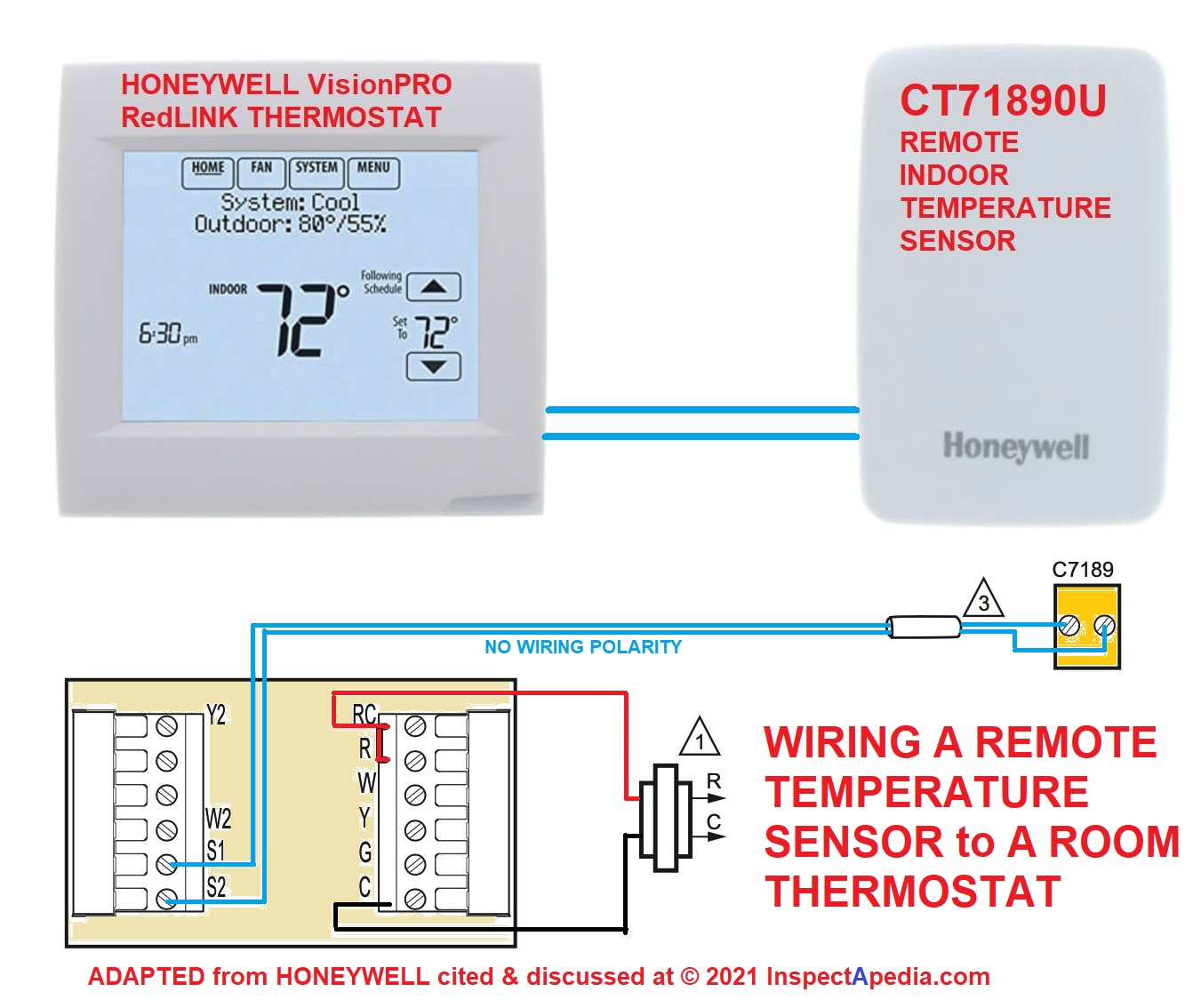
Now, set your thermostat to a temperature above your current room temperature. You should hear a gentle click from the thermostat itself, and then, after a moment, the glorious hum of your furnace or boiler kicking into action. If it's working, give yourself a mental high-five (or a real one, no judgment). You've done it! You've wrestled with the forces of home climate control and emerged victorious with only two wires and a screwdriver.
Embrace the Simplicity
That's it. No apps to download, no Wi-Fi passwords to remember, no complex schedules to program. Just a beautiful, simple, Honeywell 2-wire thermostat, doing its job with quiet dignity. You've just proven that sometimes, less truly is more, especially when it comes to keeping your home cozy. Now go forth and bask in your newfound DIY glory, knowing you've mastered the humble, yet mighty, two-wire wonder. You're basically an HVAC whisperer now.
