Does A Garage Door Keypad Have A Battery

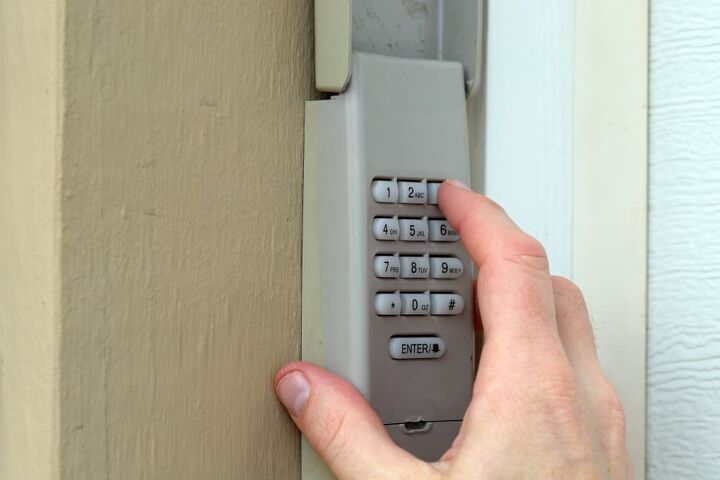
Ah, the garage door keypad. It's one of those unsung heroes of modern convenience, isn't it? Picture this: you've just wrestled the last bag of groceries out of the car, or perhaps you're back from a blissful weekend getaway, and all you want is to glide into your home without fumbling for keys. You punch in your trusty code, hear that familiar whir, and voila! Instant access. But have you ever paused to wonder about the magic behind this little panel of digits? Specifically, the burning question that often pops up mid-panic: does a garage door keypad have a battery?
The Big Question, Answered
Let's cut right to the chase with a resounding, confident yes! Your garage door keypad, the one perched so conveniently outside your garage, is indeed battery-powered. It’s a wireless wonder, after all. This nifty device isn't directly wired into your home's electrical system, which is precisely what makes it so versatile and easy to install.
Think about it: if it were hardwired, installation would be a much bigger, more intrusive job. The battery grants it the freedom to be placed almost anywhere within range of your garage door opener's receiver, offering you that glorious flexibility we've all come to love. It's essentially a miniature remote control, just a bit more stationary and, well, keypad-like!
Must Read
Powering Your Entry: The Hidden Heroes
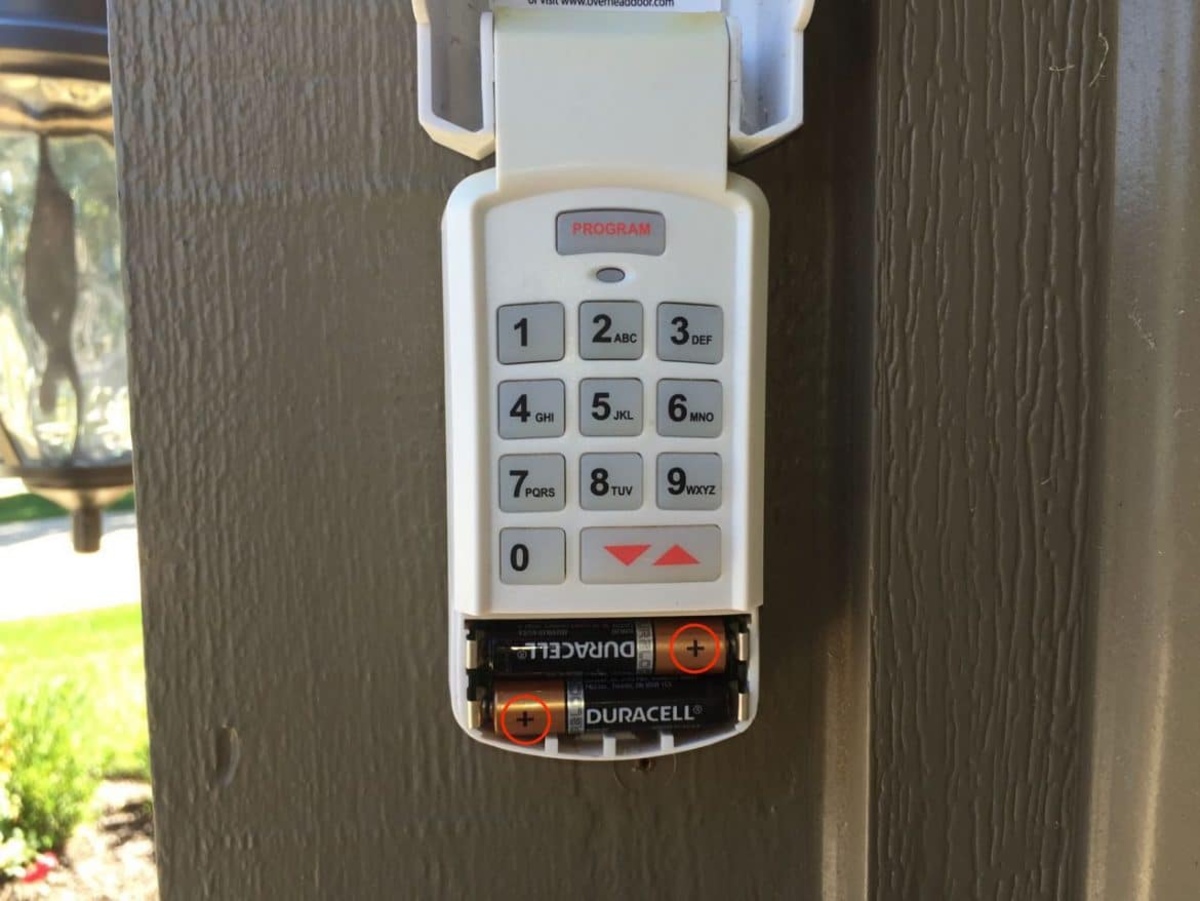
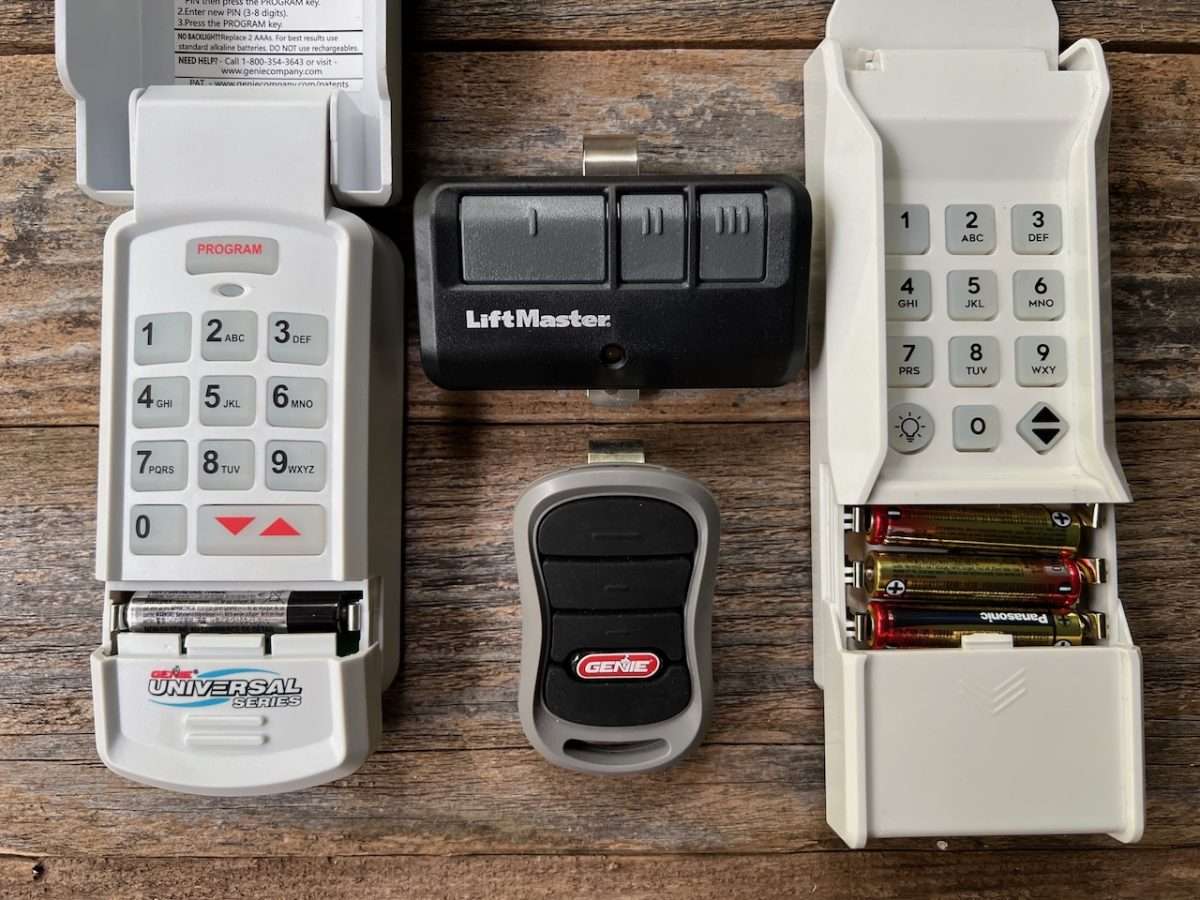
So, what kind of power are we talking about? While specifics can vary slightly between brands and models, most garage door keypads rely on common, easily accessible batteries. You'll often find them powered by AAA or AA batteries, much like your TV remote or kids' toys. Some might opt for a 9-volt battery, that chunky rectangular kind, or even a smaller, flatter CR2032 coin cell battery in more compact designs. The choice usually boils down to the keypad's design and power requirements.
It’s a fantastic piece of low-power tech, designed to sip energy sparingly. It only truly "wakes up" when you punch in a code, sending a quick signal to your garage door opener. This efficiency is why those batteries can last surprisingly long, sometimes for several years, depending on usage and climate. Like a tiny, dedicated security guard, it waits patiently for its moment to shine.
The Tell-Tale Signs: When Your Keypad Needs a Boost
Eventually, even the most dedicated battery will wave its white flag. How do you know when it's time for a change? Your keypad usually gives you a few gentle nudges before it completely gives up the ghost.
Keep an eye out for these common indicators:
- Dim or non-existent backlighting: If the numbers used to light up brightly but are now faint or don't light up at all, that's a classic sign.
- Delayed response: You punch in your code, but nothing happens for a few seconds, or you have to press the button multiple times. It's struggling to send that signal.
- Intermittent functionality: It works sometimes, but not always. This can be incredibly frustrating when you're in a hurry!
- No response at all: The ultimate sign. You enter the code, and your garage door remains stubbornly shut, leaving you wondering if you've forgotten your own address. Don't worry, it's usually just a simple battery swap away from full functionality.
Ready for a Swap? A Quick How-To
Changing the battery in your garage door keypad is generally a breeze, a task most DIY novices can conquer in minutes. You typically won't need a special technician or a cryptic ancient scroll.

Here’s the basic rundown:
- Locate the battery compartment: This is usually on the front, bottom, or back of the keypad. It might be behind a small cover that slides off, or secured with tiny screws.
- Open it up: For screw-secured compartments, you'll likely need a small Phillips head screwdriver. Gently loosen the screws and remove the cover.
- Note the battery type: Before removing the old battery, take a quick peek at its type (AAA, 9V, etc.) to ensure you have the correct replacement. Pro tip: always keep a spare set of batteries on hand for emergencies!
- Swap 'em out: Carefully remove the old battery and insert the fresh one, paying attention to the positive (+) and negative (-) terminals.
- Close it up: Replace the cover and secure any screws.
- Test it: Enter your code and make sure your garage door responds promptly. Success!
Beyond the Battery: Keypad Longevity & Smart Habits
While the battery is a key player, a few other factors can influence your keypad's overall lifespan and performance. Extreme weather, for instance, can affect battery life – very cold temperatures can drain them faster, just like your smartphone in winter. Regular usage also plays a role, though modern keypads are remarkably efficient.
To maximize your keypad's life and avoid those "door won't open" moments, consider adding a quick check to your seasonal home maintenance routine, perhaps when you change the clocks for daylight saving. It's also a good idea to gently wipe down the keypad periodically to remove dirt and grime, ensuring the buttons remain responsive. A little TLC goes a long way!
The Little Things That Count
In a world brimming with complex tech, sometimes it's the simplest things that offer the greatest convenience. Your garage door keypad, quietly doing its job thanks to a humble battery, is a perfect example. It saves you time, offers peace of mind when you're locked out (or forget your keys), and adds a layer of modern ease to your daily comings and goings.
So, the next time you effortlessly glide into your garage with a quick tap of digits, take a moment to appreciate that tiny, often overlooked power source working tirelessly behind the scenes. It's a small detail, but like many small details in life, it makes a surprisingly big difference.