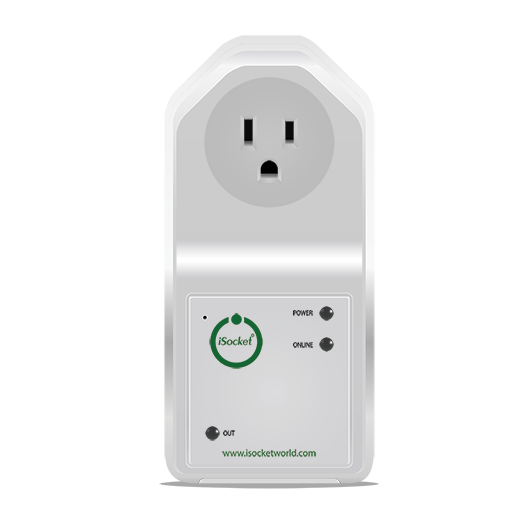
Best Power Outage Notification Device

Picture this: It's Saturday morning, you're nestled deep in dreamland, probably fighting dragons or winning the lottery. You finally drag yourself out of bed, craving that first glorious cup of coffee. You stumble into the kitchen, hit the brew button... and nothing. Zip. Nada. The digital clock on the microwave is angrily blinking 12:00. The fridge, usually a low hum of efficiency, is eerily silent. Uh oh.
You peek inside, and that expensive artisanal cheese you bought yesterday? Starting to look a little... sweaty. Your ice cream? A sad, soupy puddle. But here's the kicker: when did it go out? Was it five minutes ago, or was it when you were still deep in dragon-slaying fantasies six hours ago? That's the million-dollar question, isn't it? And often, it's a question we answer with a sigh and a trip to the grocery store for replacement ice cream.
That's where the magic of a power outage notification device swoops in like a superhero in a cape, ready to tell you exactly when the lights went out, so you don't have to play detective with your melting Ben & Jerry's. Because let's be real, folks, in our increasingly connected world, not knowing if your juice is flowing can be more than just an inconvenience – it can be a real headache, or even a disaster.
Must Read
Why Even Bother with an Outage Notifier?
Good question! Beyond saving your frozen peas, there are some genuinely practical reasons. Imagine you're away on vacation. A power outage could mean your sump pump stops working, leading to a flooded basement. Or maybe your server rack goes down at your home office, and you miss crucial deadlines. Perhaps you have elderly family members who rely on medical equipment that needs consistent power, and you need to know if there's an issue.
For me, it’s often about the peace of mind. Knowing immediately when the power goes out, and more importantly, when it comes back on, saves a lot of worry. No more guessing games, no more wondering if you should rush home. It's about being informed and in control, even when Mother Nature decides to flip a switch.

The Contenders: Who's Telling You About the Dark?
Okay, so you're convinced. You need one of these gizmos. But what are your options? They range from super simple to surprisingly smart.
1. The Simple Audible Alarm: This is your old-school, no-frills option. It plugs into an outlet, and if the power dies, it screeches a loud alarm. Great if you're home and awake. Not so great if you're out running errands or, you know, sleeping through a dragon fight.
2. Wi-Fi Smart Plugs/Sensors: Ah, the modern age! Many smart plugs (think like the TP-Link Kasa or Shelly devices) have an "offline" notification feature. If the power to the plug goes out, your smart home app pings your phone. The catch? Your Wi-Fi router also needs power to send that notification. If your router dies in the outage, you're out of luck. Unless, of course, your router is on a UPS (Uninterruptible Power Supply) that can hold out for a while. See? It gets complicated!

3. Dedicated Cellular Outage Monitors: Now we're talking serious business. These devices have their own cellular connection (like a tiny cell phone inside!). When the power goes out, they don't rely on your home Wi-Fi. They use their internal battery to send you an SMS text message or an email, letting you know the power status. They usually require a subscription fee for the cellular service, but for reliability, they're hard to beat. This is often the gold standard for those who absolutely, positively need to know, no matter what.
4. UPS with Network Monitoring: If you've got critical equipment (like that server rack we mentioned), a good UPS can not only keep it running for a bit but also notify you via its network interface if the power fails and it switches to battery. Again, your network has to be alive for this notification to get out. Some fancier UPS units might have cellular capabilities, but those are usually reserved for industrial setups.

What to Look For in Your Perfect Power Pal
So, how do you pick the best one for you? Here’s a quick checklist:
- Reliability: This is number one. If it doesn't notify you, what's the point? Cellular options usually win here.
- Notification Method: Do you want an audible alarm, a push notification, an email, or an SMS? The more options, the better, especially if you want backups.
- Battery Backup: The device itself needs power to tell you about the lack of power! Ensure it has a robust internal battery.
- Ease of Setup: Nobody wants to spend an entire afternoon reading a manual. Plug-and-play is always a plus.
- Cost & Subscription: Cellular devices come with a monthly or annual fee. Factor that into your decision.
- Re-notification: Does it notify you when power returns? That's just as important!
For most folks looking for true peace of mind, a dedicated cellular power outage notifier is probably your best bet. Yes, there's a small subscription, but knowing your expensive fridge contents are safe (or at least, knowing exactly when they started their journey to spoilage) is often worth every penny. You can often find them under various brand names, but the core functionality remains: independent, reliable communication.
So next time the lights flicker, you won't be left in the dark – at least not metaphorically speaking. You'll be the one in the know, sipping your now-possible coffee, having avoided a grocery store meltdown. You're welcome.