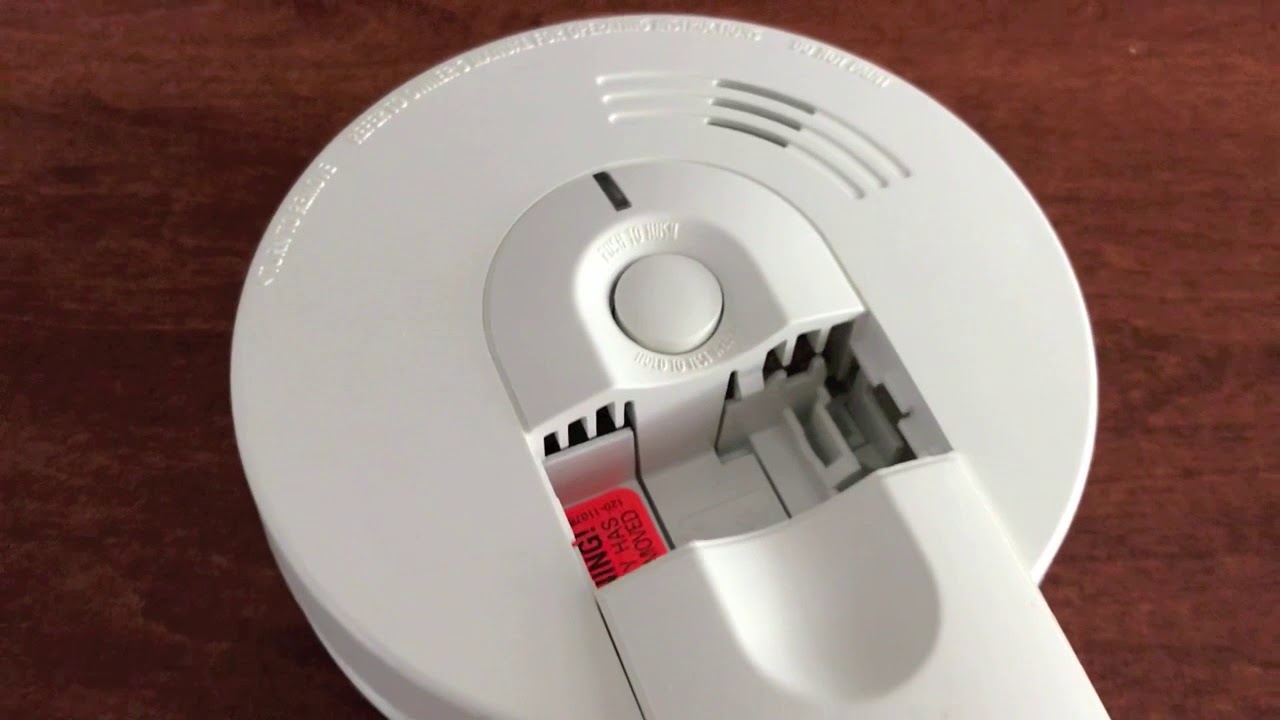
Alarm Still Beeping After Battery Change

Ah, the symphony of modern life! Sometimes, it's a gentle hum, other times it's a relentless, high-pitched BEEP-BEEP-BEEP! that pierces the very fabric of your sanity. We’re talking, of course, about those indispensable household heroes – your smoke detectors, carbon monoxide alarms, or even that trusty old alarm clock. They protect us, they wake us, and sometimes, after you've dutifully changed their batteries, they decide to wage war on your peace and quiet by just... keeping on beeping.
This isn't just a frustrating enigma; it’s a surprisingly common, yet easily solvable, domestic mystery that makes for a rather fun and incredibly useful topic. Why is it fun? Because there's immense satisfaction in diagnosing and silencing that stubborn little gadget yourself, transforming you into an instant household hero! It's useful because knowing this trick can save you a world of annoyance, a trip to the store for a potentially unnecessary replacement, and ensures your safety devices are truly operational, not just vocally protesting.
So, you’ve swapped out the old, dying batteries for shiny new ones, expecting blissful silence, only to be met with the same insistent chirp. What gives? Often, the reason isn't a faulty device or a phantom haunting your home. It's usually down to a little thing called a capacitor. Think of it as a tiny energy storage unit inside your alarm. Even after you pull out the dead batteries, this capacitor might retain a residual charge, "remembering" that the battery was low and continuing its warning chirp. It's like your alarm needs a hard reset, not just a battery swap.
Must Read
The primary purpose of understanding this phenomenon is to empower you with a simple, effective solution. The benefit? Instant peace and quiet, knowing your alarm is correctly reset and ready to protect you. Here’s your step-by-step guide to silencing the beast:

- Turn Off and Disconnect: First, safely remove the alarm from its mounting bracket. This usually involves a twist or a gentle slide.
- Remove All Batteries: Even if you just put in new ones, take them out again. We need a clean slate.
- The Crucial Hard Reset: This is the magic trick! With all batteries removed, press and hold the "Test" or "Reset" button on the alarm for at least 15-20 seconds. This drains any lingering power from the capacitor, effectively "resetting" the device's memory. You might hear a final, faint chirp as the last of the power is used up.
- Insert Fresh Batteries (Correctly!): Now, insert brand-new batteries. Double-check the expiration date – even new batteries can be old! Make sure the positive (+) and negative (-) terminals are aligned correctly.
- Test and Remount: Press the "Test" button again. You should hear a loud, clear alarm sound, then silence. If it works, remount your alarm, confident in your problem-solving prowess!
Sometimes, if the hard reset doesn't work, there could be other factors at play: perhaps the battery contacts are dirty and need a gentle wipe, or the alarm itself has reached its end-of-life (most smoke detectors should be replaced every 7-10 years, regardless of battery status). But for the vast majority of "post-battery-change beeps," the capacitor drain and hard reset method is your go-to solution.
So, the next time your alarm continues its irritating serenade after a battery swap, don't despair or reach for the sledgehammer! Remember this simple trick, perform your hard reset, and reclaim your home's tranquility. You’ll not only silence the beep but also gain the satisfaction of a job well done!