
Why Is My Roku Tv So Slow
Okay, let's talk about your Roku TV. You love it, right? Endless entertainment at your fingertips! From binging the latest shows to re-watching old favorites, your Roku is your digital best friend. But sometimes, that bestie is a bit...sluggish. Why is your Roku TV so slow all of a sudden?
The Internet: The Lifeblood of Your Roku
First things first, let's talk internet. Your Roku TV is basically a super-smart screen. It needs a solid internet connection to stream all that glorious content. Think of it like this: the internet is the highway, and your shows are the cars. If the highway is jammed, everything slows down.
Is your Wi-Fi signal strong? Weak Wi-Fi is a common culprit. Try moving your router closer to your Roku, or try restarting your router. Sometimes, a simple reboot can work wonders! Imagine your router just needed a nap. Also, many devices using the Wi-Fi at the same time can slow everything down. Perhaps pause that huge file download on your computer while you binge-watch your show.
Must Read
And while we're on the subject of the internet, run an internet speed test! Many websites offer free speed tests. Check to see if you're getting the speeds you're paying for. If your internet speed is consistently low, you might need to chat with your internet provider.
Channel Overload
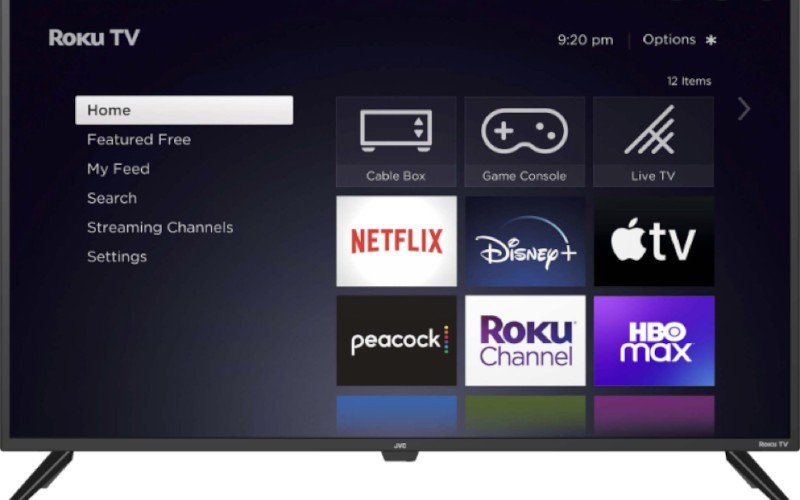
How many channels do you have on your Roku? Be honest! If you have dozens of channels cluttering your screen, that can slow things down. Your Roku has to load all those channel icons every time you turn it on. It's like trying to remember every item on a gigantic grocery list.

Time for some spring cleaning! Get rid of any channels you don't use anymore. You might be surprised at how much faster your Roku runs after a little decluttering. Think of it as Marie Kondo-ing your streaming life. If it doesn't spark joy (or isn't used in the last six months) – delete it!
Cache and Cookies: The Digital Crumbs
Just like your computer, your Roku accumulates cache and cookies over time. These are temporary files that are meant to help your Roku run faster. However, too many of these files can actually slow things down. They become like digital crumbs gumming up the works.
While Roku doesn't have a built-in tool to clear the cache directly, restarting your Roku can often help. Unplug your Roku from the power outlet for a few minutes, then plug it back in. This clears out the temporary files and gives your Roku a fresh start.
The Hardware Itself
Sometimes, the problem isn't the internet or the software, but the hardware itself. Older Roku models may simply not be as fast as newer ones. Think of it like comparing a vintage car to a brand new sports car. Both can get you from point A to point B, but one will do it much faster!
If you have an older Roku, consider upgrading to a newer model. The latest Roku devices are faster, more powerful, and often come with new features. Treat yourself! It’s a small investment that will bring you countless hours of entertainment (and less frustration!). Plus, Roku regularly releases new features and updates for their devices, and older models may not be compatible with the latest software.
Software Updates: Keeping Things Fresh
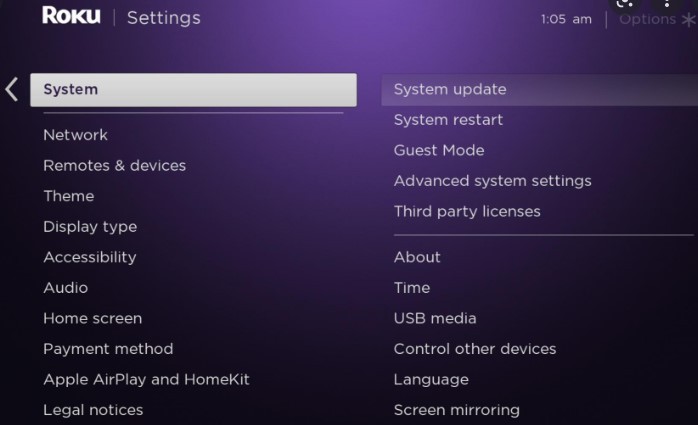
Make sure your Roku is running the latest software. Software updates often include performance improvements and bug fixes. It's like giving your Roku a tune-up. To check for updates, go to Settings > System > System update > Check now.
Keeping your software up-to-date ensures that your Roku is running at its best. Plus, you'll get all the latest and greatest features. It’s a win-win!
Overheating: When Things Get Too Hot
Is your Roku getting too hot? Overheating can cause performance issues. Make sure your Roku has plenty of ventilation. Don't cram it into a small, enclosed space. Give it room to breathe! Overheating can lead to sluggish performance and even damage your device in the long run.
If your Roku is consistently overheating, try moving it to a cooler location. You might also consider adding a small fan to help circulate air around it.
The Bottom Line
So, why is your Roku TV so slow? It could be a number of things. Check your internet connection, declutter your channels, clear the cache, update your software, and make sure your Roku isn't overheating. And if all else fails, consider upgrading to a newer model. With a little troubleshooting, you can get your Roku back up to speed and enjoy all that amazing entertainment once again!
Remember, a happy Roku is a fast Roku! Now go forth and binge-watch!