What Happen When Your Iphone Is Not Charging
Let's face it, there are few things more frustrating in our modern lives than seeing that dreaded low battery warning on your iPhone. We rely on these little devices for everything – communication, entertainment, navigation, even paying for our morning coffee. So, when your iPhone decides it's not interested in charging, it can feel like a mini-crisis! But don't panic! This article is here to help you troubleshoot and get your phone juiced up again.
Why should you care? Well, for beginners, understanding basic charging issues can save you a trip to the repair shop and a lot of unnecessary stress. For families, a non-charging iPhone can mean missed calls and disrupted schedules, especially when relying on it for coordinating activities. And for the tech-savvy hobbyists out there, diagnosing and fixing these problems can be a fun little project, saving you money and giving you a sense of accomplishment.
So, what exactly happens when your iPhone refuses to charge? The reasons can vary. It could be something simple like a dirty charging port, a faulty cable, or a software glitch. In more serious cases, it could point to a damaged battery or a problem with the iPhone's charging circuitry. Imagine trying to fill a water bottle with a clogged nozzle – that's kind of what a dirty charging port is doing to your iPhone. Or think of a frayed electrical cord on a lamp – that’s similar to a damaged charging cable.
Must Read
Here are some simple, practical tips to get you started:
- Check the cable and adapter: This is the easiest place to start. Try a different cable and adapter. Borrow one from a friend or family member if you don't have a spare. Sometimes the cable looks perfectly fine but is internally damaged.
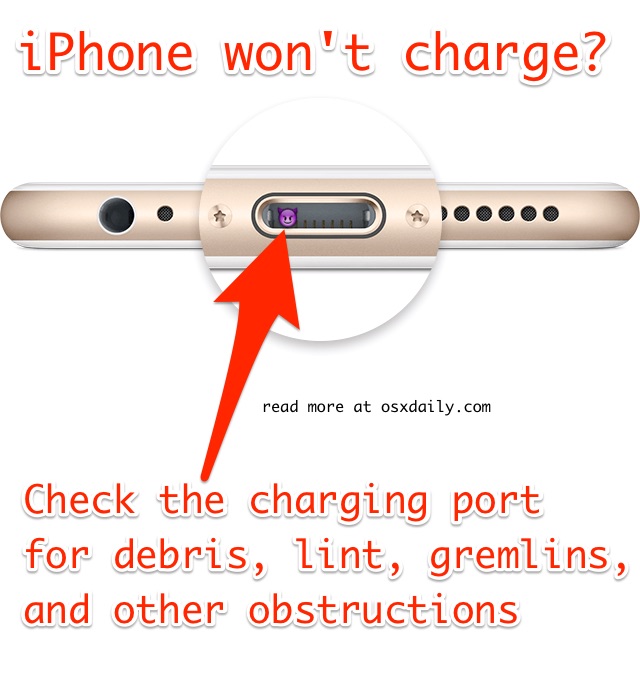
- Clean the charging port: Use a non-metallic object, like a toothpick or a SIM card ejector tool, to gently remove any lint, dust, or debris from the charging port. Be careful not to damage the pins inside! Compressed air can also be helpful.
- Restart your iPhone: Sometimes a simple restart can fix software glitches that might be preventing charging.
- Try a different power source: Plug your iPhone into a different wall outlet or a computer's USB port to see if the issue is with your usual power source.
- Check for software updates: Make sure your iPhone is running the latest version of iOS. Sometimes, updates include bug fixes that can resolve charging issues.
- Inspect the charging port for damage: Look closely at the charging port for any bent or broken pins. If you see any damage, you'll likely need to take your iPhone to a repair shop.
There are also variations to consider. Wireless charging, for example, might work even if the lightning port is damaged. You could also try force restarting your iPhone (the specific method varies depending on the iPhone model – a quick Google search will show you how!).
Don't be intimidated! Troubleshooting a non-charging iPhone is often a process of elimination. By following these simple steps, you can often identify and fix the problem yourself. The relief and satisfaction you'll feel when you see that charging symbol light up again is definitely worth the effort! So, grab your toothpick (carefully!) and get started. You've got this!