Report A Power Outage To Oncor
Okay, so picture this: You’re deep into a new series on your streaming service, maybe you're finally conquering that boss in a video game, or perhaps you’re just trying to get some work done. The coffee's brewing (or chilling, depending on your vibe), and life is, you know, happening. Then, without warning, the screen goes black. The music stops. The blessed hum of the refrigerator? Gone. You blink. You check your phone. Nope, not just your TV or computer. It's the whole darn house. And as you peer out the window, you see it: darkness. Utter, profound darkness, stretching down your street like a giant, invisible blanket.
Sound familiar? Trust me, we’ve all been there. That moment of "What just happened?!" followed by a dash for the flashlight app on your rapidly-dying phone (because, of course, it's always rapidly dying when you need it most). The initial confusion quickly gives way to that all-too-familiar question: "Who do I even tell about this?"
And that, my friends, is where our chat truly begins. Because while it might feel like the world has stopped, there’s actually a very crucial step you need to take. If you’re in Texas, and your lights just pulled a vanishing act, you need to report that power outage to Oncor. And yes, you specifically. Even if you think your neighbor probably already did.
Must Read
Why Oncor, You Ask?
Great question! Think of Oncor as the backbone of the electrical grid in a massive chunk of Texas. They own and operate the poles, wires, meters, and substations that deliver electricity to your home. Your retail electricity provider (the folks you pay your bill to, like Reliant, TXU, Green Mountain, etc.) handles the billing and customer service side of things, but when it comes to the physical act of getting the power to your house and fixing it when it’s out, that’s all Oncor. They’re the utility company responsible for the infrastructure. So, when the lights go out, they're the cavalry.
"Okay, I Get It. How Do I Report It?"
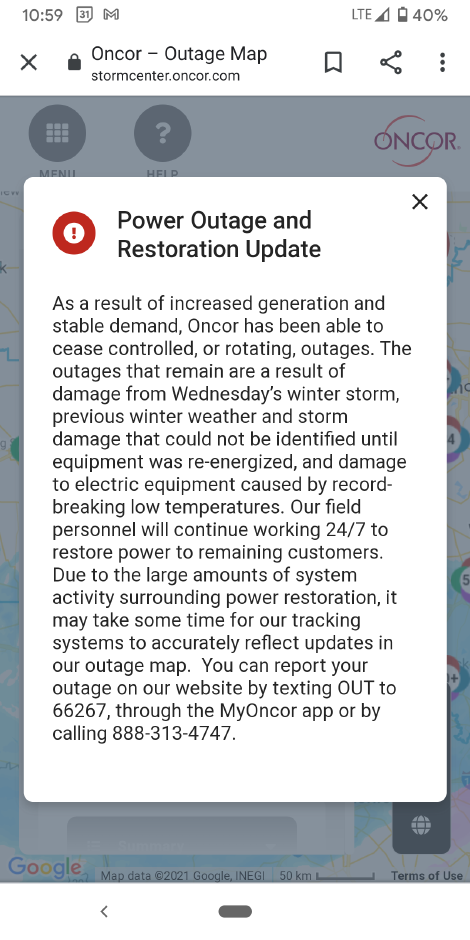
Glad you asked! Oncor has made it surprisingly easy these days. No need to dust off an old rotary phone (unless you're really committed to the aesthetic). Here are the primary ways:

1. The Mighty MyOncor App
This is probably the fastest and most convenient method, especially if you’re tech-savvy. Download the MyOncor app to your smartphone (it's free on both iOS and Android). Once you're in, you can easily report an outage, track its status, and even get estimated restoration times. It’s like having a miniature power grid command center in your pocket!
2. The Oncor Website (Because, Internet!)
If your internet is still chugging along (maybe you're on mobile data or a laptop with a charged battery), head over to the official Oncor website. Look for the "Outage" or "Report Outage" section. You'll usually need to enter your phone number, account number, or meter number. It’s straightforward, trust me.
3. A Good Old-Fashioned Phone Call (Sort Of)
You can call Oncor’s automated outage reporting line at 888-313-4747. While it’s not exactly a "chat with a friendly human" situation right off the bat, the automated system is efficient and will guide you through the process. Keep your phone number associated with your Oncor account handy.
4. Text It In! (Seriously, It Works)
This one's pretty neat. You can text "OUT" to 66267 (that spells ONCOR, get it? Clever!). Just make sure the phone number you're texting from is registered with your Oncor account. You'll get updates via text too, which is super helpful when you're trying to conserve phone battery.
Why Your Report Matters (Even If Your Neighbor Already Yelled At The Sky)
You might be thinking, "Surely someone else has reported it by now?" And while that's likely true, your report still matters significantly. Here's why:
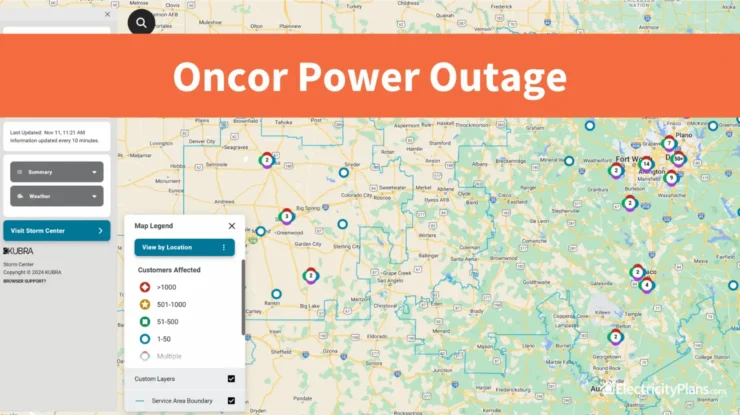
- Pinpointing the Problem: Multiple reports from different locations help Oncor triangulate the exact fault or affected area. A single report might just point to an individual home, but several reports from a block indicate a broader issue.
- Faster Response: The more reports they receive for a specific area, the higher priority that outage might get, leading to a quicker response and restoration time.
- Confirmation: It helps Oncor confirm the extent of the outage. Sometimes, what looks like a widespread outage might actually be several smaller, isolated incidents. Your data helps them differentiate.
So, don't be a passive observer! Your five seconds of reporting could be the key to getting the power back on for everyone, including you and your rapidly thawing ice cream.
Quick Tips for the Dark Ages:
- Keep Phones Charged: Always, always, always keep your cell phones and portable chargers juiced up. This is non-negotiable for an outage.
- Flashlights: Know where your actual flashlights are. Not just the phone app.
- Safety First: If you see downed power lines, stay far away and report them immediately to Oncor (and 911). Don't approach them. Ever.
- Patience, Grasshopper: Restoration takes time. Oncor crews work incredibly hard, often in challenging conditions. Check the app or website for updates instead of repeatedly calling.
Reporting a power outage to Oncor isn't just about getting your lights back on (though, let's be real, that's the primary motivation). It's about being an active participant in your community's safety and infrastructure. So, the next time your world goes dark, remember this little chat, grab your phone, and let Oncor know. They can't fix what they don't know is broken, right? And trust me, that next episode of your show isn't going to watch itself!