
How To Turn Off Dsc Alarm

Alright, friend, let's talk about that pesky little beeping sound. You know the one. It starts innocently enough, a gentle chime, and then escalates into what feels like the soundtrack to your stress. Yes, I'm talking about your DSC alarm system – specifically, how to get it to give it a rest! Because, let's be honest, nobody enjoys a digital equivalent of a toddler throwing a tantrum in their own home.
First off, let’s clear the air. When we say "DSC alarm," we're usually referring to a home security system made by Digital Security Controls (DSC). These systems are fantastic at keeping your home safe, but sometimes they get a little... vocal about things. And sometimes, you just want them to zip it. Sound familiar? Good, you're in the right place!
The Quick Fix: Disarming the Alarm (The Obvious Bit!)
Okay, this might sound super obvious, but sometimes in a panic, we forget the basics! If your alarm is blaring because it’s actually been triggered – say, a window was opened or a sensor tripped – the fastest way to silence the siren is to disarm the system. This is your go-to move, your superhero landing, your "please, for the love of peace and quiet" button.
Must Read
Walk up to your keypad, take a deep breath, and confidently enter your 4-digit (or 6-digit) access code. Once you punch that in, the alarm should go silent, and the "Armed" light (if it was on) should turn off. If it doesn't, try entering your code a second time. Sometimes these keypads just need a firm hand, you know?
But what if it's not the full-blown siren? What if it's that nagging, intermittent beep that sounds like a cricket with an attitude problem?

The Annoying Beep: Silencing a Trouble Condition
Ah, the trouble beep. This is where most people find themselves tearing their hair out. Your DSC system isn't armed, nothing seems to be wrong, yet it's still making that dreaded "beep... beep... beep" sound every ten seconds. This means your system is trying to tell you something important. Think of it as your home's digital cry for help.
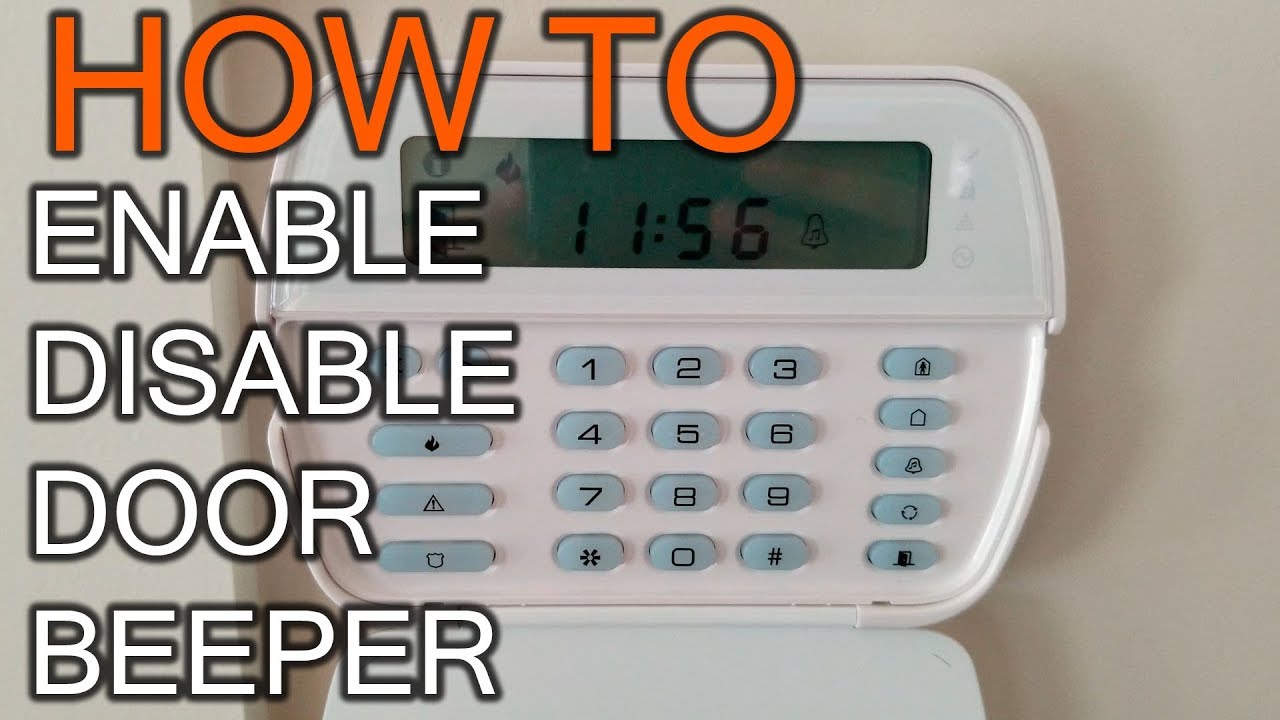
To silence this particular beep temporarily, simply press the # key on your keypad. This usually mutes the trouble beep for a few hours, giving you a much-needed reprieve from the noise. But remember, this is just a band-aid! The underlying issue is still there, patiently waiting to beep again.

To find out what the trouble is, press 2 (that's star-two). Your keypad should then display a number or a series of numbers, usually indicating the specific problem. Here are some of the most common culprits:
- 1: Service Required (Often points to general system issues or a low battery in the main panel).
- 2: AC Failure (Your system isn't getting power from the wall).
- 3: Telephone Line Trouble (If your system uses a landline to communicate).
- 4: Communication Failure (The system can't reach the monitoring station).
- 5: Sensor Trouble (A specific sensor might be malfunctioning or has a low battery).
- 6: Sensor Tamper (A sensor cover might be loose or removed).
- 7: Sensor Low Battery (Individual wireless sensors need new batteries).
- 8: Loss of Time and Date (Less critical, but good to fix).
Addressing the Troubles: Let's Get This Fixed!
Once you know the trouble code, you're halfway to peace and quiet! Let's tackle some of the most frequent ones:
Low Battery (Codes 1 & 7): This is probably the most common one. * If it's Code 1, it often means the main control panel's backup battery is low. This is a large, rechargeable battery inside the metal box that houses your alarm's brains. You can usually find this box in a closet, basement, or utility room. Replacing it usually involves unplugging the AC power, disconnecting the old battery, connecting the new one, and plugging the AC back in. *Always check your manual or call a pro if you're unsure! * If it's Code 7, it means a specific wireless sensor has a low battery. The keypad will usually display a zone number (e.g., "7 03" means zone 3 sensor has a low battery). Find that sensor (door contact, motion detector) and pop in some fresh batteries. Make sure you use the correct type of battery; don't try to force a AA where a AAA belongs!
AC Failure (Code 2): Your system isn't getting power. Check the outlet where your alarm's transformer is plugged in. Is it loose? Is the circuit breaker tripped? Sometimes, a simple jiggle or flip of a breaker is all it takes to bring it back to life. No, really, it's often that simple!

Telephone Line Trouble (Code 3): If you still use a landline for your alarm, ensure your phone line is connected and working. If you've switched to VoIP or no landline, you might need your alarm company to switch your communicator type or reprogram the system.
When in Doubt, Call for Backup!
If you've tried these steps and your DSC alarm is still insistent on being the center of attention, or if you're just not comfortable fiddling with wires and batteries, it's absolutely okay to call in the cavalry. Your alarm monitoring company or a local security technician is always ready to lend a hand (and silence that beep for good!). Don't ever feel silly for asking for help; that's what they're there for!
There you have it! From silencing a blaring siren to decoding those cryptic trouble beeps, you're now armed with the knowledge to bring peace and quiet back to your abode. Go forth, conquer those beeps, and enjoy the beautiful sound of... well, nothing at all. Isn't silence golden? Especially when it means your home is safe and sound!