How To Make Your Phone Die Fast
Okay, spill the beans. We've all been there, right? That moment when you’re desperately trying to make your phone last just five more minutes. You dim the screen, close all your apps, maybe even whisper sweet nothings to it, hoping it’ll cling to that last 1% like its life depends on it. My friend Jen, she once told me she went into airplane mode and put her phone in the fridge just to keep it alive long enough to show me a picture of her cat. The things we do!
But what if I told you there’s another side to this coin? What if, just for kicks, or maybe because you’re bored, or perhaps you actually want to kill time (and battery) – you wanted to do the opposite? That’s right, my curious companion. Today, we’re flipping the script. We’re going to talk about how to make your phone die fast. Prepare to unleash the battery drain beast within!
Turn Up the Brightness, Baby!
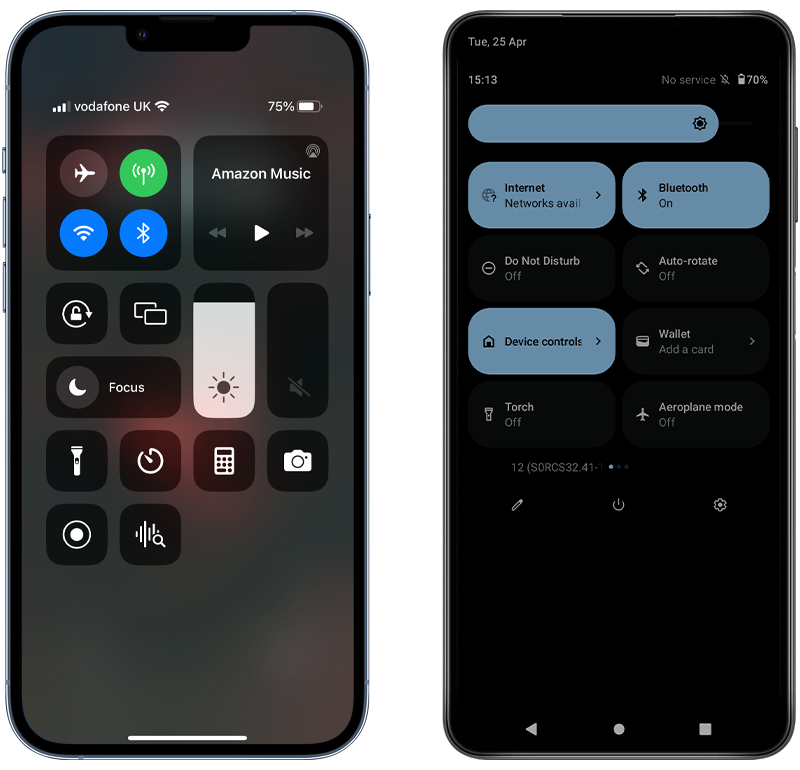
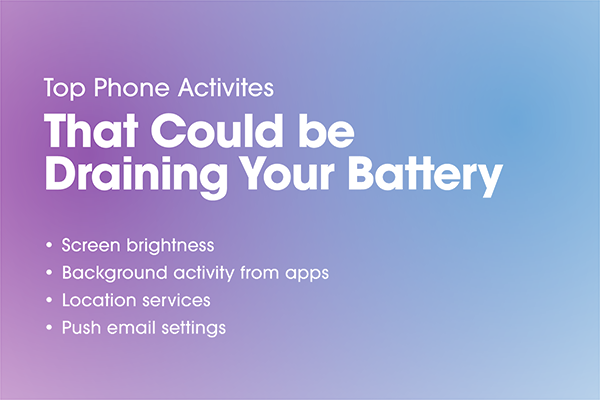
This is your ultimate secret weapon, my friend. Forget energy saving; we’re going full supernova here. Go into your settings and crank that screen brightness all the way up. We’re talking blinding levels. Your phone's display is one of its most power-hungry components, so make it work overtime. Set it to never dim, never sleep. Let that beautiful, bright screen shine its little heart out until it gives up the ghost. Glorious!
Must Read
Let's Get GPS-y!
Ah, location services. Usually, we're careful about what apps get to track us, right? Not today! Today, we embrace the tracking. Go into your location settings and make sure everything that can access your location, does access your location. Better yet, open up Google Maps or Apple Maps and start a navigation route to somewhere ridiculously far away. Let it churn, let it calculate, let it drain that battery dry with constant GPS pings. Maybe even go for a walk while it's navigating, just to give it a real workout!
Stream 'Til You Scream!
Nothing says "fast battery drain" like continuous, high-definition streaming. Open up your favorite video streaming app – Netflix, YouTube, TikTok, whatever floats your boat – and put on the longest, highest-resolution video you can find. Don’t just watch one; let it autoplay through a whole playlist. Add some gaming into the mix, especially graphically intense 3D games. These apps force your processor, GPU, and screen to work at their maximum, creating a lovely little battery-sapping furnace in your pocket. Mwah! Chef’s kiss!
![[ 2025 ]iPhone Died and Won't Turn on While Charging? 9 Tips!](https://images.wootechy.com/article/iphone-died-and-wont-turn-on-while-charging.jpg)
Background Apps Galore!
You know how you usually close all your background apps? Yeah, don't do that. Open everything. Seriously, everything. Safari tabs, social media apps, games, productivity tools, weather apps – launch them all. Let them run wild and free in the background, constantly refreshing, checking for updates, and generally just being little battery vampires. The more apps you have active in the background, the more your phone's RAM and CPU are working, and the faster your battery will wave the white flag.
Vibrate, Don't Hibernate!
Haptic feedback and vibrations are nice, but they also require a tiny motor to physically move, and those motors use power. So, turn on every single vibration setting you can find! Keyboard clicks? Vibrate. Ringtone? Vibrate. Notifications? Vibrate! Every little buzz adds up, slowly but surely chipping away at your battery life. It's like death by a thousand tiny shakes.
Heat It Up, Cool It Down (But Not Really)!
Extreme temperatures are notoriously bad for battery health, and they can also speed up discharge. While I'm not suggesting you literally put your phone in an oven or a freezer (please don't do that!), just using it heavily in a warm environment can contribute. Or, conversely, a very cold one. Just keep that screen bright, streaming those videos, and maybe wrapped in a blanket (kidding, mostly). The idea is to make the battery work outside its comfort zone.
Connectivity Chaos!
Having all your radios on and constantly searching for connections is a phenomenal way to kill battery. Make sure both Wi-Fi and Bluetooth are switched on, even if you’re not connected to anything. Let them tirelessly scan for networks and devices. If you're really committed, try turning off Wi-Fi and relying solely on cellular data in an area with a weak signal. Your phone will then have to work extra hard to maintain that connection, which is a fantastic battery drainer!
![How to Make Your Phone Charge Faster? [Speed-up Guide]](https://cdn.shopify.com/s/files/1/0555/3599/2969/files/how_to_make_your_phone_charge_faster_on_android.jpg?v=1746775001)
Capture Every Moment (and Drain Every Watt)!
The camera is another massive battery hog, especially when recording video. Start shooting some high-resolution 4K video. Bonus points if you're using filters or effects that require more processing power. Keep that camera app open and recording until your fingers cramp, or more likely, until your phone bids you farewell. Don't forget to review those videos on full brightness immediately afterward!
So there you have it, my delightfully destructive friend. A comprehensive guide on how to send your phone's battery into an early retirement. Who knew being so irresponsible could be so... liberating? Just remember, use these powers for good, or at least for a good laugh. And maybe, just maybe, when you actually need your phone to last, you'll remember all the things NOT to do! Happy draining!