
How To Make My Phone Die Faster
Hey there, my fellow tech enthusiast (or perhaps, tech saboteur today!). Ever woken up and thought, "You know what? My phone just lasts too long. I wish it would just… give up the ghost already!" No? Just me? Okay, fair enough! But if you are secretly harboring a desire to send your beloved device to an early grave, battery-wise, then you’ve come to the right place. Consider this your hilarious, slightly unhinged guide to making your phone kick the bucket faster. Let's dive into some truly terrible (but effective!) strategies!
Embrace the Sun (Even Indoors!)
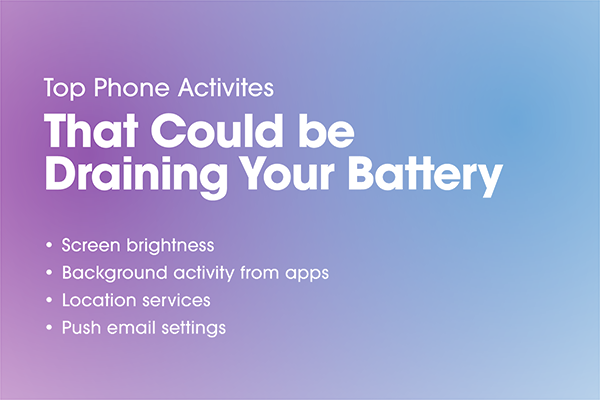
First up on our mission to phone battery oblivion: the screen! Why use a measly 50% brightness when you can crank that baby up to max intensity 24/7? Think of it as giving your phone a permanent tanning session. Forget adjusting it to your environment; let your screen shine like a beacon in a foggy night, even when you’re tucked under the covers. Your phone will be constantly screaming, "I'm HERE! Look at ME!" and its battery will silently weep. Trust me, its energy will drain faster than your motivation on a Monday morning.
And while we're at it, why set your screen to turn off after 30 seconds? That's just efficient! Let's go for the maximum screen timeout. Five minutes? Ten minutes? Never? Yes, never is the correct answer. Let your phone’s display be a glorious, always-on art installation. Who needs to save power when you can admire your wallpaper for hours on end, right?
Must Read
Host a Never-Ending App Party
Your phone loves a good party, and we’re going to throw it the biggest, most exhausting one it’s ever seen! Go ahead, download all the apps. Every single one. Especially those that demand background refresh. We’re talking social media constantly fetching updates, news apps pulling in headlines, weather apps tracking every raindrop – all simultaneously!
Think of it this way: every app constantly checking for new info is like a tiny little person inside your phone, running around, shouting, and demanding attention. The more apps, the more little people, the more shouting, the faster your phone gets tired. Disable those pesky background app refresh settings? Nah! We want a full-blown carnival in there, all the time. Your battery will be waving a white flag before you can say "notification overload."
Let Your Phone Be a Super Sleuth (Always!)
Why only use location services when you actually need directions? That’s for amateurs! To truly exhaust your phone, you need to turn on GPS, Bluetooth, and Wi-Fi and just… leave them on. Forever. Let your phone constantly search for every available network, every nearby device, and pinpoint your exact location down to the blade of grass you're standing on.
It's like having a little detective inside your phone, always scanning, always searching, always trying to connect. "Is there a Wi-Fi signal nearby? What about a Bluetooth speaker? Where exactly am I?" This relentless quest for connectivity is a fantastic way to make your battery sigh deeply and give up the ghost. Who cares if you're just sitting on your couch? Your phone needs to know exactly where that couch is!

Give Your Phone a Sauna Day (or an Ice Bath!)
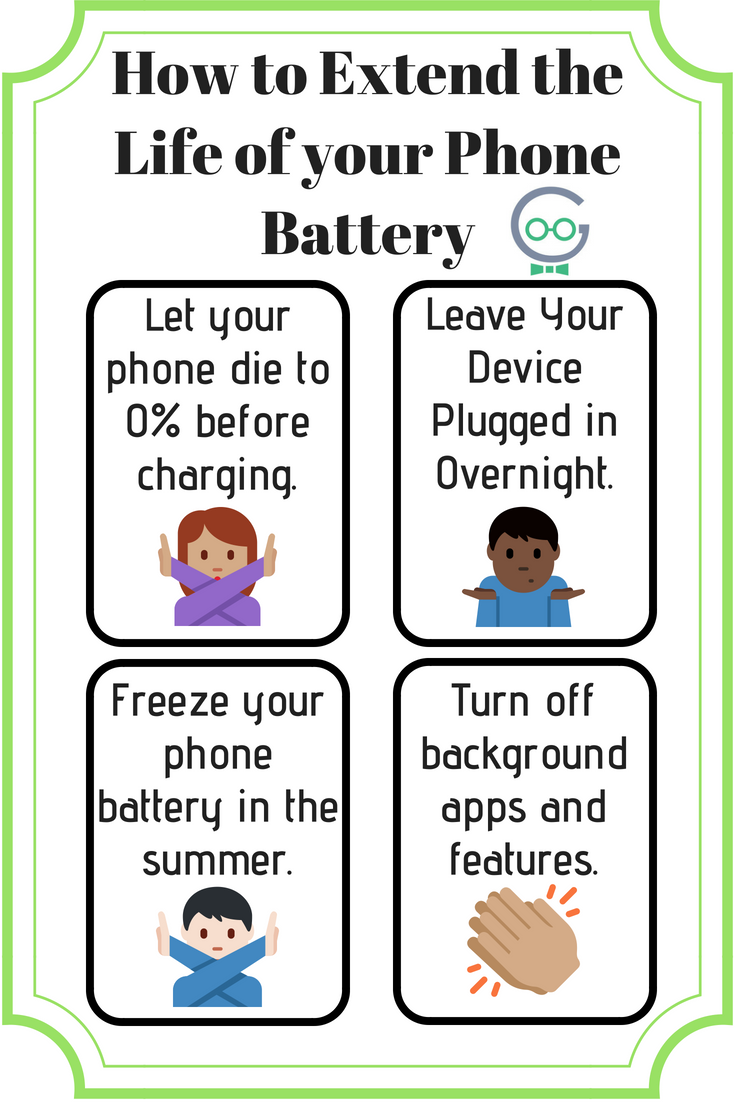
Batteries are delicate little things, you know. They really dislike extreme temperatures. So, for maximum battery sabotage, let’s get those temperatures swinging! Leave your phone baking in a hot car on a sunny day – think of it as a luxurious battery sauna. Or, on the flip side, accidentally "forget" it in the freezer for a bit (just kidding, please don't actually freeze your phone!).
The point is, exposing your phone to anything significantly hot or cold really stresses the battery. It hates it! And what do we want? A stressed battery that dies faster! Mission accomplished, Captain Sabotage!
Charge Like There's No Tomorrow (Or Charge Never!)
Finally, let's talk about charging. For peak battery degradation, you have two equally destructive options: either constantly charge it, leaving it plugged in even when it’s at 100% for hours on end, or go completely the other way and let it die a noble death at 0% every single time. And please, use the cheapest, shadiest charger you can find. The one that feels like it might spontaneously combust? Perfect!
Batteries prefer a happy medium, not being totally full or completely empty for extended periods. So, to ensure a swift demise, embrace the extremes. Give it a permanent umbilical cord, or let it gasp for power repeatedly. Either way, you're on the fast track to a tired, old battery!
![[ 2025 ]iPhone Died and Won't Turn on While Charging? 9 Tips!](https://images.wootechy.com/article/iphone-died-and-wont-turn-on-while-charging.jpg)
Alright, you magnificent phone destroyer, you! You've now mastered the art of making your phone's battery perform a vanishing act. You've embraced maximum brightness, thrown epic app parties, sent your phone on endless detective missions, given it extreme makeovers in temperature, and tortured its charging habits. Bravo!
But wait... what if, deep down, you don't actually want your phone to keel over? What if you secretly want it to last forever and ever? Well, here’s a funny little secret: all the "terrible" advice I just gave you is actually the perfect reverse guide to making your battery last longer! That’s right! Do the exact opposite of everything above, and your phone will thank you with glorious, long-lasting power.
So, go forth! Preserve that battery! And remember, sometimes the best way to appreciate something is to hilariously imagine its demise. Stay charged, my friends, and keep those phones alive for all your scrolling, chatting, and cat-video-watching needs!