
How To Lock A Honeywell Home Thermostat

Hey there! Grab another coffee, because we need to chat about something super important, something that could seriously save your sanity (and maybe even a few bucks on your energy bill): locking that Honeywell Home thermostat of yours. Yeah, you heard me. Because who hasn't walked into a room feeling like they've stepped into the Arctic... or the Sahara... all thanks to someone else's 'perfect' temperature setting, right? It's like a tiny, domestic temperature battle, and honestly, we're all a little tired of fighting it.
Why Lock It Down? Let's Count the Ways!
So, why would anyone want to put a digital padlock on their home’s climate control? Good question! Are you picturing a tiny human with curious, ever-exploring fingers, turning the heat up to sauna levels "just because"? Or maybe you've got a roommate who thinks "75 degrees in winter" is a perfectly reasonable request, leaving you sweating through your favorite cozy sweater? Oh, and let's not forget the ever-classic partner whose internal thermostat is just wildly different from yours. One person's "cozy" is another's "I can see my breath," isn't it?
Been there, my friend, been there! This isn't about being a total control freak (mostly!), it's about peace of mind. It's about knowing your hard-earned cash isn't evaporating into thin air because someone decided 62 degrees was too chilly for a Tuesday afternoon. And, let's be honest, it's about avoiding those little passive-aggressive thermostat adjustments. We've all been guilty of it, haven't we?
Must Read
First Things First: Is Your Honeywell Home Thermostat Even Playful Enough?
Before we dive into the nitty-gritty of digital lock picking (minus the actual lock picking, obviously), a quick reality check. Not every Honeywell Home thermostat has this magical lock feature. Most of the modern ones do, especially the smart ones or the popular T-series. But if you're rocking something that looks like it's from the stone age, a quick peek at its manual (or a speedy Google search with your specific model number, you tech wizard, you!) might be in order. Don't worry, even if it's not, we can still complain about it over another coffee. Misery loves company, after all!
Alright, Let's Get Down to Business: Locking That Bad Boy Up!
Okay, assuming your trusty thermostat does play ball and has this glorious lock feature, let's dive into the how-to. It's usually pretty straightforward, no advanced degrees in HVAC required, I promise. Think of it like finding a hidden treasure chest on a digital screen, just with less walking the plank.

1. Tap into the Menu: Your Gateway to Thermostat Enlightenment
You're probably looking for a button that says 'Menu' or has a little gear icon. Give it a gentle press. This is your first step into a world of climate control. Sometimes you might need to hold it down for a few seconds. Feel powerful yet? You should!
2. Scroll, Baby, Scroll: The Quest for 'Lock'
Once you're in the menu, you'll need to navigate. Use the up/down arrows or swipe if it's a fancy touchscreen. We're on a quest for something that sounds like 'Lock,' 'Security,' or 'Screen Lock.' It might even be tucked away under a 'Settings' or 'Advanced Settings' sub-menu. Keep your eyes peeled for those keywords! It's like an episode of "Where's Waldo," but for your thermostat.
3. Choose Your Level of Control: Full Power or Just a Little Nudge?
Ah, the power! Most Honeywell thermostats offer a couple of glorious locking options. You might see:
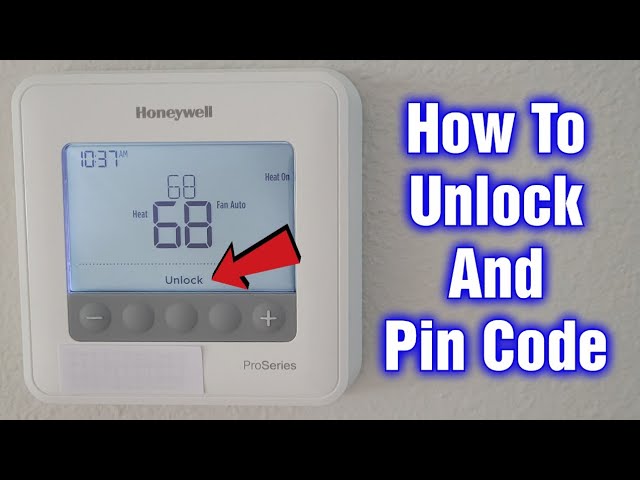
- Full Lock: This is the 'hands off completely' option. Nobody's changing anything without your say-so. Perfect for little explorers who think the thermostat is a fun toy, or mischievous roommates who just can't resist a good temperature prank. This is your Fort Knox setting!
- Partial Lock: This one's a bit more forgiving. You can often set a maximum and minimum temperature range. So, they can tweak it, but only within your approved boundaries. It's like saying, "Okay, you can have a cookie, but only one!" (Or two, if it's been a long day). It’s a great compromise for those who need a little flexibility but not total chaos.
4. PIN Power! Your Secret Agent Moment
This is where you get to be super secret agent person. If your thermostat asks for a PIN, choose something memorable but not too obvious. No '1234' or your birth year, please! Think of it like a secret handshake for your thermostat. Write it down somewhere safe, like on a sticky note next to your other super-secret passwords. Just kidding... mostly. A mental note, or a trusted password manager, is probably better.
5. Confirm and Conquer: Sweet Victory!
Once you've selected your desired lock level and entered a PIN (if it asked for one), look for a 'Done,' 'Save,' or 'Apply' button. Give it a triumphant tap! Your thermostat screen will likely change to show a little padlock icon. See it? That's the symbol of your newly acquired power. Victory! Go ahead, give yourself a pat on the back.
Need to Unlock It? No Problem, You're the Keymaster!
So, you've locked it down tighter than a drum. But what if you want to change the temperature? Or perhaps you've had a change of heart and decided to trust humanity again (good luck with that, by the way)? Unlocking is just as easy, thankfully!
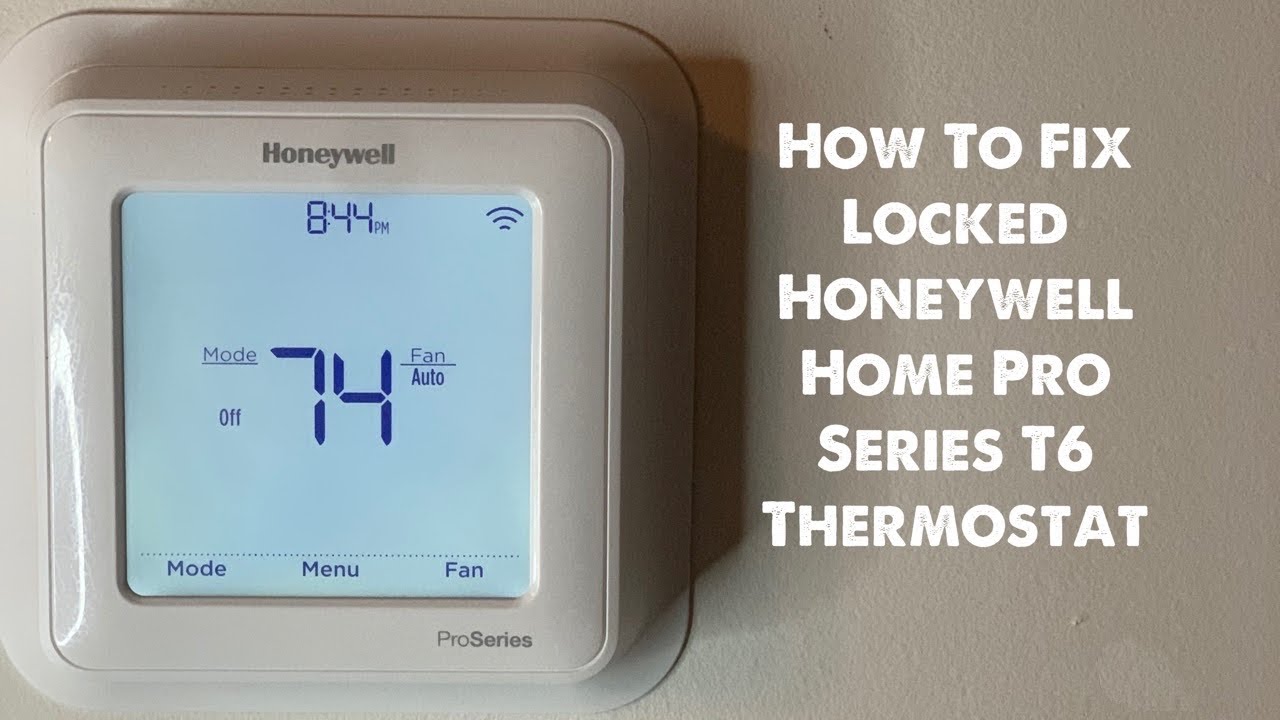
1. Wakey, Wakey!
Tap the screen to wake it up if it's gone to sleep. Sometimes just a simple touch does the trick.
2. Find that Padlock:
You'll usually see a little padlock icon somewhere on the screen. Give it a tap. It’s silently asking for your permission.
3. Enter Your Secret Code:
If you set a PIN, now's its time to shine. Punch it in. This is your moment to prove you’re the master of the house (or at least the thermostat!).

4. Voila!
The padlock should disappear, and you're back in full control, ready to adjust to your heart's content. Easy peasy, lemon squeezy!
"Oops, I Forgot My PIN!" — The Dreaded Scenario
Uh oh. The dreaded 'forgotten PIN' scenario. Don't panic! It happens to the best of us, especially when dealing with so many passwords these days. For many Honeywell models, if you forget the PIN, you might need to do a factory reset. This usually involves digging into the system settings or sometimes even a specific button combination on the thermostat itself. It's a bit like giving your thermostat a fresh start, a clean slate. You'll lose any custom schedules or settings, so consider it a last resort. But hey, it's a good excuse to set up a better schedule, right?
Wrapping It Up: Enjoy Your Serenity!
And there you have it, folks! Locking your Honeywell Home thermostat isn't some mythical quest reserved for tech wizards. It's a simple little trick that can bring a surprising amount of peace to your home. So go forth, secure your settings, and enjoy that perfectly balanced indoor climate you've always dreamed of. No more surprise arctic blasts or tropical infernos! Now, about that second coffee... my treat!