
How To Install Battery In Blink Camera
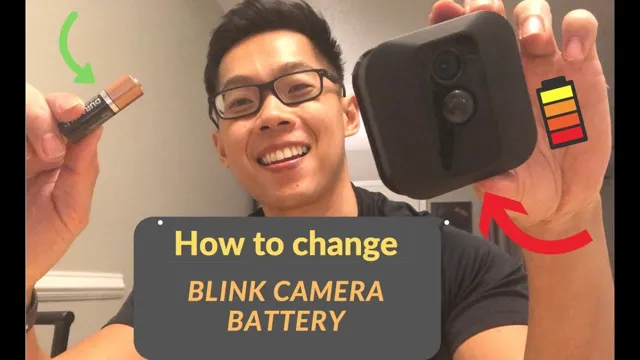
Alright, so your Blink camera just gave up the ghost, huh? A little red light of doom, maybe? Or worse, just... nothing? Don't even sweat it, buddy. This isn't rocket science, promise. We're talking about a battery swap, and it's so easy, you'll wonder why you even Googled it in the first place. But hey, that's what friends are for, right? To walk you through the super complex task of... opening a little plastic case. 😉
First Things First: Gather Your Gear (It's Not Much!)
Seriously, this isn't an elaborate DIY project involving power tools. You basically need one, maybe two things.
You'll need some AA Lithium batteries. Yeah, lithium. Super important! Don't go grabbing those regular alkaline ones from the TV remote drawer. Blink cameras are a bit finicky and really prefer the long-lasting goodness of lithium. They just work better, last longer, and save you from doing this whole song and dance again next month. Trust me on this one, future you will thank present you.
Must Read
Oh, and maybe, just maybe, a tiny Phillips head screwdriver. Some models have a little screw keeping things extra secure, but many just snap open. We'll cross that bridge when we get there!
Operation: Locate Your Patient (The Camera, Silly!)
Okay, this might be the hardest part, depending on where you mounted your little guardian. Is it up high, watching the porch? Peeking through a window? If you need a stepladder, now's the time to grab it. Safety first, always! We don't want any broken bones just for the sake of a security camera, do we? Carefully retrieve your Blink camera. It's like a tiny house call for your tech.

Popping the Hood: Let's Get Inside
Alright, camera in hand? Good. Now, take a look at the back. You'll see a little latch. It's usually a small, ridged button or a sliding mechanism. Give it a gentle press or slide until you hear a satisfying click.
Once you've done that, the back cover should either pop right off or become loose enough for you to pry it open gently. If there’s a screw, this is where that tiny screwdriver comes in handy. Just one quick twist, usually. Don't go Hulk-smashing it open, okay? These things are tough, but not that tough.
And voilà! The inner sanctum! You should now be staring at the battery compartment, probably with some very tired AA batteries staring back.
Out with the Old, In with the New (Batteries, That Is!)
See those old batteries? They've served their purpose valiantly. Time for their well-deserved retirement. Carefully pull them out. Most Blink cameras have little ribbons or springs that make this super easy. Just tug 'em out. Don't forget to recycle them properly, if you can! We're good citizens, after all.
Now, for the exciting part: the new, fresh, full-of-life AA Lithium batteries! Take two of 'em. Notice the little + and - signs inside the compartment and on the batteries themselves? This is crucial, my friend. Align them perfectly. Positive to positive, negative to negative. It’s like a tiny puzzle, but honestly, pretty straightforward. Getting this wrong won't break anything, but it definitely won't work, and then you'll be scratching your head, won't you?

Gently push the new batteries into place until they sit snugly. They should feel secure, not rattling around.
Buttoning Her Back Up: The Grand Finale
Okay, batteries are in. Looking good! Now, carefully place the back cover back onto the camera. Make sure all the tabs and slots line up nicely. Give it a firm but gentle press. You should hear another satisfying click as it snaps back into place. If you removed a screw, put that little guy back in now, just a snug twist – no need to overtighten! You're not building a bridge, just securing a battery cover.
Give it a little shake. Does it feel solid? Good. You're basically a professional Blink camera technician now. Pretty cool, right?

The Moment of Truth: Does It Work?!
Now, the big reveal! Place your camera back in its rightful spot. If it’s high up, be extra careful. Then, whip out your phone and open the Blink app. You should see your camera come back online, possibly with a little green icon indicating a healthy battery level. Success! Yay!
If it's still playing dead, double-check those batteries. Are they definitely lithium? Are they in the correct orientation (+/-)? Sometimes, a quick restart of the app or even the camera (briefly remove and reinsert batteries) can work wonders. But honestly, most of the time, it just springs back to life like magic.
You Did It, Champ!
See? Told ya it was easy! You just saved yourself a support call and probably learned a valuable skill (okay, maybe just a valuable Blink camera skill). Go forth and monitor your domain with renewed confidence! Now, who's up for a coffee? You earned it. 😉