
How To Get Wifi With No Router

Ah, the dreaded moment. You’re ready to conquer the internet, perhaps binge-watch that new show, finally upload that epic selfie, or just scroll mindlessly through cat videos. But then… you glance at your device, and there it is: the little Wi-Fi symbol, looking as empty as your fridge on a Monday morning. Your router, the benevolent overlord of your home internet, is nowhere to be found, broken, or simply not installed yet. It's like being stuck in a digital desert, watching tumbleweeds of data roll by, just out of reach.
Let's be real, we've all been there. That moment of pure, unadulterated panic, followed by the dawning realization that you're effectively living in the digital Stone Age. But fear not, intrepid internet explorer! You don't need a bulky, blinking router to unlock the magical world of Wi-Fi. Sometimes, the solution is right under your nose, or just a friendly wave away.
Your Phone: The Personal Hotspot Hero
First up, and often the most accessible savior, is your very own smartphone. Think of your phone as a miniature, pocket-sized Wi-Fi router, ready to share its precious data connection with your laptop, tablet, or even another phone. It’s like sharing your last piece of chocolate, but instead of sugar, it’s sweet, sweet internet.
Must Read
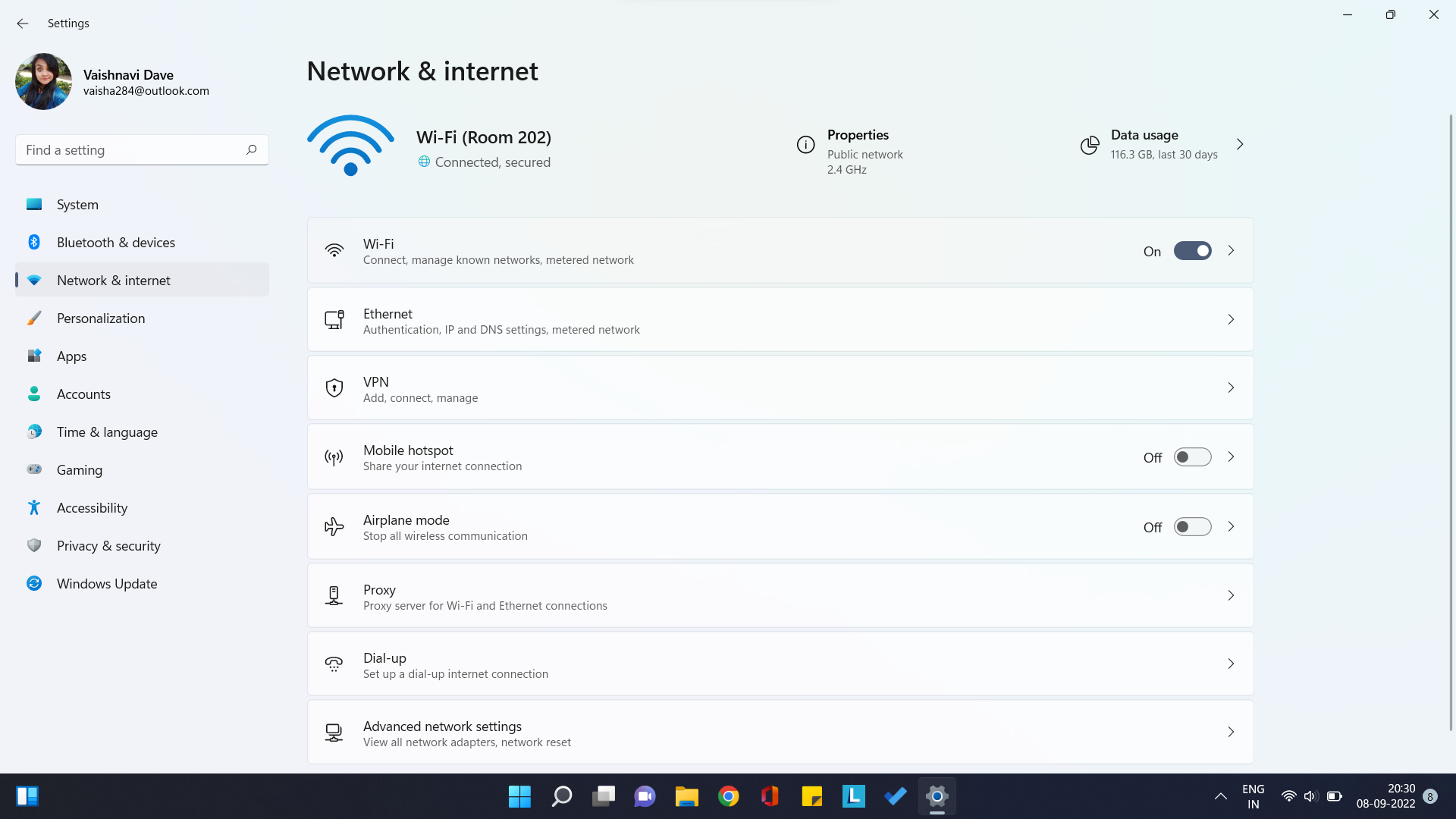
Most smartphones have a feature called a Personal Hotspot or Tethering. A quick dive into your phone’s settings (usually under 'Network & Internet' or 'Connections') and a flick of a switch can transform your device into a temporary Wi-Fi beacon. You’ll get a network name and a password, just like a regular router. Just remember, this uses your phone's mobile data, so keep an eye on your data plan – we don't want any unexpected bills turning your digital joy into an actual headache. It's a lifesaver for those times your home internet decides to take an unscheduled vacation.
Public Wi-Fi: The Digital Oasis
Ah, the allure of the coffee shop Wi-Fi! Or the library, the airport, the local cafe. These are the urban oases in our digital desert. It’s a bit like a potluck: sometimes you get a gourmet feast, sometimes it's lukewarm potato salad, but hey, it's free internet!

Connecting to public Wi-Fi is usually straightforward. Just open your device's Wi-Fi settings, scan for available networks, and look for names like "Guest Wi-Fi" or the establishment's name. You might need to accept some terms and conditions on a splash page, and sometimes, they’ll even ask for your email (a small price to pay for connection, perhaps?). While it's fantastically convenient, remember to be a little cautious. Public networks aren't always the most secure. So, it's probably not the best place to do your online banking. For anything sensitive, a Virtual Private Network (VPN) can be your digital bodyguard, encrypting your data and keeping prying eyes away.
The Friendly Neighbor: Digital Sugar Borrowing
This one requires a bit of social engineering and a dash of neighborly charm. Just like borrowing a cup of sugar, sometimes you can borrow a bit of Wi-Fi. If your neighbor is particularly generous and you're in a pinch (and literally only if you have their explicit permission!), they might share their Wi-Fi password.
A polite request, perhaps a shared cookie or a promise to return the favor, can sometimes open up a whole new world of connectivity. Remember, this is about being a good digital citizen. Don't be a Wi-Fi parasite; ask nicely, explain your situation, and be super grateful. A little respect goes a long way, both in real life and in the digital realm.
Travel Routers & USB Adapters: Techy Tricks for Tricky Spots
For the more prepared digital nomad or the one stuck in a hotel with only an Ethernet port (yes, they still exist!), there are a couple of handy gadgets. A travel router is a tiny, portable device that can take an Ethernet connection and turn it into your own personal Wi-Fi network. It's like having your own little Wi-Fi chef, whipping up a bespoke connection just for you.

Then there are USB Wi-Fi adapters. If your desktop PC or an older laptop doesn't have built-in Wi-Fi (a true relic, bless its heart!), a small USB stick can instantly grant it the power of wireless connectivity. Just plug it in, install a quick driver, and boom! Your ancient machine is suddenly part of the modern Wi-Fi club.
Don't Despair!
So, the next time you find yourself staring down the barrel of a router-less existence, don't despair! The world of Wi-Fi is vast and forgiving. Whether you're turning your phone into a personal hero, sipping coffee at a digital oasis, or charming your neighbor for a bit of bandwidth, there are always ways to stay connected. Now go forth, and surf responsibly!
