How To Fix The Ac Thermostat

Alright, let's talk about that moment of pure dread: It's a sweltering summer day, the kind where the air outside feels like a warm, wet blanket, and you walk into your home expecting that glorious blast of cool air. Instead? Nada. Zilch. Just more… hot air. Your first thought, naturally, is to glare at the AC thermostat, as if it personally betrayed you. It’s like staring down a moody teenager who’s decided to stop communicating. But here’s a secret: often, fixing a finicky thermostat is way less dramatic than you think. It's usually just having a little moment, and with a few friendly nudges, you can get things chilling again.
Batteries: The Usual Suspect
Let's kick things off with the grand champion of "duh, why didn't I think of that?" problems: dead batteries. Seriously, how many times have your TV remote or kids' favorite noisy toy suddenly given up the ghost, only for you to realize the little power cells inside are completely tapped out? Your thermostat is no different! Many modern digital thermostats run on AA or AAA batteries, even if your system is hardwired. They often power the display and the smart features.
If your screen is blank, flickering, or just looks generally grumpy, this is step one. Pop open the cover (usually a gentle tug or a small latch), swap out those old batteries for some fresh ones, and watch the magic happen. You might just feel like a certified genius, saving yourself a pricey service call for a five-dollar fix. Trust me, it’s a classic for a reason!
Must Read
Is It Plugged In? (Sort Of!)
Next up, let's consider the power supply. No, your thermostat doesn't have a plug, but your entire AC system does! Sometimes, an electrical hiccup can trip a circuit breaker. It’s like your house decided to take a short nap and forgot to tell you.
Head to your electrical panel (usually in the garage, basement, or a utility closet). Look for any switch that's flipped to the "off" position, or sometimes, it's halfway in between, indicating a trip. Flip it firmly off, then firmly back on. Make sure you're looking for the breaker labeled "AC," "Furnace," or "HVAC." Sometimes, just like a good old computer reboot, this is all it takes to jolt your system back to life.
The Settings Shuffle
Okay, this one might sound silly, but how many times have you accidentally changed a setting on your phone and then wondered why it’s acting weird? Your thermostat can be just as prone to accidental button-mashing. Double-check your settings:
- Is it set to "Cool" mode, not "Heat" or "Fan Only"?
- Is the fan set to "Auto"? If it's on "On," the fan might just be blowing air around, but the compressor isn't actually cooling.
- Is the temperature setting below the current room temperature? If your house is 78 degrees and you set it to 79, your AC isn't going to kick on. Crank it down a few degrees (say, to 70) to give it a definite signal to start cooling.
It sounds ridiculously simple, but sometimes, someone (maybe even you, sleep-deprived from the heat) just nudged a button. Give it a good once-over!

A Little Spring Cleaning for Your Thermostat
Believe it or not, your thermostat can get surprisingly dirty inside. Dust, pet hair, and all sorts of tiny particles can accumulate over time, especially if you haven't opened it up in a while. This gunk can interfere with the internal sensors, making your thermostat think it's a different temperature than it actually is. It’s like putting a tiny, fuzzy sweater on the temperature gauge!
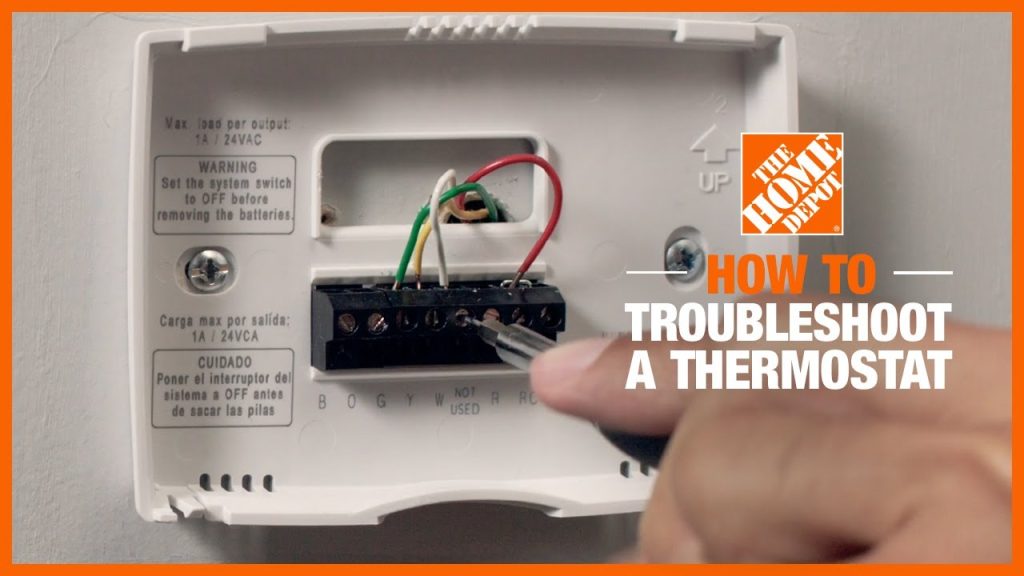
Carefully remove the thermostat cover. You might see a small circuit board and some wires. Use a soft brush (like a clean paintbrush) or a can of compressed air to gently clear away any dust bunnies or debris. Just be super careful not to touch the actual components with your fingers, as oils can interfere with them. Put the cover back on and see if your AC finally gets the message.

The Ol' Reset Button
When all else fails, sometimes you just need to hit the "Ctrl+Alt+Del" for your AC. Many thermostats have a reset button, often a tiny recessed button you might need a paperclip to push. Check your thermostat's manual (or Google the model number) for specific reset instructions. If there's no button, you can often "reset" it by turning off the power to your entire AC system at the circuit breaker for about 30 seconds, then turning it back on. This simple power cycle can often clear up minor glitches and get things communicating properly again.
When to Call in the Cavalry (aka the HVAC Pro)
Look, we're not trying to turn you into an HVAC technician overnight! If you’ve tried all these friendly fixes – swapped the batteries, checked the breakers, verified settings, and given it a good dust-off – and your AC is still giving you the silent treatment, then it might be time to wave the white flag and call in a professional. There could be a more complex issue with the wiring, the thermostat itself, or even the main AC unit. But here’s the cool part: by trying these simple troubleshooting steps first, you've potentially saved yourself money on a service call for something trivial, and you've given the technician a head start on what could be the actual problem. Plus, you get to feel pretty handy, right?
So, the next time your AC thermostat goes on strike, don't panic. Take a deep breath (of warm air, unfortunately), grab your screwdriver, and channel your inner DIY hero. You might just surprise yourself with how easily you can get your home back to its cool, comfortable self!