How To Charge A Dell Laptop Without The Charger

Let's face it, we've all been there. You're about to embark on a crucial mission – finishing that presentation, binge-watching your favorite show, or slaying digital dragons in your game. Then, disaster strikes! Your Dell laptop flashes that dreaded low battery warning, and you realize… your charger is nowhere to be found! Panic sets in. But fear not, fellow tech adventurers! Charging a Dell laptop without its dedicated charger might seem like a tech-wizardry trick, but it's actually quite possible, and knowing how can be a total lifesaver. This isn't just about avoiding a dead battery; it's about embracing your inner MacGyver and staying connected, productive, and entertained, no matter what.
The primary purpose of finding alternative charging methods is simple: to power up your Dell laptop when its original charger is unavailable. The benefits are clear: avoiding complete power down, saving your unsaved work, staying connected with the world, and preventing that soul-crushing feeling of digital isolation. Imagine being stuck on a long flight or stranded in a coffee shop with a dying laptop – knowing these alternative methods can transform you from a damsel (or dude) in distress to a tech-savvy hero.
So, how do we accomplish this feat? Here are a few surprisingly simple methods:
Must Read
1. The USB-C Power Delivery (PD) Port: Many newer Dell laptops come equipped with USB-C ports that support Power Delivery. This is a game-changer! If you have a USB-C charger from another device, like a smartphone or tablet (especially if it's a more recent model), it might just work. Look for the PD symbol (usually a battery icon with a lightning bolt) next to the port. Just plug it in and see if your laptop starts charging. Note that a low-wattage charger will charge your Dell laptop slowly, but it's better than nothing!
2. A Universal Laptop Charger: These are readily available online and in electronics stores. They come with a variety of tips that are designed to fit different laptop models, including Dell. Make sure to select the correct voltage setting for your Dell laptop before plugging it in. You can usually find this information on the bottom of your laptop or in its user manual. A universal charger can be a fantastic investment for anyone who frequently travels or needs a backup power source.
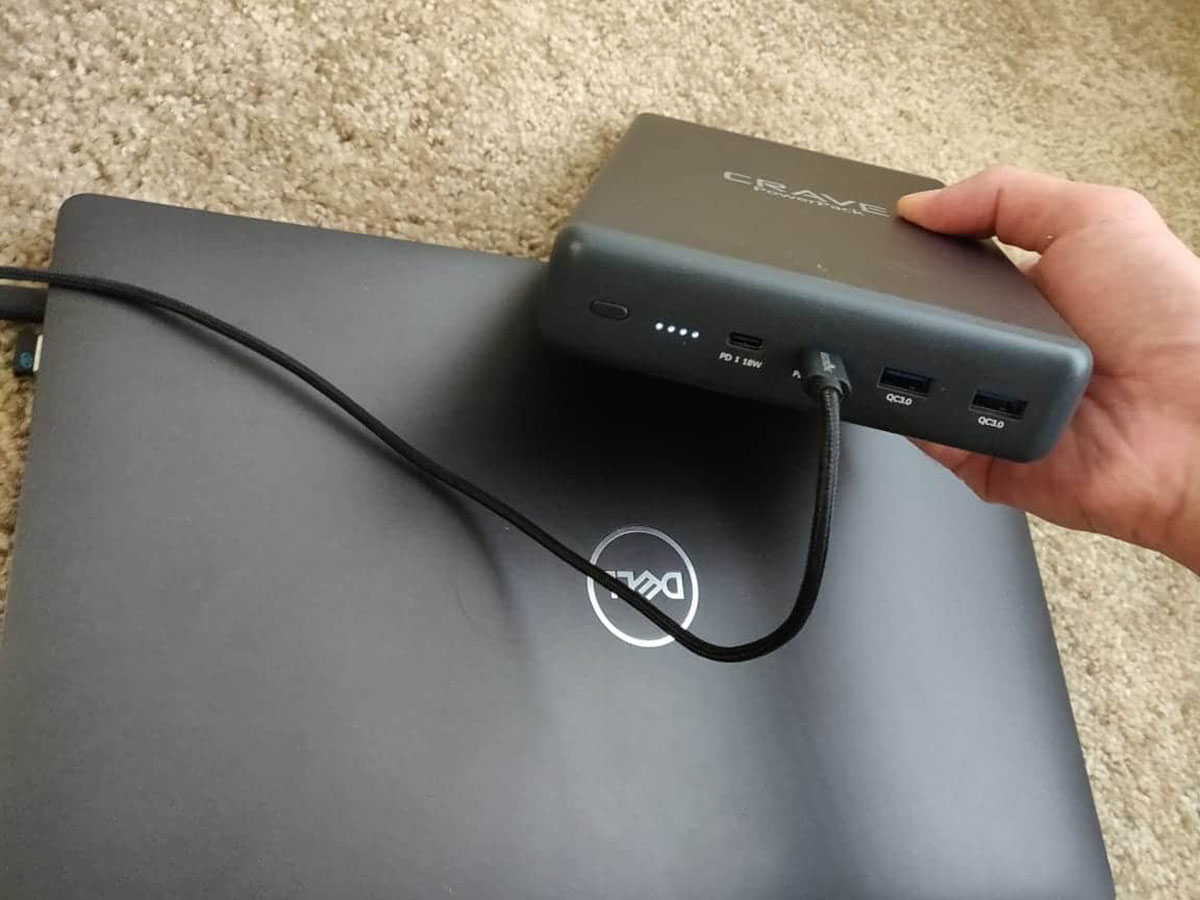
3. A Portable Power Bank: While not all power banks can charge a laptop, some higher-capacity models with USB-C PD output are specifically designed for this purpose. These are incredibly handy for on-the-go charging. Look for power banks with a high wattage output (45W or higher is recommended) to ensure sufficient charging power for your Dell laptop.
4. Car Charger: If you are on the road, a car charger with a USB-C PD output can be a lifesaver. Similar to a portable power bank, ensure the car charger provides adequate wattage for charging your laptop.

Important Considerations:
- Voltage and Wattage: Always double-check the voltage and wattage requirements of your Dell laptop and the output of the alternative charger. Using an incorrect voltage can damage your laptop.
- Charging Speed: Alternative methods might charge your laptop slower than the original charger. Be patient!
- Compatibility: Not all USB-C ports support Power Delivery. Check your laptop's specifications.
So there you have it! Armed with these tips, you can confidently face the dreaded "charger-less" scenario and keep your Dell laptop powered up, no matter where you are. Now go forth and conquer your digital world!