
How To Change Between 2.4 Ghz And 5ghz
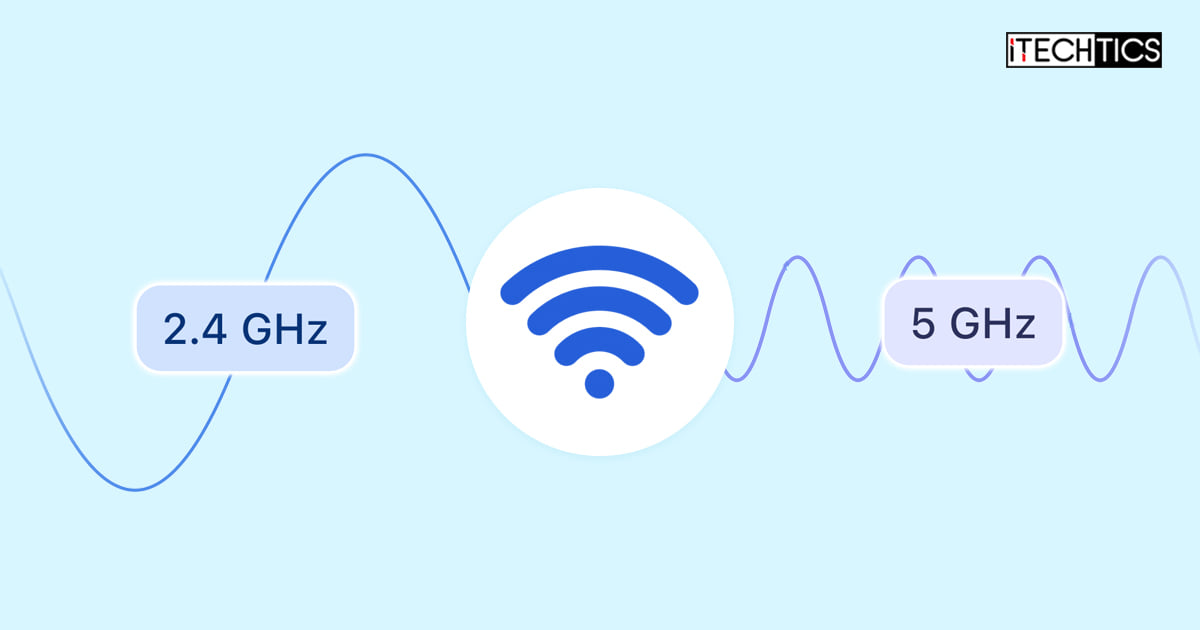
Ever felt like your internet is playing a game of hide-and-seek with you? One minute it’s zipping along, the next it’s buffering like a confused badger? Well, buckle up, because we’re about to dive into a little secret that can make a big difference: understanding the two main Wi-Fi lanes your home network probably uses – 2.4 GHz and 5 GHz.
Think of your Wi-Fi router like a magical box sending out invisible signals that your devices catch. But here's the fun part: it’s actually sending out two different kinds of signals, kind of like having two different roads leading to the same destination.
Meet the Wi-Fi Roads: 2.4 GHz and 5 GHz
Imagine your internet as a delivery service, and your router is the dispatch center. It has two main routes it can send its data packages down:
Must Read
The 2.4 GHz Lane: The Scenic Route
This is your reliable, older, well-trodden path. It’s like a charming, winding country road. It can stretch pretty far, reaching devices even when they’re tucked away in that back bedroom or the garage. It’s a real trooper when it comes to covering distance and poking through walls.
But here’s the catch: it can get a bit crowded. Think of it as a popular road with lots of traffic – not just your devices, but also your microwave, baby monitors, Bluetooth gadgets, and even your neighbor's Wi-Fi. All these things love to hang out on the 2.4 GHz band, which can lead to traffic jams and slower speeds. It’s great for everyday browsing, checking emails, or those smart home devices that don’t need a super-speedy connection.
The 5 GHz Lane: The Fast Lane Freeway

Now, this is the modern, sleek, high-speed highway! The 5 GHz band is all about speed. If you’re streaming a blockbuster in glorious 4K, battling online dragons with your gaming buddies, or downloading a huge work file, this is where you want to be. It's like having fewer cars on the road, allowing your data to zoom along much faster.
However, like any fast freeway, it has its limits. It doesn't travel as far as the 2.4 GHz lane, and it’s not as good at punching through solid objects like thick walls. So, you’ll want to be relatively close to your router to get the best out of this speedy connection. Think of it as a super-fast race track that requires you to be right next to it.
Why Should YOU Care? (Beyond Tech Jargon!)
You might be thinking, "This is fascinating, but what does it mean for my Netflix binge?" Great question! Understanding these two bands can totally transform your digital life. Here’s why you should care:
Scenario 1: The Frustrated Streamer
Picture this: It's Friday night, you’ve got your popcorn, ready to watch the latest episode of your favorite show. You hit play, and… buffer, buffer, buffer. The little spinning wheel of doom. If your streaming device is connected to the 2.4 GHz band in a busy area, it’s like trying to drive a sports car on a clogged country lane. Frustrating, right? Switching it to 5 GHz could be the magic wand that makes your show play seamlessly.
Scenario 2: The Online Gaming Hero (or Villain!)
Lag in online games is the enemy of all fun. One moment you're about to score the winning goal, the next your character is frozen, watching the opponent zoom by. This is often a sign your gaming console or PC is stuck on the slower, more congested 2.4 GHz band. Get it onto 5 GHz, and you'll experience lower latency and smoother gameplay – making you the hero (or villain, depending on your play style!).
Scenario 3: The Smart Home Enthusiast
Got a house full of smart gadgets? A smart doorbell, a smart light bulb, a smart toaster (yes, they exist!)? Many of these devices, especially those that don't need a lot of bandwidth, are perfectly happy on the 2.4 GHz band. In fact, they often prefer it because of its greater range. So, while your high-demand devices hog the 5 GHz freeway, your smart home gadgets can comfortably chill on the 2.4 GHz scenic route, keeping your network balanced and happy.

Okay, So How Do I Switch Between Them?
This is where it gets surprisingly easy for most people! There are generally two ways your router handles these lanes:
Method 1: Two Separate Wi-Fi Names (The "Choose Your Own Adventure" Method)
Many routers are set up to broadcast two distinct Wi-Fi networks. You might see something like "MyAwesomeHome_2.4GHz" and "MyAwesomeHome_5GHz" in your device's Wi-Fi settings. This is the simplest way! Just choose the network that suits your needs:
- For speedy streaming or gaming when you're close to the router, pick the 5 GHz option.
- For range and general browsing, especially for devices further away, stick with 2.4 GHz.
It’s like having two clearly marked doors – you pick the one you need!

Method 2: One Wi-Fi Name (The "Smart Router, Smart Choices" Method)
Some newer routers are super clever. They broadcast both bands under a single Wi-Fi name (e.g., just "MyAwesomeHome"). This is called band steering or smart connect. The router then tries to automatically connect your device to the best band based on its capabilities and proximity. It’s like having a smart doorman who directs you to the right lane without you even having to ask!
Most of the time, this works beautifully. But what if your device seems stuck on the slower lane, and you know you need speed? You can often "nudge" it:
- Move Closer: Simply moving your device closer to the router can often encourage it to hop onto the 5 GHz band.
- Forget and Reconnect: On your device (phone, laptop, etc.), go to your Wi-Fi settings, "forget" your network, and then reconnect. Sometimes, this gives the router a chance to reassess and put you on the optimal band.
- Router Settings (Advanced): For the truly adventurous, you can log into your router's settings (usually by typing its IP address into a web browser) and manually separate the bands or adjust preferences. But honestly, for most folks, the first two tips are usually enough!
The Bottom Line: It’s About the Right Tool for the Job!
So there you have it! Changing between 2.4 GHz and 5 GHz isn’t about rocket science; it’s about understanding which "road" is best for your digital journey at any given moment. Think of your home network as a versatile fleet of vehicles. You wouldn't use a bulldozer for a quick trip to the store, nor would you take a sports car off-roading, right?
By knowing when to choose the steady, far-reaching 2.4 GHz lane and when to opt for the speedy, closer-range 5 GHz freeway, you can unlock a smoother, faster, and much happier internet experience for all your devices. Go forth and conquer your Wi-Fi!