
How To Block Calls Not In My Contacts

Okay, let's talk about something we all deal with: the relentless barrage of spam calls. It's like living in a real-life version of "Office Space," but instead of Milton mumbling about his stapler, it's a robotic voice promising you a free cruise (you didn't win, by the way) or someone claiming your car warranty is expiring (it's not).
The good news? You're not helpless. You can reclaim your phone's sanity. Blocking calls from numbers not in your contacts is a powerful weapon in this digital war, and it's surprisingly easy to do. Think of it as your digital bouncer, politely but firmly telling unwanted guests to move along.
Why Bother? The Sanity Factor
Let's be honest, constant interruptions mess with our flow. Studies show that it takes an average of 23 minutes to regain focus after an interruption. Imagine all the productivity you're losing to those pesky robocalls! Blocking unknown numbers is about more than just peace; it's about reclaiming your time and mental space. It's about preventing that mini-heart attack every time your phone buzzes with an unfamiliar number.
Must Read
Plus, who even calls anymore? Unless it's your grandma or your doctor's office (and you have those numbers saved, right?), chances are it's not good news.
How To Do It: The Tech Breakdown
Here's the lowdown on how to silence the unknown.
iPhone Magic: Silence Unknown Callers
Apple, in its infinite wisdom, has made this incredibly simple. Go to Settings > Phone > Silence Unknown Callers and toggle that switch to green. Boom. Done. Now, calls from numbers not in your contacts will go straight to voicemail. Your phone won't even ring. It's like having a VIP list for your ears.
Android Adventures: Varies by Device (But Generally Easy!)
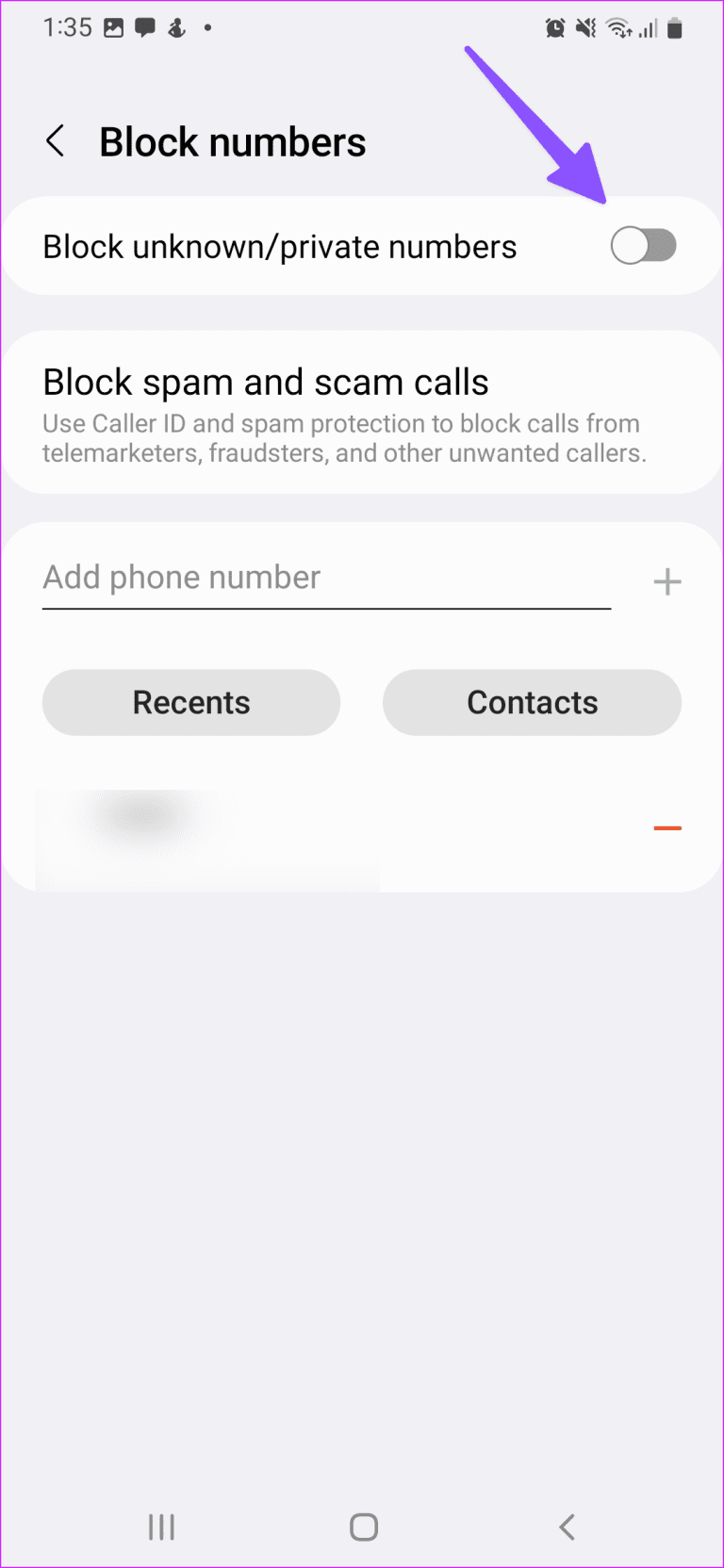
Android is a bit more fragmented, but most modern Android phones have a similar feature. Look for something like "Block unknown numbers" or "Silence unknown callers" in your phone's settings. It might be under the "Phone" app settings, or in the "Call blocking" or "Caller ID & Spam" section. The exact wording and location will depend on your phone manufacturer (Samsung, Google Pixel, etc.) and Android version.

Tip: If you're struggling to find it, a quick Google search for "[your phone model] block unknown calls" will usually point you in the right direction.
App-solutely Fabulous: Third-Party Options
If your phone doesn't have a built-in feature, fear not! There are plenty of third-party apps that can do the job. Some popular choices include Nomorobo, Hiya, and Truecaller. These apps often use crowdsourced data to identify and block spam calls, making them even more effective. However, be mindful of privacy concerns and read app reviews carefully before installing anything. Grant only the necessary permissions.

Remember: Always do your research before downloading any app. Look for apps with good reviews and a solid reputation.
The Unexpected Benefits
Beyond the obvious peace and quiet, blocking unknown numbers can have other perks.
- Reduced Anxiety: No more guessing who's calling and what they want.
- Improved Focus: Less distraction means more productivity.
- Fewer Scams: Blocking spam calls reduces your risk of falling victim to scams.
It's basically like a digital detox for your ears. Think of it as the Marie Kondo method, but for your phone. "Does this number bring me joy? No? Delete."
A Little Caveat: The Missed Call Concern
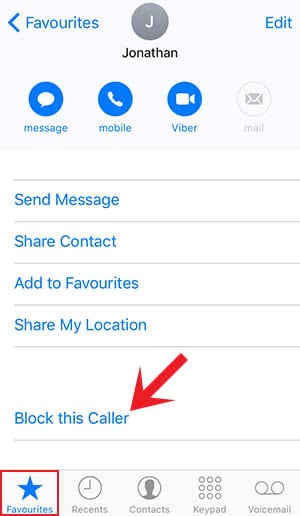
Okay, let's address the elephant in the room: what if you miss an important call? That's a valid concern! The good news is that calls still go to voicemail. So, if it's someone important, they'll leave a message. You can then add their number to your contacts and call them back. It's a small inconvenience compared to the constant barrage of spam.
Reflections: Living in a Quieter World
In a world that's constantly demanding our attention, taking control of who has access to us is a powerful act of self-care. Blocking unknown calls is a simple yet effective way to reclaim your time, reduce stress, and create a little more peace in your day. It's not about being antisocial; it's about being intentional. It's about curating your digital life so that it serves you, not the other way around. So go ahead, silence those unknown callers and enjoy the blissful quiet.