
How Much Watts Does A Pc Use
Ever gazed at your electricity bill and wondered, "Just how much juice is my trusty PC sipping?" It's a common thought, especially in our always-on, digital world. Whether you're a hardcore gamer, a creative pro, or just someone who loves a good binge-watching session, understanding your PC's power appetite isn't just for eco-warriors or finance gurus. It's for everyone!
Let's dive into the fascinating world of watts with an easy-going vibe, because demystifying tech shouldn't feel like a science exam.
What's a Watt, Anyway?
Think of a watt (W) as the power your PC is actively using at any given moment. It’s like the horsepower of your car – it tells you how much work it's doing. The more watts, the more energy it's consuming, and yep, the more it adds to your electricity bill. But don't panic! Most modern PCs are far more efficient than you might imagine.
Must Read
Your electricity bill usually charges you by kilowatt-hours (kWh), which is 1,000 watts used for one hour. So, knowing your PC's wattage helps you calculate its contribution to that monthly tally.
The Usual Suspects: What Uses Power in Your PC?
Not all PC components are created equal when it comes to power hunger. Here are the main players:

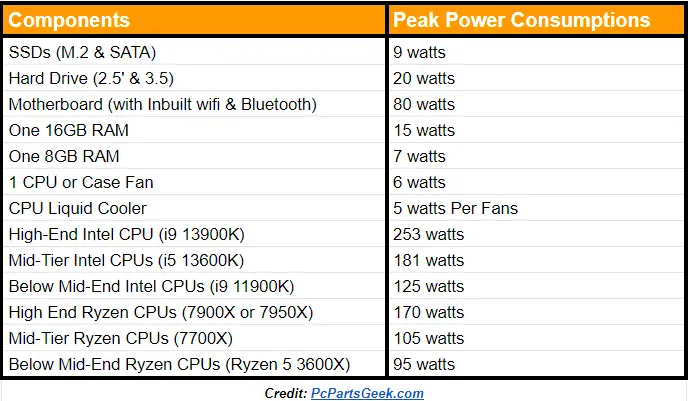
- The Graphics Card (GPU): This is often the undisputed heavyweight champion. If you're into gaming, video editing, or 3D rendering, your GPU is working overtime and can demand hundreds of watts on its own.
- The Processor (CPU): The brain of your operation. While not as power-hungry as a top-tier GPU, modern CPUs can still draw a significant amount, especially under heavy load.
- RAM (Memory): Comparatively speaking, RAM sips power. You're looking at a few watts, even for a hefty amount.
- Storage (SSD/HDD): Solid State Drives (SSDs) are incredibly power-efficient, often using less than 5 watts. Traditional Hard Disk Drives (HDDs) use a bit more but are still low on the scale.
- Motherboard & Peripherals: The motherboard itself, along with your RGB lighting, fans, USB devices, and cooling solutions, all add up, but usually account for a smaller fraction of the total.
So, How Many Watts Are We Talking?
The range is vast, depending on your setup and how you're using it:
- Basic Office/Browsing PC: A minimalist setup for emails, web browsing, and light office work might use anywhere from 60 to 150 watts. Very humble!
- Mid-Range Gaming/Workstation PC: If you enjoy some gaming or dabble in content creation, your PC could be consuming between 200 and 400 watts when under load.
- High-End Gaming/Professional Rig: For the ultimate gaming experience, virtual reality, or demanding video editing, your powerhouse could easily hit 500 to 800 watts, and some extreme setups can even exceed that.
Don't forget your monitor! Most modern LCD/LED monitors use between 15 and 50 watts, so factor that into your overall energy footprint.
Smart Sips: Practical Tips for a Greener & Lighter Bill
Ready to be a savvy power user? Here are some simple tricks:
1. Embrace Sleep Mode: It's your friend! Instead of shutting down completely, put your PC to sleep when stepping away for a bit. It draws minimal power and wakes up super fast. For longer breaks, a full shutdown is still best.
2. Adjust Monitor Settings: Set your monitor to automatically turn off after a period of inactivity. It's amazing how much this can save, especially if you're prone to walking away mid-scroll.
3. Power Supply Unit (PSU) Efficiency: When buying or upgrading, look for PSUs with an 80 PLUS certification (Bronze, Silver, Gold, Platinum, Titanium). This rating indicates how efficient your PSU is at converting wall power to usable PC power. A Gold-rated PSU, for example, is 90% efficient at typical loads, meaning less energy is wasted as heat.
![How Many Watts is your Computer Using? [Read to Know 2024]](https://10scopes.com/wp-content/uploads/2022/03/how-many-watts-is-your-computer-using.jpg)
4. Unplug Peripherals: Many USB devices, speakers, or external drives can draw a tiny trickle of power even when your PC is off. Unplug them, or use a smart power strip that cuts power to idle devices.
5. Mind Your Gaming Habits: While epic raids are fun, remember your GPU is working hardest then. If you're just browsing the web, close those demanding games in the background.
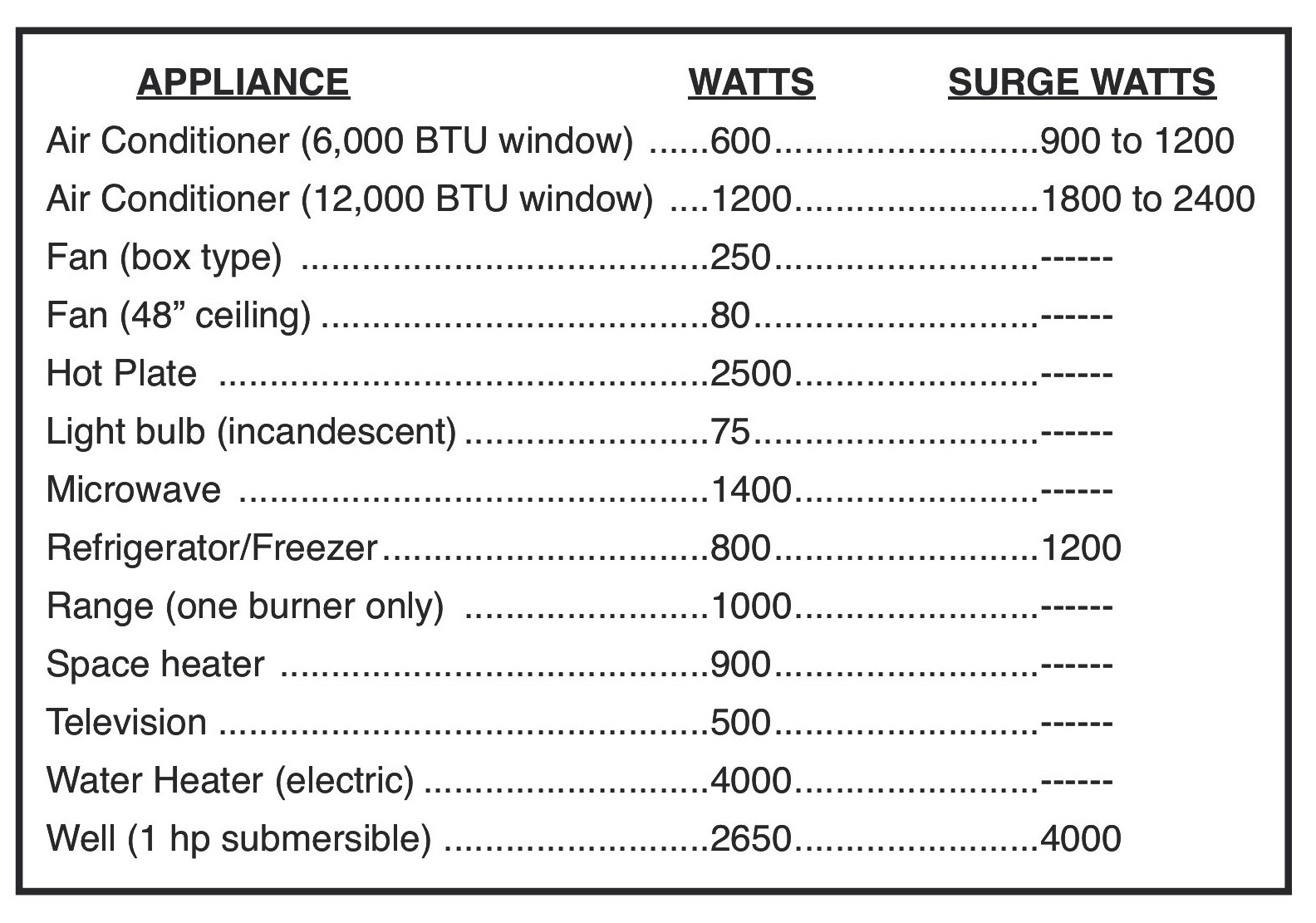
Fun Fact: Did you know an average gaming PC can use as much power as a modern refrigerator in a day when running at full tilt? Mind-boggling, right?

6. Get a Kill-A-Watt Meter: For the curious minds, a "Kill-A-Watt" meter is a handy gadget that plugs into your wall outlet, and then your device plugs into it. It precisely measures how much power (in watts) your PC (or any appliance) is drawing. It's a real eye-opener!
The Bigger Picture
Ultimately, knowing how much watts your PC uses isn't just about saving a few bucks (though that's a nice bonus!). It's about being more mindful of our digital footprint in a world increasingly powered by technology. Small, conscious choices can add up to a significant impact, making our daily tech habits a little greener and a lot smarter.
So, the next time you boot up your machine, you'll have a better sense of the energy flowing through it – and maybe even a new appreciation for that sleep button!