
How Many Watts Is A Laptop
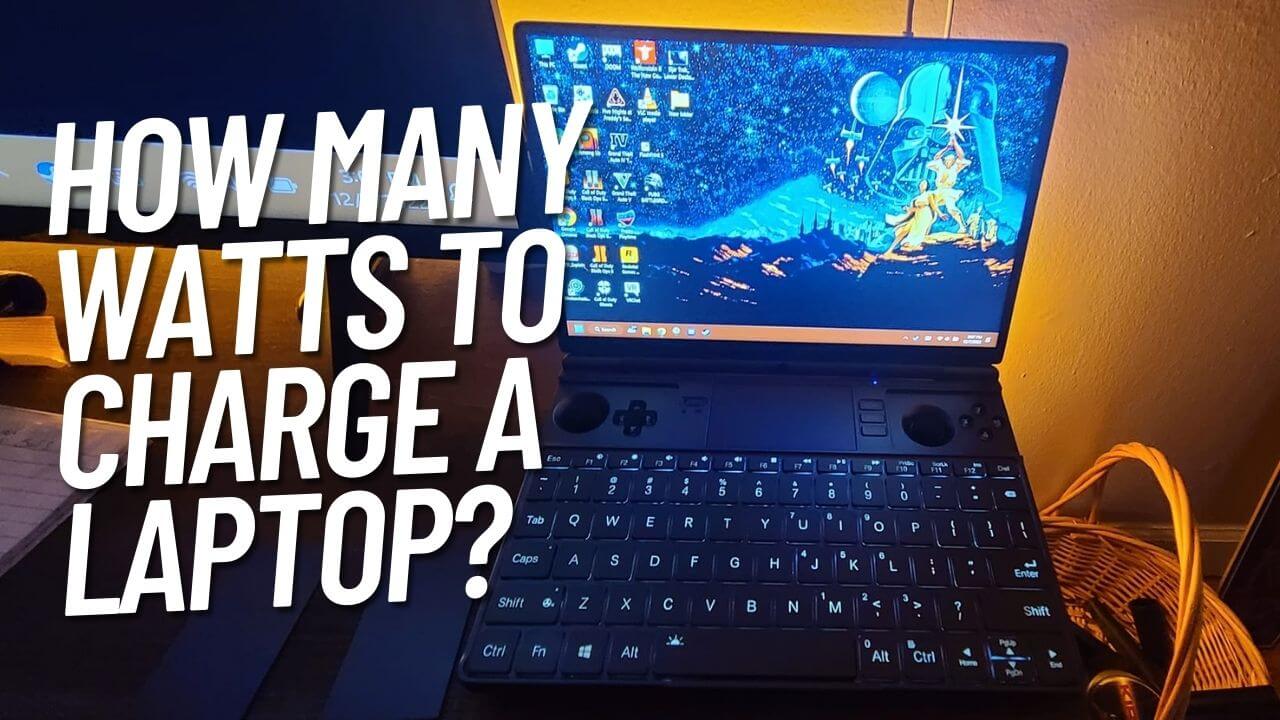
Ever found yourself staring at your laptop, perhaps while cradling a lukewarm latte, and wondered, deep down in your tech-curious soul, "Exactly how many watts is this thing chugging down?" It's a question that sounds simple, right? Like asking "how many sprinkles on a doughnut?" Turns out, it's more like "how many sprinkles on all the doughnuts in the known universe?" because, darling, it depends.
Oh, the glorious "it depends" – the bane of every straight answer and the best friend of every nuanced explanation. But don't fret! We're about to embark on an electrical mystery tour, complete with playful exaggerations and maybe a surprising fact or two, to demystify your laptop's power appetite.
The Great Wattage Rodeo: Why There's No Single Number
Imagine trying to pin down how much food "a person" eats. Are we talking about a professional sumo wrestler in training, or someone on a juice cleanse? Big difference, right? Laptops are exactly the same. They come in all shapes, sizes, and appetites.
Must Read
First off, think about the kind of laptop you have. Is it a sleek, feather-light ultrabook that sips power like a refined gentleperson sips Earl Grey? Or is it a hulking, RGB-glowing gaming beast with a graphics card that could probably render a small universe, complete with its own coffee shop?
A typical, everyday ultrabook or standard work laptop might happily hum along, drawing anywhere from 20 to 60 watts. That's pretty chill. That's like a dim lightbulb, or perhaps a very relaxed cat napping on a warm vent.
But then you hit the gaming laptops. Oh boy. These are the equivalent of a small, highly caffeinated power plant strapped to your lap. When they're pushed to their limits, rendering hyper-realistic alien landscapes or crunching complex video edits, they can easily pull 100 watts, 150 watts, or even over 200 watts! That's more like a small TV, or maybe two very enthusiastic cats fighting over a tuna can.
What Makes Your Laptop Hungry (or Not)?
It's not just the make and model. What you're actually doing on your laptop is a massive factor. It's like asking how much energy you use. Are you deep in REM sleep, or running a marathon while simultaneously solving a Rubik's Cube with your feet?
-
Idling & Light Tasks: When your laptop is just sitting there, maybe showing your desktop or browsing a simple webpage, it's like a lazy teenager on a Sunday afternoon. It’s barely moving, just ticking over. Expect it to draw somewhere in the lower range: 10-30 watts. That's practically sipping from a juice box.
-
Video Streaming & Basic Work: Binge-watching your favorite show or hammering out emails? Your laptop starts to perk up a bit. The screen is active, Wi-Fi is working, and the processor is doing a little dance. We're talking 30-60 watts. Still quite efficient, like someone casually strolling through a park.
-
Intensive Tasks (Gaming, Video Editing, 3D Rendering): This is where your laptop transforms into a fire-breathing dragon. The CPU and GPU (the brain and the graphics muscle) go into overdrive, fans whir like tiny jet engines, and the screen is probably screaming with activity. This is your sumo wrestler in full training mode, demanding 60-200+ watts. Sometimes, even more for those truly monstrous rigs.

How many watts does a laptop use and how much does it cost to run – Artofit
And here's a fun little secret: your screen brightness. Cranking it to retina-searing levels is like throwing a party for all the pixels, and parties cost energy! Turning it down, even a little, can save a surprising amount of juice. It’s a tiny tweak, but it’s like telling a party host to just dim the lights a bit – everyone still has fun, but the electricity bill is happier.
Also, don't forget your peripherals. A few USB devices plugged in, especially external hard drives or fancy RGB keyboards, are like little barnacles adding to the power draw. Not a huge amount, but they do contribute to the overall electrical chorus.
The Charger Conundrum: When It's Plugged In
You might look at your laptop's charging brick and see a number like "65W" or "150W." This number isn't how much your laptop is always using; it's the maximum power your charger can supply to the laptop. Think of it as the maximum speed limit on a highway. Your car doesn't always go that fast, but it can.

When your laptop is plugged in and charging its battery, it's particularly thirsty. The charger is doing double duty: powering the laptop and refilling that depleted battery. So, if your laptop normally uses 50 watts, it might temporarily pull 70-80 watts from the wall while charging. Once the battery is full, it'll typically settle back down to just powering the device.
Fun fact: Some people worry their charger is constantly sucking power even when the laptop isn't plugged in. While it's true a tiny, minuscule amount (a "vampire load") can be drawn, it's often so small it's not worth losing sleep over. We're talking fractions of a watt – less than a single ant trying to lift a crumb. Your fridge probably uses more power just thinking about chilling your milk.
Why Should You Even Care, Besides Curiosity?
Beyond satisfying your inner tech detective, knowing your laptop's wattage helps you make smarter decisions:
-
Power Banks: If you're eyeing a portable power bank for your laptop, knowing its typical wattage helps you pick one that can actually keep up with your device, especially if you have a power-hungry gaming rig. You don't want a trickle charger for a thirsty beast!

How Many Watts Does a Laptop Use? - GeeksDigit.Com -
Car Chargers/Inverters: Planning a road trip? Your car's 12V socket (the cigarette lighter thingy) and any inverters you use have limits. A 200W gaming laptop might be too much for some basic car setups.
-
Electricity Bill: While a laptop is generally pretty efficient compared to, say, an air conditioner, it's good to know its contribution. Rest easy, though: your laptop isn't going to bankrupt you. An entire year of a typical laptop running 8 hours a day might add a whopping $10-$30 to your annual bill, depending on your energy rates. Less than a fancy coffee a month!
The Takeaway: It's All Relative!
So, how many watts is a laptop? It's like asking how long is a piece of string – it really, really depends. But now you know the general neighborhood: from a polite 20 watts for light browsing to a roaring 200+ watts for intense gaming or professional work. Most everyday users are probably somewhere in the 40-70 watt sweet spot.
Next time you're sipping your latte, give a little nod to your laptop. It's an adaptable marvel, quietly managing its power consumption, sometimes sipping, sometimes guzzling, but always working to keep you connected. And hey, at least it doesn't need to be walked twice a day!