
How Many Watts Does A Tv Pull
Ever settled down for a cozy evening, remote in hand, ready for a serious Netflix binge or that long-awaited movie night? Of course, you have! It's one of life's simple pleasures. But have you ever paused to wonder about the silent, invisible workhorse powering your entertainment? We're talking about your TV, and specifically, how much electricity it's actually sipping while you're glued to the screen.
Don't worry, we're not about to hit you with a physics lecture. This is all about demystifying the whole "watts" thing in an easy-breezy way, so you can impress your friends at the next gathering (or just feel a little smarter about your electricity bill!).
What in the World Are "Watts," Anyway?
Think of watts like this: if electricity were water flowing through a pipe, then watts would be the rate of that flow. It's a measure of how much power an electrical device is using at any given moment. A tiny night light uses very few watts, barely a trickle. A mighty hair dryer? That's a gushing waterfall! Your TV falls somewhere in between, usually more of a steady stream.
Must Read
Knowing your TV's wattage helps you understand its energy appetite. And that, my friends, can have a ripple effect on a couple of important things: your wallet and the planet.
The Big Question: So, How Many Watts Does a TV Pull?
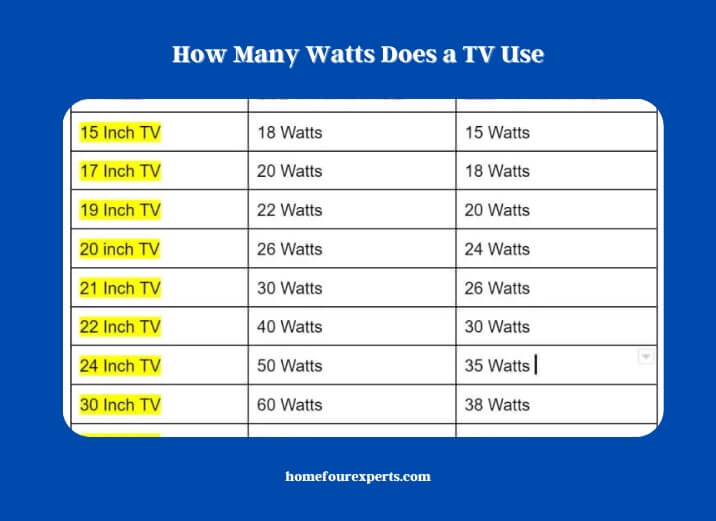
Alright, let's get down to brass tacks. There isn't a single, magic number because TVs are a bit like people – they come in all shapes, sizes, and with different habits! But here’s a rough guide:
For a typical 32-inch LED TV, you might be looking at around 30-50 watts. That's pretty frugal, like a small car sipping gas.
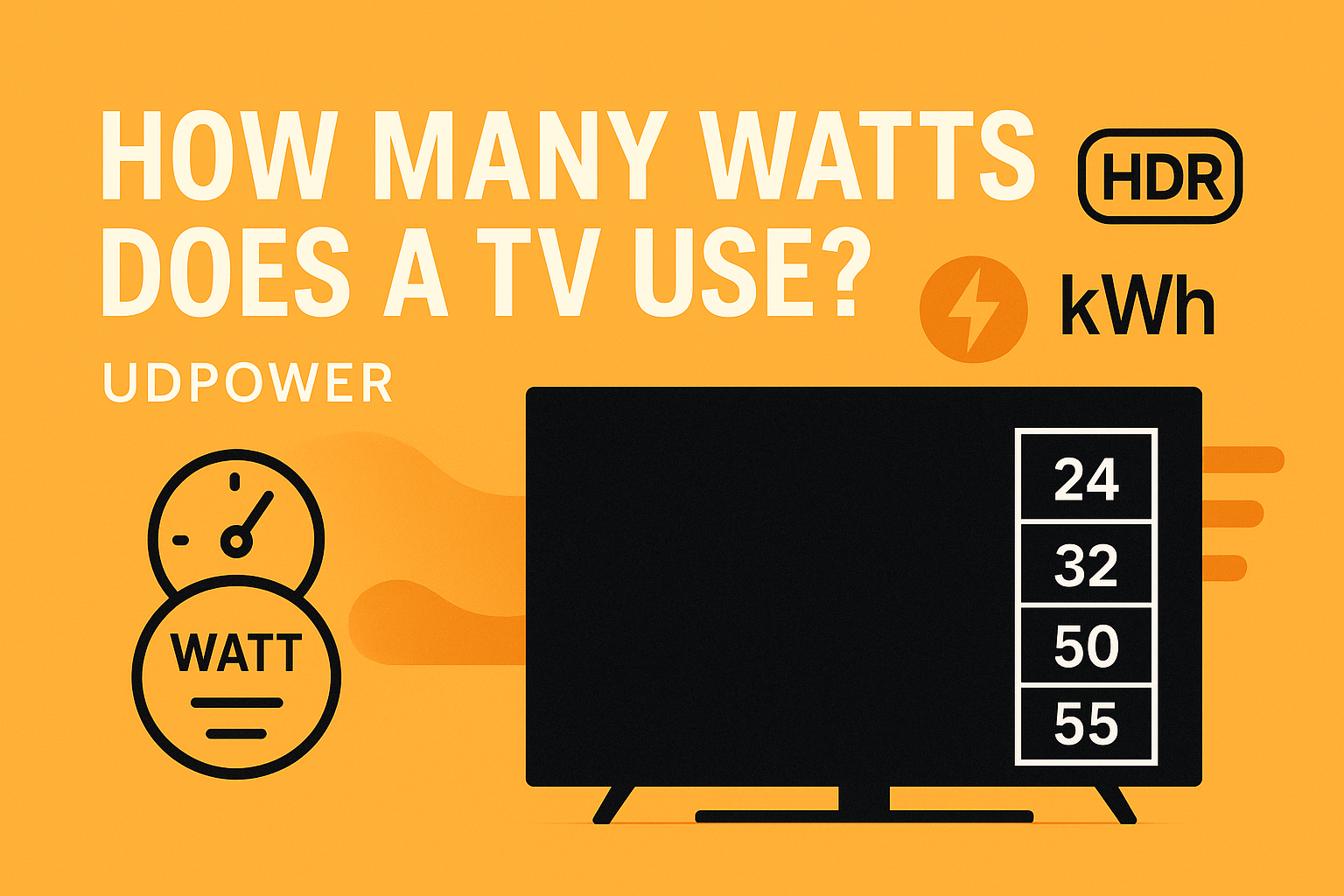
Jump up to a more common 55-inch LED TV, and it could be anywhere from 60-100 watts. Still quite efficient!
For the big screen enthusiasts with a glorious 75-inch or larger LED/QLED TV, expect to see figures in the range of 100-200 watts, sometimes a bit more. That’s like a family SUV, a bit thirstier but oh-so-roomy!
And what about OLED TVs? These beauties are known for their stunning picture quality and often, surprisingly, can be more energy-efficient than some similarly sized LEDs, especially when displaying darker scenes. They only light up the pixels they need!
What Makes Your TV Thirsty (or Not)?
Several things influence how many watts your TV is pulling at any given time:
Screen Size: The Obvious One
This is a no-brainer. A bigger screen has more pixels to light up, so it needs more power. It’s like painting a bigger wall – more paint required!
Brightness Settings: Your Personal Preference
Crank up that brightness to retina-searing levels, and your TV will work harder, drawing more watts. Dim it down for a cozy, dark room vibe, and you’ll save a bit of energy. Think of it like a light bulb: brighter equals more electricity.
Picture Mode & Content: Dynamic Duos
Some picture modes, like "Dynamic" or "Vivid," boost colors and brightness, naturally increasing wattage. Also, watching a bright, colorful cartoon often uses more power than a dark, moody drama. And if you're enjoying stunning HDR (High Dynamic Range) content, your TV might pull more watts to deliver those incredible bright and dark contrasts.
TV Technology: LED, OLED, QLED – Oh My!
As mentioned, OLED TVs are often more efficient because each pixel generates its own light and can turn off completely for true blacks. LED TVs (which include QLEDs as a type of LED TV) use a backlight, which can be less efficient overall, though newer models are constantly improving!
Why Should You Even Care About TV Watts?
Okay, so now you know what watts are and roughly how many your TV might be using. But who cares, right? Well, you should! And here’s why, in a fun and relatable way:
1. Your Wallet Will Thank You! (Hello, Electricity Bill!)
Every watt your TV pulls adds up over time, especially if you’re a serious binge-watcher. Let's say your TV pulls 80 watts and you watch for 4 hours a day. That's 320 watt-hours daily. Multiply that by 30 days, and you're at 9.6 kilowatt-hours (kWh) a month. Depending on your electricity rates, that could be an extra dollar or two a month, or even more if you have a massive TV and watch for hours on end! It might not sound like much, but over a year, that could be enough for a few fancy lattes, a new book, or even part of a streaming subscription! Every little bit helps, right?
2. Battling the "Energy Vampires" (a.k.a. Standby Power)
This is a big one! Even when your TV is "off" (but still plugged in), it's often not truly off. It's in standby mode, waiting for your remote signal. During this time, it's still pulling a small amount of power – usually 1-5 watts. This might seem tiny, but if it's doing that 20 hours a day when you're not watching, that’s 20-100 watt-hours of completely wasted electricity!
Think of it as your TV being a sleepy roommate who’s still technically "on the clock" even when they're snoozing on the couch. Over a year, these little energy vampires can add up to a measurable chunk on your bill. Unplugging it (or using a smart power strip) is like telling that roommate to take a real vacation!
3. A Tiny Nod to Mother Earth
While one TV isn't going to solve climate change, every bit of energy saved contributes to a healthier planet. Using less electricity means power plants don't have to work quite as hard, which means fewer emissions. It’s like choosing to walk instead of drive for short distances – a small choice that collectively makes a difference. Be a eco-hero, even if it's just from your sofa!
Quick Tips to Keep Your TV's Thirst in Check:
- Dim the Lights: Use your TV's brightness settings wisely. If your room isn't super bright, you likely don't need your TV cranked to max brightness.
- Embrace Power-Saving Modes: Most modern TVs have energy-saving or eco-modes. These subtly adjust settings to reduce power consumption without greatly impacting your viewing experience. Give them a try!
- Banish Energy Vampires: The easiest way to stop standby power is to plug your TV into a power strip and switch the strip off when you're not using it (especially overnight or when you're away). Or, for true dedication, unplug it completely.
- Look for ENERGY STAR: When buying a new TV, keep an eye out for the ENERGY STAR label. It means the TV meets strict energy efficiency guidelines set by the EPA.
Finding Your TV's Specifics
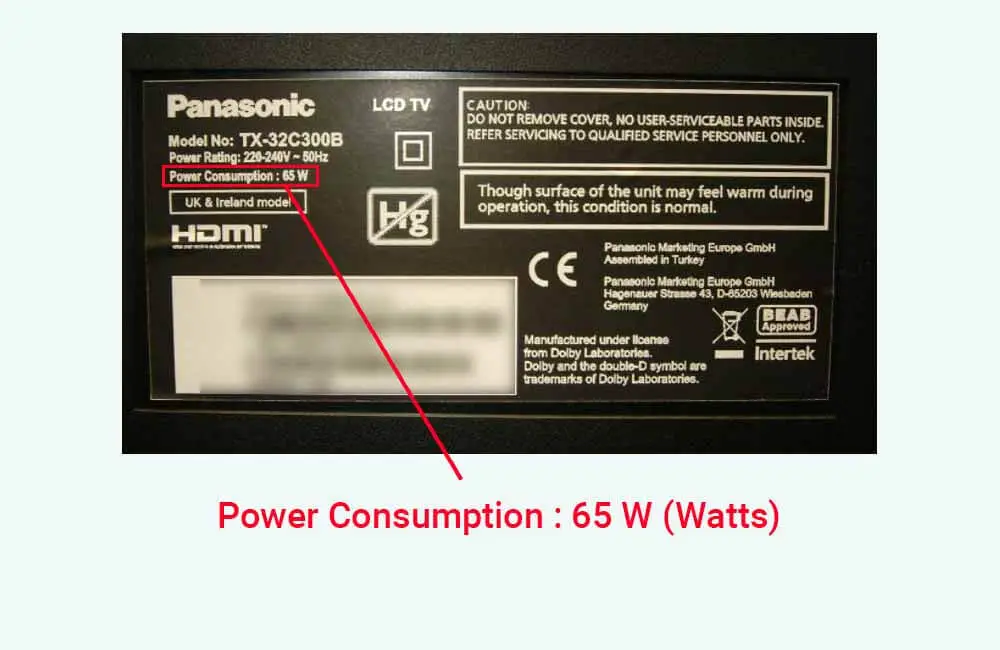
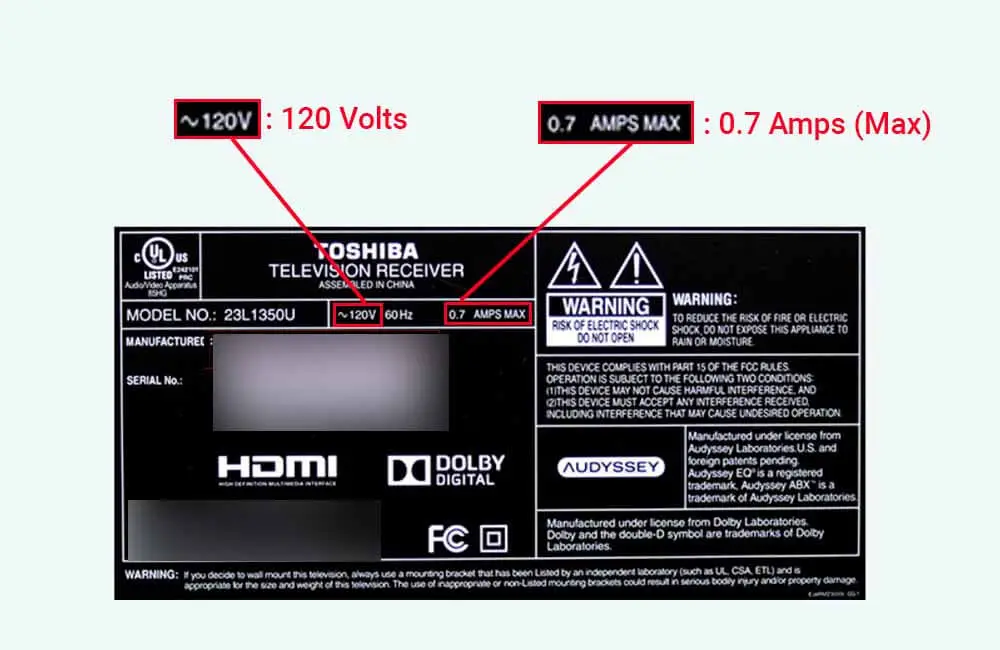
Want to know the exact wattage for your TV? Check the back panel of the TV itself (look for a sticker with electrical ratings), consult the owner's manual, or visit the manufacturer's website. You'll often see something like "Power Consumption: 120W" or "Rated Power: 1.5A @ 120V" (which you can multiply to get watts!).
So there you have it! Understanding your TV's wattage isn't just for tech geeks or environmentalists. It's for anyone who likes to save a few bucks, be a little kinder to the planet, and maybe, just maybe, feel a smidge more informed about the gadgets that bring us so much joy. Happy viewing, and happy saving!