How Do You Connect Your Smart Tv To The Internet

Remember the days when a TV was just… a TV? A big, glowing box that showed whatever a handful of channels decided you should see? Me neither, really. Today, our TVs are smarter than our first cellphones, demanding connection like a teenager needing Wi-Fi at Grandma's house.
The Great Escape: Getting Your TV Online
So, how do you unleash the internet beast within your smart TV? It's generally less complicated than assembling IKEA furniture, thankfully. Think of it as introducing your TV to the vast, exciting world beyond broadcast television.
First things first: is your TV actually smart? Look for words like "smart," "internet-ready," or a suspiciously large number of ports on the back. If your TV pre-dates the invention of sliced bread (figuratively, of course), you might need a streaming stick or box, which acts like a translator, bridging the gap between your ancient screen and the modern web.
Must Read
Assuming your TV is indeed a member of the "smart" set, you have two main paths to enlightenment: Wi-Fi or Ethernet. Let's start with the wireless option, because who needs more cables cluttering up their life?
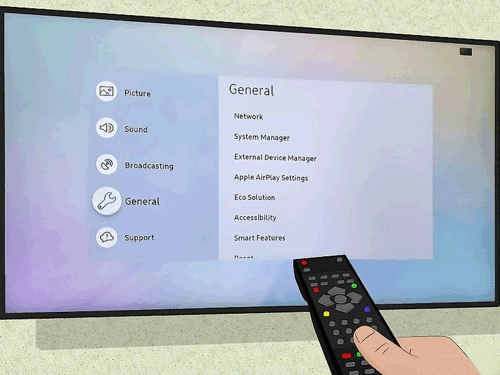
Most smart TVs have built-in Wi-Fi, which is like a telepathic connection to your router. Navigate to the "Settings" menu (it's usually represented by a gear icon, because gears are universally understood to mean "settings," apparently). Find the "Network" or "Internet" section and brace yourself for a list of available Wi-Fi networks.
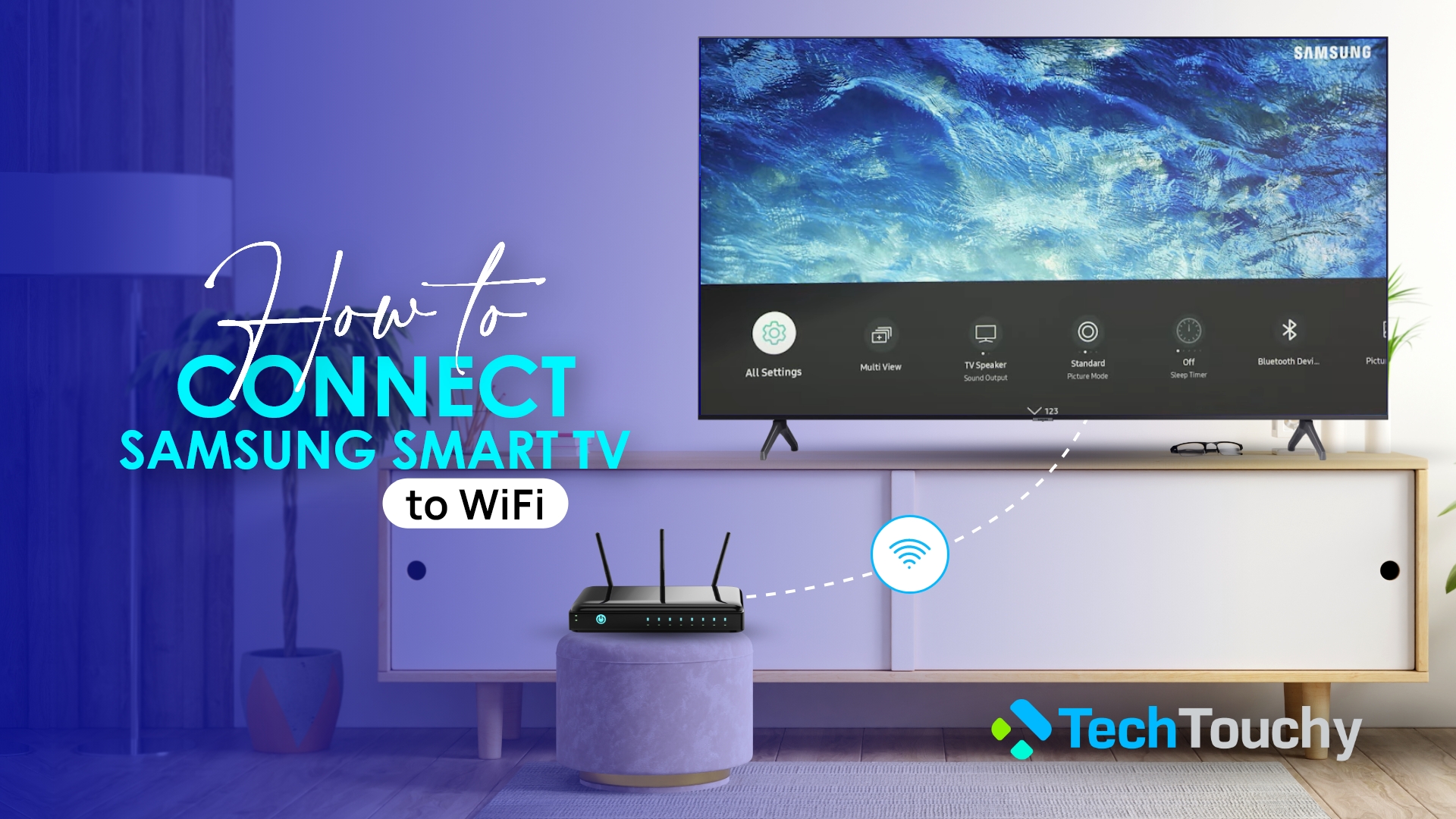
This is where the fun begins. You'll see a bunch of network names, some of which might be suspiciously creative (or painfully generic, like "NETGEAR67"). Choose yours, and prepare to enter your password. This is usually done with an on-screen keyboard that requires the dexterity of a concert pianist to navigate with a remote control. Don't be surprised if you accidentally subscribe to a foreign language channel while trying to type in your password. It's happened to the best of us.
If you're lucky, your TV will connect instantly, proclaiming its success with a triumphant message like, "Connected to the internet!" If not, don't panic. Try restarting your router. It’s the digital equivalent of a gentle pat on the back, often surprisingly effective.
Wired for Winning: The Ethernet Option
Now, let’s talk about Ethernet. This involves a physical cable, which might seem archaic in our wireless world, but it offers a more stable and reliable connection. Think of it as the tortoise versus the hare, except the tortoise is a slightly dusty cable and the hare occasionally drops the internet signal because someone microwaved popcorn.

Find the Ethernet port on the back of your TV (it looks like a slightly wider phone jack) and plug in one end of the cable. Plug the other end into your router. Boom. Done. Usually. In most cases, your TV will automatically detect the connection and connect to the internet without you having to lift another finger. It's the technological equivalent of magic, or at least really clever engineering.
Of course, there's always the possibility of things going wrong. Maybe your router is feeling rebellious, or your TV is experiencing an existential crisis. In these cases, consult the TV's manual or Google your specific model number. The internet is full of helpful advice, even if some of it sounds like it was written by robots.
"Connecting your smart TV to the internet can be a rewarding experience, opening up a world of entertainment and information," said no one ever, immediately before throwing their remote control at the wall in frustration.
But seriously, once you get your TV online, you can stream movies, watch cat videos, and even video chat with your relatives (whether you want to or not). It's a brave new world, and your TV is finally ready to be a part of it.
So go forth, connect your smart TV, and enjoy the digital age. Just remember to occasionally turn it off and go outside. The real world is still pretty cool, too. Maybe.
And if all else fails, bribe a tech-savvy teenager with pizza. They’re fluent in the language of Wi-Fi and router settings, and they're usually willing to work for food.