
How Do You Clean Battery Acid Out Of A Remote
Oh, the remote. King of the couch, wielder of channels, and occasional chew toy for overly enthusiastic puppies. It's a modern marvel, until… gasp... the batteries betray you.
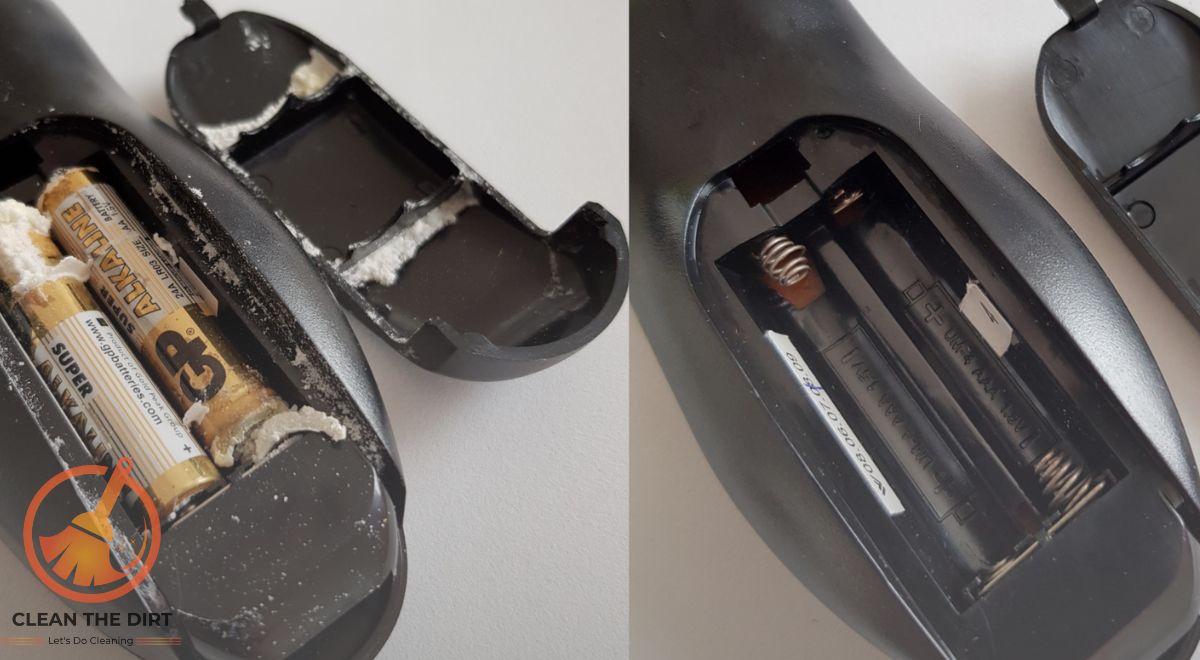
Not just dead, but leaking. That gooey, white-ish, sometimes blue-ish gunk that looks like aliens decided to redecorate your electronics. Yes, we're talking battery acid, folks. And it's chosen your remote as its new canvas.
Operation Remote Rescue: A Comedy in Several Acts
First, grab a weapon. Not a literal one, of course! We're going for a Phillips head screwdriver. The one that lives in that drawer of misfit tools, next to the rubber bands and orphaned keys.
Must Read
Carefully, slowly, unscrew the battery compartment cover. This is where you might encounter the first casualty: the screw itself. Rusted, corroded, and seemingly fused to the plastic. Don't force it! A little patience (and maybe a drop of lubricant) goes a long way.
The Great Battery Escape
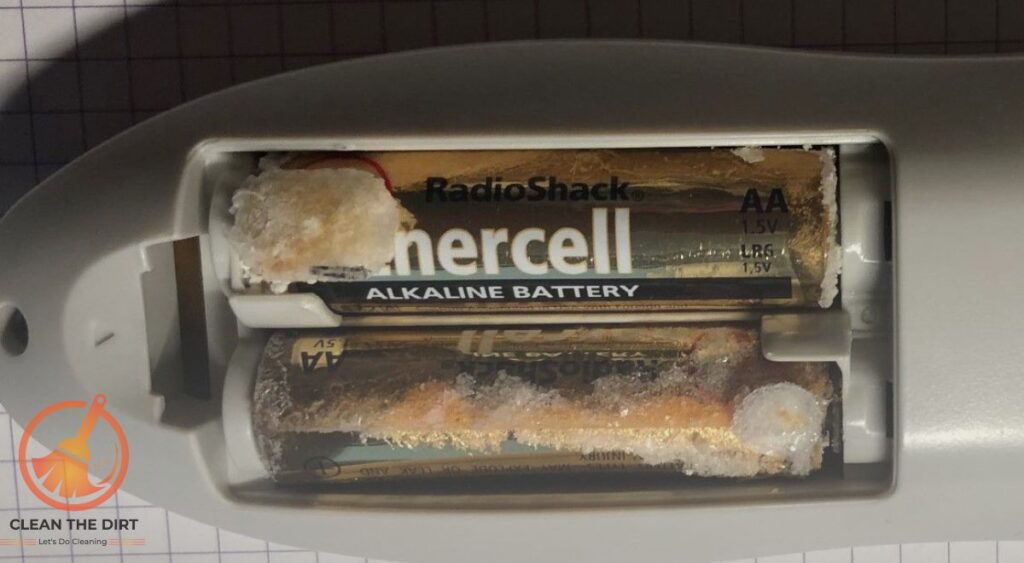
Now, the batteries. They might be stuck. Really stuck. That battery acid? It's like super glue for cylindrical objects in confined spaces.
Resist the urge to Hulk smash them out. Instead, try gently tapping the remote against your palm. Think of it as a tiny, controlled percussion performance.
If that doesn't work, a flathead screwdriver can be your friend, but be incredibly careful not to puncture the batteries. You don't want to unleash the full fury of alkaline wrath. Safety first!
Finally! The batteries are free! Celebrate with a tiny, silent cheer. You've overcome the first hurdle.

The Goo Gauntlet
Behold! The battlefield: the battery compartment, now a sticky, crusty testament to the corrosive power of neglect. This is where things get… interesting.
Our weapon of choice? Vinegar. Yes, that humble kitchen staple. It's an acid, too, but a much gentler, more forgiving one. It neutralizes the alkaline battery acid like a tiny superhero with a cape made of acetic acid.
Dip a cotton swab (or a Q-tip, if you're feeling brand-loyal) in vinegar and gently swab the affected areas. Watch as the gunk fizzes and dissolves. It’s strangely satisfying, like popping bubble wrap for chemistry nerds.
For tougher spots, a toothbrush can be your ally. An old one, of course. You don't want to brush your teeth with vinegar-soaked bristles. Trust me on this one.
Keep scrubbing and swabbing until the battery compartment is relatively clean. It doesn't have to be spotless, just free of visible corrosion. A little staining is okay; it adds character. Think of it as battle scars from the Great Remote War.
:max_bytes(150000):strip_icc()/how-to-clean-battery-acid-safely-5112596-hero-998ab18faaec43f7b166f7640a42cb58.JPG)
The Baking Soda Buffer (Just in Case!)
Feeling extra cautious? Make a paste of baking soda and water. This acts as a final neutralizer, ensuring that no stray acid remnants remain.
Apply the paste to the affected areas, let it sit for a few minutes, and then wipe it away with a damp cloth. Now you can be sure.
The Drying Dance
Moisture and electronics are not friends. It's a universal truth, like the sky being blue and cats being secretly judgmental.
Use a dry cloth or paper towel to thoroughly dry the battery compartment. A blast of compressed air can also help reach those hard-to-reach nooks and crannies.
For extra assurance, let the remote air dry for a few hours. You can even put it in a warm, dry place, like near a sunny window. Just don't put it in the oven. I repeat, DO NOT put it in the oven.
The Reassembly Rhapsody
With the battery compartment clean and dry, it's time to put everything back together. Insert fresh batteries (the right way this time).
Screw the battery compartment cover back on. Not too tight, or you'll risk stripping the screws. Just snug enough to keep the batteries secure.
Cross your fingers and press the power button. Will it work? Will the TV gods smile upon you?
If it does, celebrate! You've successfully resurrected your remote from the clutches of battery acid. Bask in the glory of your DIY prowess.
If it doesn't, don't despair! Sometimes, the damage is too extensive. But you tried! And that's what matters. Plus, you now have a fascinating story to tell at your next dinner party.
Preventative Measures: A Stitch in Time Saves Nine Remotes
The best way to avoid the battery acid blues? Prevention! Remove batteries from remotes (and other electronics) that you're not using for extended periods.

Check your remotes regularly for signs of battery leakage. A little preventative maintenance can save you a lot of hassle (and vinegar) in the long run.
Consider using rechargeable batteries. They're not only better for the environment, but they also tend to leak less than alkaline batteries. It's a win-win!
A Remote Reflection
Cleaning battery acid out of a remote might seem like a mundane task. But it's also a reminder of the small battles we face every day.
It's a testament to our resourcefulness, our willingness to get our hands dirty (literally), and our unwavering dedication to channel surfing.
So, the next time you rescue a remote from the ravages of battery acid, take a moment to appreciate your own ingenuity. You're not just cleaning a remote; you're preserving a little piece of domestic tranquility. And that's something to be proud of.
And remember, when life gives you lemons (or leaking batteries), make lemonade (or clean your remote). The choice is yours.