
How Do I Charge A Laptop Battery Without A Charger
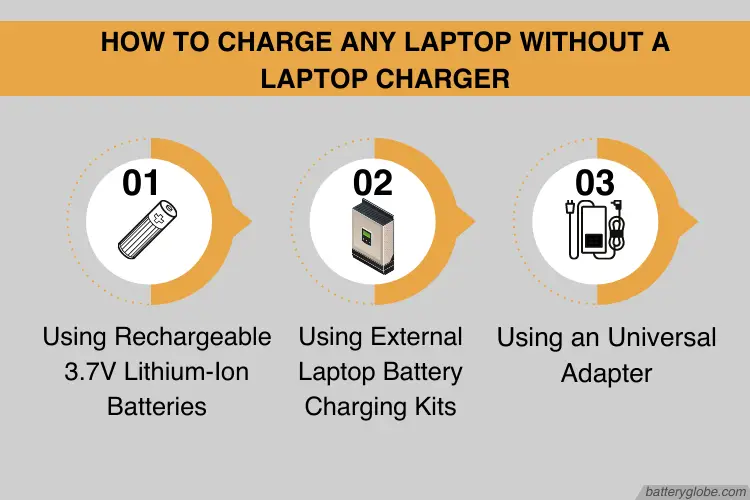
Let's face it, we've all been there. You're on a creative roll, deep in a project, or just binge-watching your favorite show, and then… the dreaded low battery warning flashes on your laptop screen. But what if your charger is nowhere to be found? Maybe you left it at home, or a mischievous pet decided to make it their new chew toy. Don't panic! There are a few alternative ways to coax some extra juice into your laptop, buying you precious time to finish that masterpiece, nail that online course, or reach the next episode.
For artists, hobbyists, and even casual learners, a laptop is an indispensable tool. Think of the digital artist sketching breathtaking landscapes on the go, the musician composing intricate melodies in a coffee shop, or the language learner practicing their pronunciation while traveling. A dead battery can halt progress and stifle inspiration. Knowing how to charge your laptop sans charger offers unparalleled freedom and flexibility. It allows you to work, learn, and create whenever and wherever inspiration strikes, without being tethered to a power outlet.
So, how do you perform this battery-boosting magic? Here are a few tricks to try (with a strong disclaimer that some methods are riskier than others, so proceed with caution and research specific compatibility for your laptop model beforehand!):
Must Read
- USB-C Power Delivery: Many newer laptops can be charged via USB-C ports, especially those designed for charging phones and tablets. If you have a powerful USB-C power bank or wall adapter (think those used for high-end smartphones or even Nintendo Switches), it might be able to give your laptop a much-needed boost.
- Universal Laptop Charger: These are readily available online and in electronics stores. They come with a variety of tips to fit different laptop models. Make sure to select one with the correct voltage for your laptop.
- Car Charger: If you're on the road, a car charger specifically designed for laptops can be a lifesaver. These typically plug into your car's cigarette lighter adapter.
- External Battery Packs (Power Banks): As mentioned above, high-capacity power banks designed for laptops (not just phones) can provide a significant charge. Look for power banks with higher voltage outputs.
Tips for trying it at home: Always check the voltage and amperage requirements of your laptop and the charging device you're using. Using an incompatible charger can damage your battery or even your laptop. Start with the safest options first – a USB-C power delivery adapter is generally the most reliable and least risky. Do your research! There are plenty of online resources and forums dedicated to laptop charging compatibility. And if you're unsure, it's always best to err on the side of caution and wait until you can get your hands on a proper charger.
Ultimately, mastering the art of charging a laptop without a charger is about more than just practicality. It's about resourcefulness, problem-solving, and the thrill of overcoming a technological hurdle. It's about reclaiming your creative flow and staying connected, even when the odds are stacked against you. So, embrace the challenge, experiment (carefully!), and enjoy the satisfaction of knowing you have the power to keep your laptop humming, no matter where life takes you.

![How to Charge a Laptop Without a Charger? [7 Best Ways] - NSTechBlog](https://nstechblog.com/wp-content/uploads/2024/05/how-to-charge-laptop-without-charger.jpeg)

