Difference Between A Smart Tv And Regular Tv
Let's be honest, who doesn't love settling down after a long day and switching on the TV? Whether it's to catch up on the latest episode of your favorite show, lose yourself in a gripping movie, or simply have some background noise while you unwind, television remains a cornerstone of modern relaxation and entertainment. But with the ever-evolving landscape of technology, choosing the right television can feel a bit overwhelming. Enter the age-old question: what's the real difference between a smart TV and a regular TV?
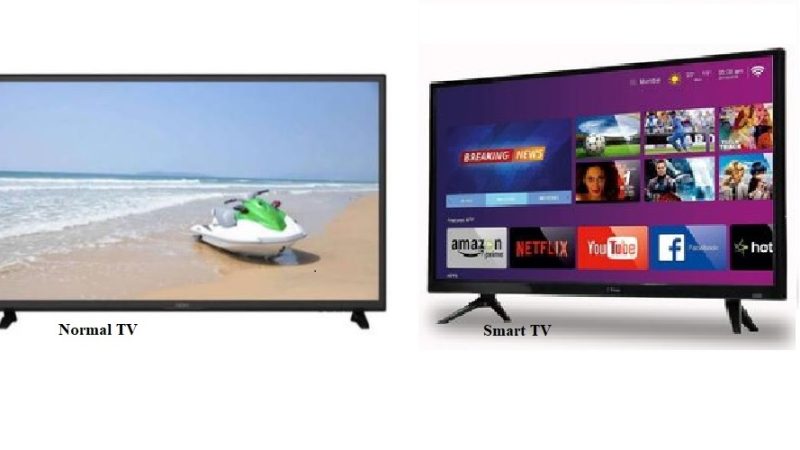
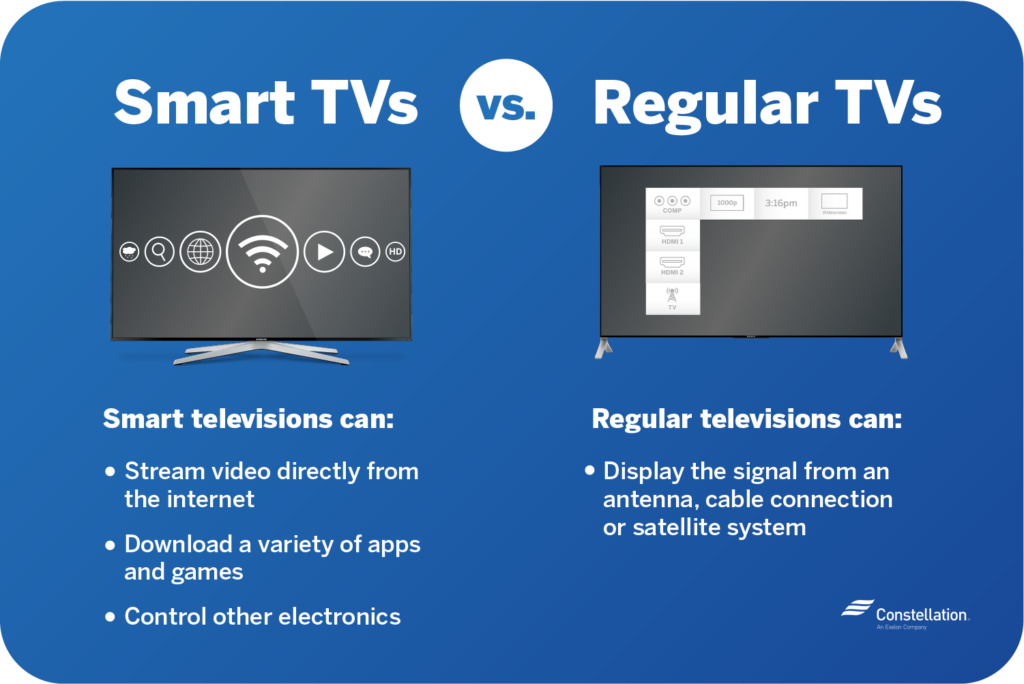
The core purpose of any television is, of course, to display video content. A regular TV, sometimes referred to as a "dumb" TV (though we prefer "classic"!), primarily serves this function. It receives signals from external sources like cable boxes, DVD players, or gaming consoles and displays them on its screen. Its benefits lie in its simplicity and often, its affordability. It's a plug-and-play solution for straightforward entertainment.
On the other hand, a smart TV takes things a step further. Think of it as a regular TV with a built-in computer. It connects to the internet, usually via Wi-Fi, allowing you to access a wide range of online content directly on your television screen. The benefits are numerous. Imagine being able to stream Netflix, Hulu, or Amazon Prime Video without needing a separate device. You can browse YouTube, listen to Spotify, or even access social media apps directly from your TV. Many smart TVs also offer features like screen mirroring from your smartphone or tablet, voice control through integrated assistants like Google Assistant or Alexa, and the ability to download and install apps from an app store.
Must Read
Common examples of how smart TVs are applied in everyday life are vast. Think about families enjoying movie nights streaming directly from Disney+, friends gathering to watch sports events via ESPN+, or individuals catching up on news and current affairs through YouTube channels. They're also increasingly used for video conferencing, especially in households with remote workers, and for accessing fitness apps for at-home workouts.
So, how can you enjoy your TV, whether smart or classic, more effectively? Here are a few practical tips:
- Calibrate your picture settings: Most TVs come with default settings that aren't optimal. Take some time to adjust the brightness, contrast, and color settings to your liking for a more immersive viewing experience. Experiment with different modes like "Cinema" or "Game" to find what works best for you.
- Optimize your internet connection: For smart TVs, a stable and fast internet connection is crucial. Consider upgrading your Wi-Fi router or using a wired Ethernet connection for smoother streaming.
- Organize your apps (for smart TVs): Keep your smart TV's home screen tidy by organizing your apps into folders or pinning your frequently used apps for easy access.
- Invest in a good sound system: While TV speakers have improved, a dedicated soundbar or surround sound system can significantly enhance your audio experience, especially for movies and games.
- Regularly update your software (for smart TVs): Keep your smart TV's software updated to ensure you have the latest features, bug fixes, and security patches.
Ultimately, the best choice between a smart TV and a regular TV depends on your individual needs and preferences. If you simply want a device to display content from external sources, a regular TV might suffice. But if you crave seamless access to online streaming services and a more integrated entertainment experience, a smart TV is undoubtedly the way to go.